AI agent for insurance claims processors
Reservation of Rights Review Agent
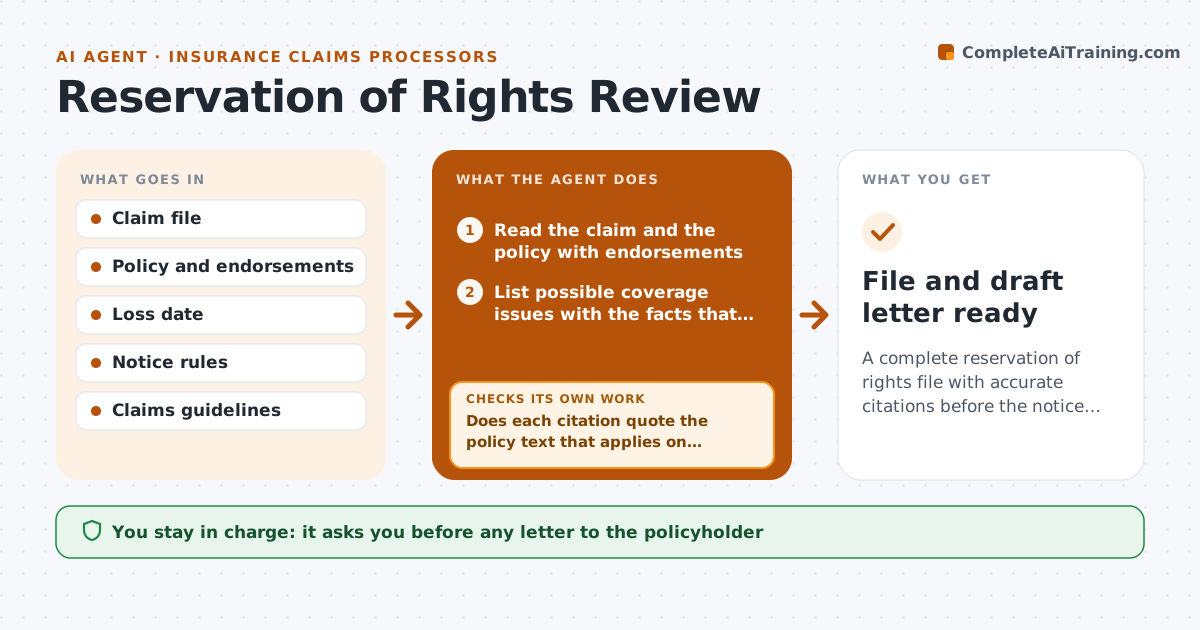
A complete reservation of rights file with accurate citations before the notice deadline
What it does
Coverage questions are often spotted late, and a letter with the wrong policy language can hurt the insurer. This agent reads the claim and the policy, then finds possible coverage issues, such as an exclusion, late notice or a misdescribed loss. It checks the exact wording and the notice deadline required by the rules. It builds a file for the adjuster with each issue, the quoted policy text and the date the letter must go out. If a citation is weak or not matched to the text, it goes back for another search. The claims lead approves any letter. Edge case: the policy was endorsed mid-term, so the agent compares both versions and cites the one in force on the loss date.
How it works
Follow the arrows from top to bottom. The orange dashed arrow is the loop: when a check fails, the agent goes back and tries again.
Read the steps as a list
- A claim is flagged for a possible coverage issue
- Read the claim and the policy with endorsements
- List possible coverage issues with the facts that raise them
- Find the exact policy wording for each issue
- Does each citation quote the policy text that applies on the loss date?If not: search the endorsements and prior versions again and recheck the quote. Back to step 4.
- Calculate the notice deadline
- Prepare the file for the adjuster
- Claims lead approves any letterThe agent waits here for your OK.
- File and draft letter ready
How it decides
An issue enters the file only with the exact policy text and the loss facts that support it. The deadline is computed from the receipt date and the notice rules.
- Cite policy text only if it is quoted in full
- Use the version in force on the loss date
- Flag a deadline within 5 business days
- Never add an issue without a supporting fact
Make it yours
Every agent is a starting point. You choose these settings for your own situation.
- Notice deadline warnings
- Issue types it looks for
- Citation format
- Who approves letters
What keeps you in control
It always asks you first
- Any letter to the policyholder
Hard limits
- Never send a letter
- Never state a coverage decision
It stops when
- Done: file approved and letter sent by the lead
- Stop: policy is not on file
Set it up
We guide you through the set-up, step by step
Members get the full set-up guide for this agent. No technical skills needed: you copy, paste and upload.
- One set of instructions to paste into your AI, with the clicks for ChatGPT, Claude, Microsoft 365 Copilot, Gemini and Grok
- The agent then walks you through connecting your own data, one source at a time
- A downloadable copy with the flow chart, the rules and the full guide