AI agent for insurance claims managers
Reserve Adequacy Review Agent
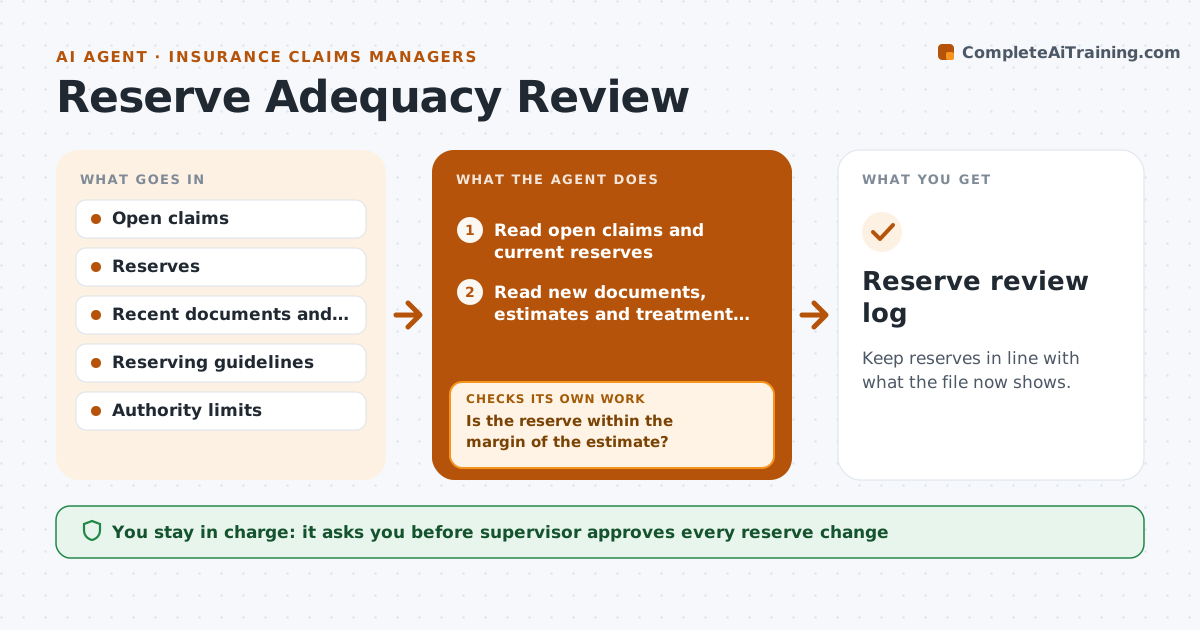
Keep reserves in line with what the file now shows.
What it does
A reserve set at the start of a claim can be wrong for months. New medical bills, a repair estimate or a lawyer letter change what the claim will likely cost, but the number stays. This agent reads each open claim's reserve and compares it with the latest documents and estimates. It flags claims where the expected cost differs from the reserve by more than a set margin and drafts a change note with the reason and the evidence. It checks the recommendation against reserving guidelines, such as authority limits. The supervisor approves any change. Edge case: a claim with a new attorney letter is flagged even if the numbers have not changed yet.
How it works
Follow the arrows from top to bottom. The orange dashed arrow is the loop: when a check fails, the agent goes back and tries again.
Read the steps as a list
- Weekly reserve review
- Read open claims and current reserves
- Read new documents, estimates and treatment updates
- Estimate the likely cost from the evidence
- Is the reserve within the margin of the estimate?If not: Skip the claim and recheck when new documents arrive. Back to step 2.
- Draft a change note with reasons and evidence
- Does the change fit the reserving guidelines and authority limits?If not: Route to the right authority level and revise the note. Back to step 6.
- Supervisor approves the changeThe agent waits here for your OK.
- Record the change in the claim system
- Reserve review log
How it decides
It estimates likely cost from the newest evidence and flags a reserve that is off by more than the margin.
- Flag a claim when the estimate differs from the reserve by 15 percent or more
- Flag claims with a new attorney or a new injury
- Never lower a reserve without a document that supports it
- Route above-authority changes to the next level
Make it yours
Every agent is a starting point. You choose these settings for your own situation.
- Margin that triggers a flag (default 15 percent)
- Authority limits by role
- Claim types included
- Review frequency
What keeps you in control
It always asks you first
- Supervisor approves every reserve change
Hard limits
- Never change a reserve itself
- Never lower a reserve without evidence
It stops when
- Done: all flagged reserves have a decision
- Stop: documents are missing and the adjuster is asked for them
Set it up
We guide you through the set-up, step by step
Members get the full set-up guide for this agent. No technical skills needed: you copy, paste and upload.
- One set of instructions to paste into your AI, with the clicks for ChatGPT, Claude, Microsoft 365 Copilot, Gemini and Grok
- The agent then walks you through connecting your own data, one source at a time
- A downloadable copy with the flow chart, the rules and the full guide