AI agent for actors
Residual and Agent Commission Reconciliation Agent
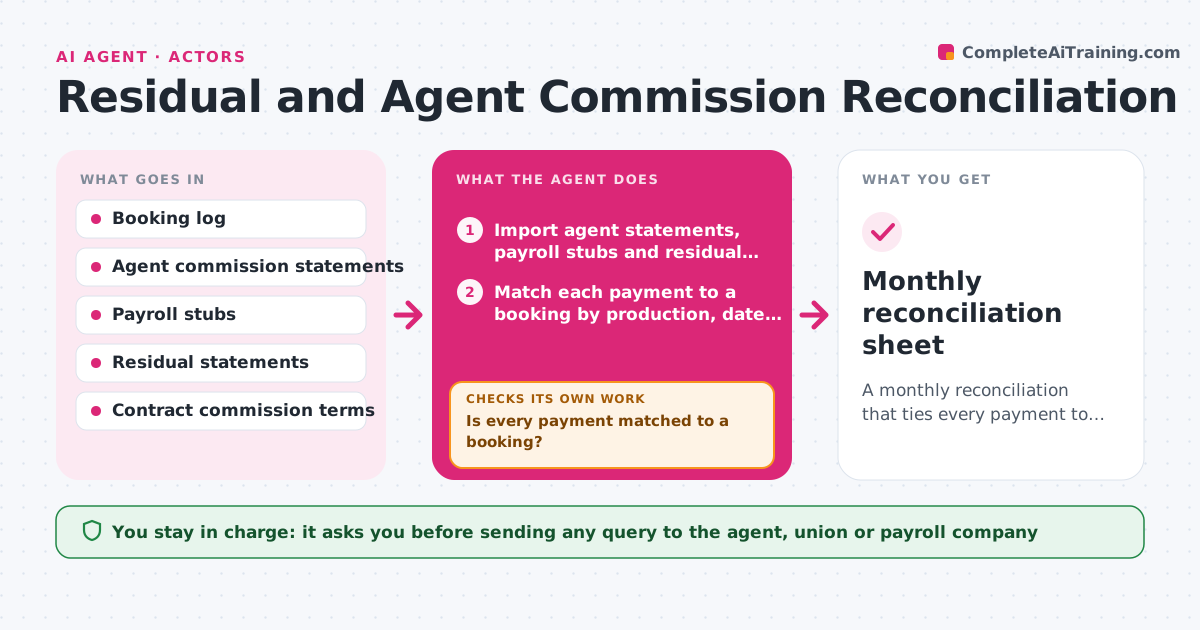
A monthly reconciliation that ties every payment to a booking and lists missing or wrong amounts
What it does
Actors get paid through agents, payroll companies and residual checks that arrive months after the work. Matching each payment to a booking is tedious, so errors slip by. Each month this agent reads payroll stubs, residual statements and the agent's commission statement, and matches every payment to a booking in your log. It recalculates commission at the agreed rate and checks residuals against expected airings when the production reports them. Payments that do not match go into a follow-up list. After matching, it checks that totals per job equal gross pay minus commission and withholding. If they do not, it recalculates by line and looks for split payments. It drafts questions to the agent or payroll company, but you send them. Edge case: commission should not be taken on some residuals, so it uses your contract terms per job.
How it works
Follow the arrows from top to bottom. The orange dashed arrow is the loop: when a check fails, the agent goes back and tries again.
Read the steps as a list
- New month begins
- Import agent statements, payroll stubs and residual statements
- Match each payment to a booking by production, date and gross
- Is every payment matched to a booking?If not: try matching split payments and alternate production names, then list the rest as unknown. Back to step 3.
- Recalculate commission per payment from contract terms
- Do net totals per job equal gross minus commission and withholding?If not: recalculate line by line and mark the exact line that differs. Back to step 5.
- List bookings with expected payments that never arrived
- Draft questions to the agent and payroll companies
- Actor reviews and sends the questionsThe agent waits here for your OK.
- Monthly reconciliation sheet
How it decides
A payment is matched when production, date and gross agree with a booking within a small tolerance. A commission is wrong when it differs from the contract rate on that payment type.
- Match within a 1% tolerance on gross
- Flag commission that differs from the contract rate by any amount over 5 units of currency
- Flag a booking as unpaid when no payment arrives 45 days after the wrap date
- Treat residuals as no-commission when the contract says so
Make it yours
Every agent is a starting point. You choose these settings for your own situation.
- Commission rates per job type
- Days before a booking counts as unpaid (default 45)
- Matching tolerance (default 1%)
- Which statements to import
- Report format (sheet or summary)
What keeps you in control
It always asks you first
- Sending any query to the agent, union or payroll company
Hard limits
- Never contact the agent or payroll company directly
- Never share bank details in drafts
It stops when
- Done: all payments matched or listed with a drafted question
- Stop: statements missing for the month, asks the actor to upload them
Set it up
We guide you through the set-up, step by step
Members get the full set-up guide for this agent. No technical skills needed: you copy, paste and upload.
- One set of instructions to paste into your AI, with the clicks for ChatGPT, Claude, Microsoft 365 Copilot, Gemini and Grok
- The agent then walks you through connecting your own data, one source at a time
- A downloadable copy with the flow chart, the rules and the full guide