AI agent for project managers
Resource Overallocation Resolution Agent
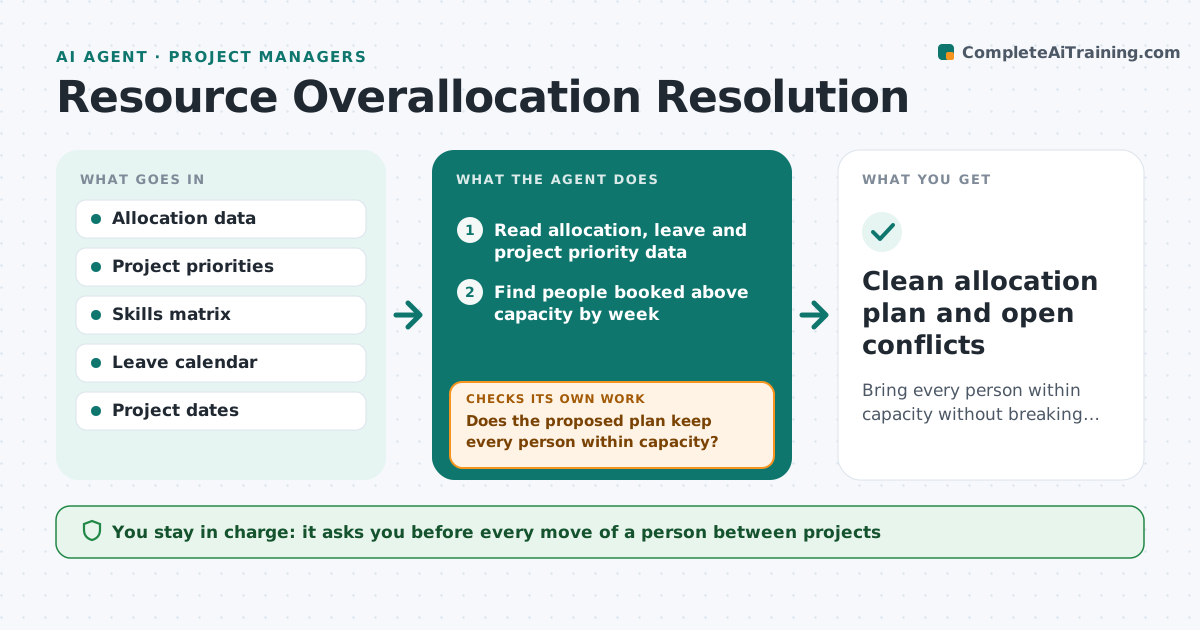
Bring every person within capacity without breaking project dates.
What it does
A strong analyst is booked at 140% across three projects and everyone expects them to deliver. The overload is invisible until deadlines slip. This agent reads allocation data from the planning tool and finds people booked above capacity in any week. It proposes moves based on skills, project priority and availability of others, and checks the effect on dates. It reruns the numbers after each proposed move to see if anyone is still overbooked and if a new overload appeared elsewhere. It keeps going until the plan is clean or no valid move exists. The manager approves each move. Edge case: a person who is the only one with a scarce skill is not moved, and the agent suggests moving the task date instead.
How it works
Follow the arrows from top to bottom. The orange dashed arrow is the loop: when a check fails, the agent goes back and tries again.
Read the steps as a list
- Weekly allocation check begins
- Read allocation, leave and project priority data
- Find people booked above capacity by week
- Match each overloaded task to people with the skill and spare hours
- Propose moves ranked by effect on lower-priority projects
- Does the proposed plan keep every person within capacity?If not: Propose another move or a date change for the remaining overload. Back to step 3.
- Do any project dates break after the moves?If not: Reject the move and offer a task delay instead. Back to step 5.
- Manager approves each moveThe agent waits here for your OK.
- Update the draft allocation
- Clean allocation plan and open conflicts
How it decides
Finds weeks over capacity and moves work to people with matching skills and spare hours, preferring moves that cost the lowest-priority project the least.
- Capacity limit is 100% of available hours unless the manager sets a different limit
- Skill must match at level 3 or higher
- Never move someone off a critical path task without approval
- Prefer date change if no matching person exists
Make it yours
Every agent is a starting point. You choose these settings for your own situation.
- Capacity limit (default 100%)
- Skill level needed for a move
- Projects that cannot be touched
- Weeks to look ahead (default 8)
- Who approves moves
What keeps you in control
It always asks you first
- Every move of a person between projects
- Any date change
- Hiring or contractor requests
Hard limits
- Never change allocations itself
- Never overload one person to fix another
It stops when
- Done: no one over capacity
- Stop: no valid move exists, manager decides
- Stop: planning data is incomplete
Set it up
We guide you through the set-up, step by step
Members get the full set-up guide for this agent. No technical skills needed: you copy, paste and upload.
- One set of instructions to paste into your AI, with the clicks for ChatGPT, Claude, Microsoft 365 Copilot, Gemini and Grok
- The agent then walks you through connecting your own data, one source at a time
- A downloadable copy with the flow chart, the rules and the full guide