AI agent for compensation analysts
Retention Bonus Tracker Agent
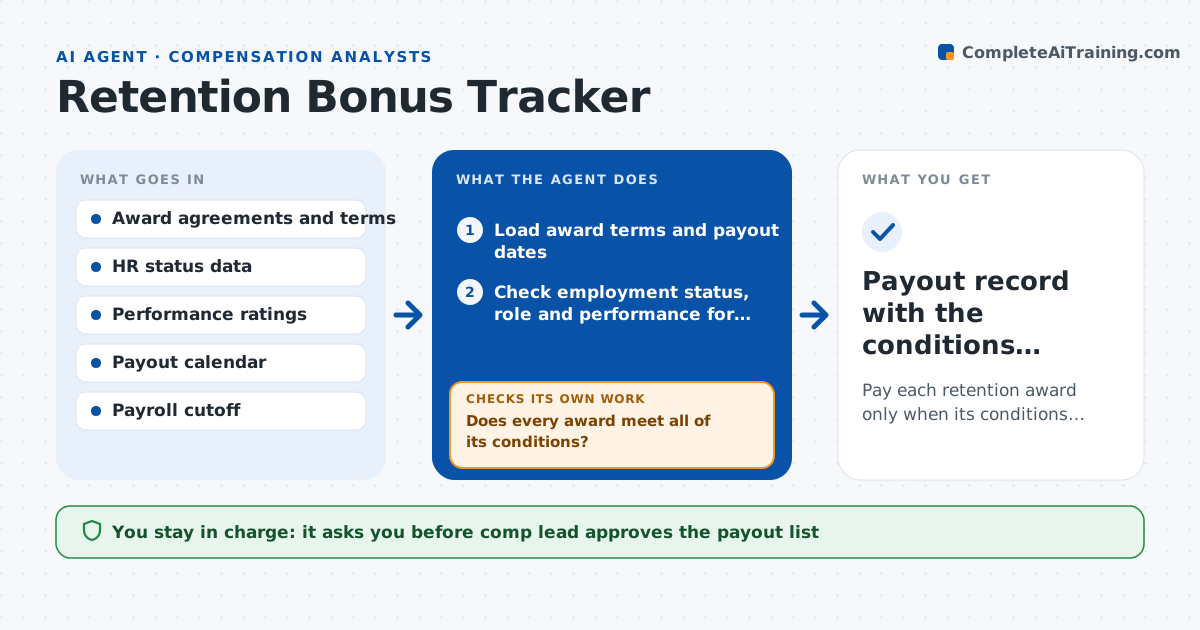
Pay each retention award only when its conditions are met and document each decision
What it does
A retention bonus is due on June 30 but the employee transferred in May and a clause says the role must be unchanged. This agent tracks every award's terms: amount, payout dates, conditions such as continued employment, performance rating and role. Before each payout date, it checks the employee's current status in the HR system for leave, transfers, terminations and performance. It drafts the payout list with the amounts and flags exceptions that need a decision, such as a leave of absence or a transfer. It rechecks the list the day before payout in case the status changed. The comp lead approves the payout. Edge case: an employee on approved leave is flagged for the plan's rule, not paid or denied by the agent.
How it works
Follow the arrows from top to bottom. The orange dashed arrow is the loop: when a check fails, the agent goes back and tries again.
Read the steps as a list
- 30 days before a payout date
- Load award terms and payout dates
- Check employment status, role and performance for each person
- Does every award meet all of its conditions?If not: Mark the exception, state the condition and the reason. Back to step 3.
- Draft the payout list and the exceptions list
- Comp lead approves the payout list and each exception decisionThe agent waits here for your OK.
- Recheck status the day before the payout
- Has any status changed since approval?If not: Update the list and send it back for approval. Back to step 6.
- Send the final list to payroll before the cutoff
- Payout record with the conditions checked
How it decides
It marks an award payable only when every condition is met on the payout date and flags any status change since the last check.
- Treat every written condition as required
- Flag leaves, transfers and terminations as exceptions
- Recheck the day before payout
- Never pay after the payroll cutoff without approval
Make it yours
Every agent is a starting point. You choose these settings for your own situation.
- Recheck timing (default 1 day before payout)
- Conditions tracked (default employment, role, performance)
- Payroll cutoff lead time (default 5 days)
- Exception review owner (default the comp lead)
What keeps you in control
It always asks you first
- Comp lead approves the payout list
- Comp lead decides each exception
Hard limits
- Never pay or deny an award on its own
- Never share award details beyond the comp team
- Always cite the condition in an exception
It stops when
- Done: Payroll receives the approved list
- Stop: Terms are unclear, so hand to the comp lead and legal
Set it up
We guide you through the set-up, step by step
Members get the full set-up guide for this agent. No technical skills needed: you copy, paste and upload.
- One set of instructions to paste into your AI, with the clicks for ChatGPT, Claude, Microsoft 365 Copilot, Gemini and Grok
- The agent then walks you through connecting your own data, one source at a time
- A downloadable copy with the flow chart, the rules and the full guide