AI agent for e-commerce managers
Return Reason Analysis Agent
Lower return rates through fixes to the root causes
What it does
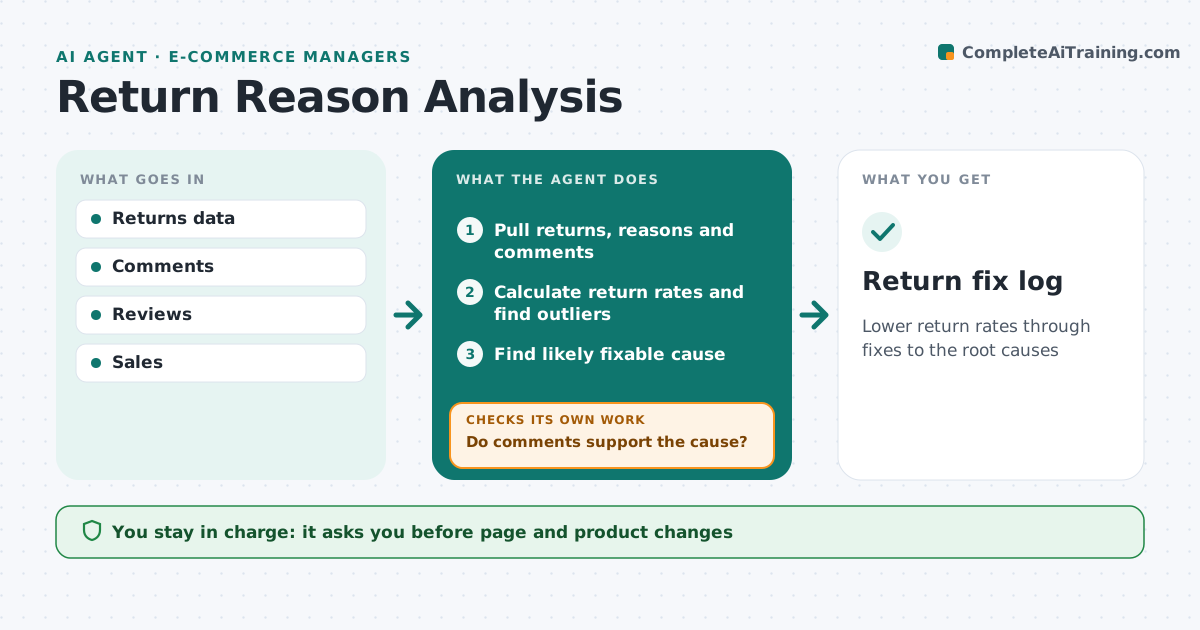
Returns eat profit, and return reasons are logged but rarely used to fix product pages, sizing or quality. Each week this agent reads return reasons, customer comments and reviews. It groups returns by product and reason, such as size, damage or not as described, and compares return rates with the category. A high rate on low volume is watched before action. For outliers it looks for a fixable cause: a misleading photo, a wrong size chart or a packaging problem. It checks the cause against comments, reading more if they do not support it. It drafts fixes such as page edits. After changes, it checks whether returns fell. The ecommerce manager approves every change.
How it works
Follow the arrows from top to bottom. The orange dashed arrow is the loop: when a check fails, the agent goes back and tries again.
Read the steps as a list
- Weekly review
- Pull returns, reasons and comments
- Calculate return rates and find outliers
- Find likely fixable cause
- Do comments support the cause?If not: read more comments and revise the cause. Back to step 4.
- Draft page, size chart or packaging fixes
- Manager approves fixesThe agent waits here for your OK.
- Did the return rate fall after four weeks?If not: look for a second cause and draft a new fix. Back to step 4.
- Return fix log
How it decides
It flags products with return rates well above category and enough volume.
- Minimum 30 returns to act
- Compare with category
- Check rate after fix
Make it yours
Every agent is a starting point. You choose these settings for your own situation.
- Minimum returns
- Outlier threshold
- Reasons list
What keeps you in control
It always asks you first
- Page and product changes
Hard limits
- Never edits live pages
It stops when
- Done
- Stop: low data
Set it up
We guide you through the set-up, step by step
Members get the full set-up guide for this agent. No technical skills needed: you copy, paste and upload.
- One set of instructions to paste into your AI, with the clicks for ChatGPT, Claude, Microsoft 365 Copilot, Gemini and Grok
- The agent then walks you through connecting your own data, one source at a time
- A downloadable copy with the flow chart, the rules and the full guide