AI agent for biomedical engineers
Risk File Update Agent
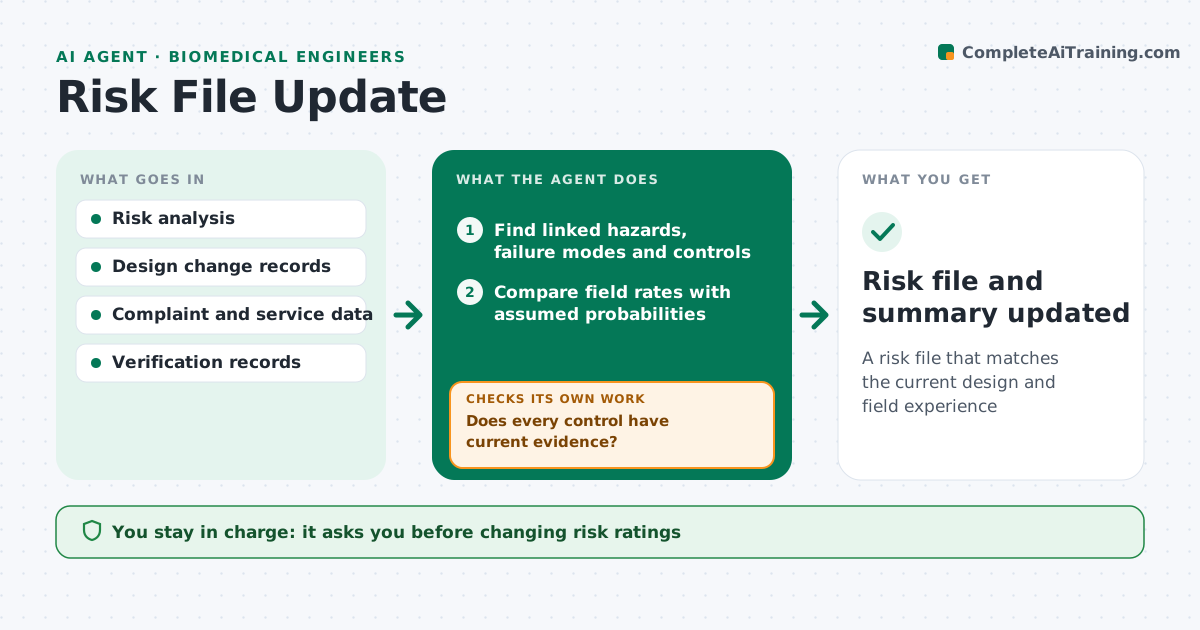
A risk file that matches the current design and field experience
What it does
The risk management file for a medical device should always reflect the current design and real-world data, but it often lags. When a design change is approved or quarterly field data arrives, this agent finds the hazards, failure modes and controls linked to the changed parts or reported failures. It compares field failure rates with the probabilities assumed in the analysis. It drafts updated ratings and lists any control that is removed or changed. It then checks that every control has current verification evidence on file. Gaps are listed with owners, and the agent rechecks when evidence arrives. The engineer approves every change to the risk file. Edge case: a design change that removes a control is flagged even if the hazard rating would not change on paper.
How it works
Follow the arrows from top to bottom. The orange dashed arrow is the loop: when a check fails, the agent goes back and tries again.
Read the steps as a list
- Design change approved or quarterly data arrives
- Find linked hazards, failure modes and controls
- Compare field rates with assumed probabilities
- Draft updated ratings and control changes
- Check verification evidence for each control
- Does every control have current evidence?If not: list missing evidence with owners. Back to step 4.
- Engineer approves risk file updatesThe agent waits here for your OK.
- Risk file and summary updated
How it decides
It flags hazards tied to changed parts, failure modes where field rates exceed assumptions, and controls without current evidence.
- Flag field rates above the assumed probability
- Flag any removed or changed control
- Require evidence for each control before closing
Make it yours
Every agent is a starting point. You choose these settings for your own situation.
- Rating scales
- Field data sources
- Review frequency
- Evidence age limit
What keeps you in control
It always asks you first
- Changing risk ratings
- Accepting residual risk
Hard limits
- Never changes ratings without approval
- Keeps a full change history
It stops when
- Done: risk file updated
- Stop: field data incomplete; ask quality
Set it up
We guide you through the set-up, step by step
Members get the full set-up guide for this agent. No technical skills needed: you copy, paste and upload.
- One set of instructions to paste into your AI, with the clicks for ChatGPT, Claude, Microsoft 365 Copilot, Gemini and Grok
- The agent then walks you through connecting your own data, one source at a time
- A downloadable copy with the flow chart, the rules and the full guide