AI agent for production planners
Rough-Cut Capacity Check Agent
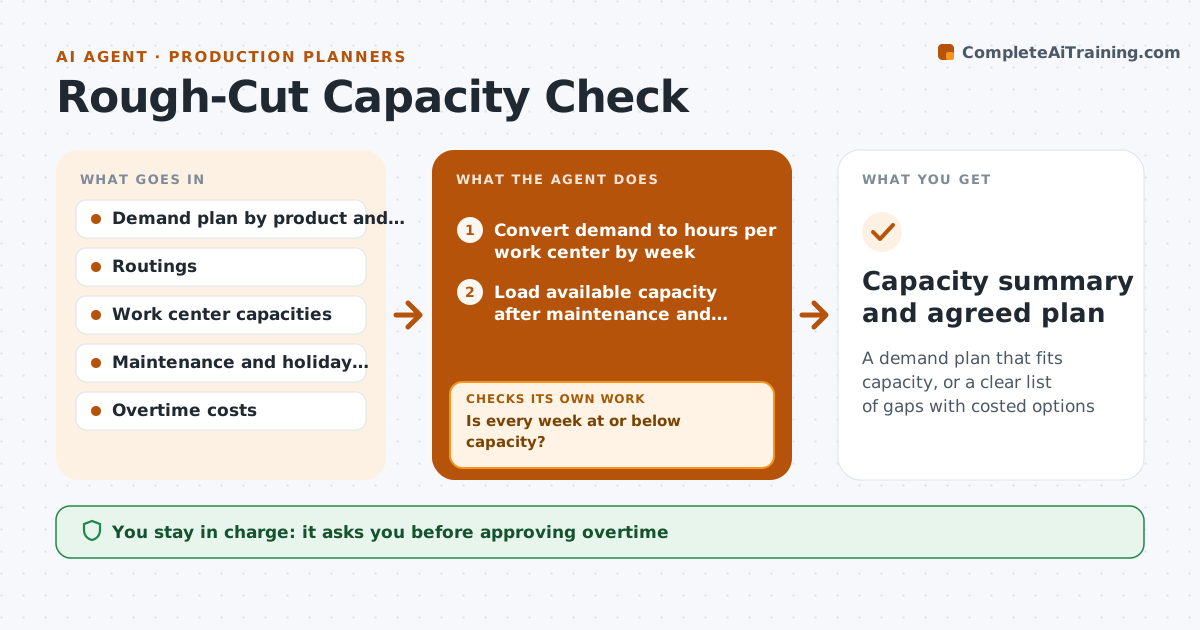
A demand plan that fits capacity, or a clear list of gaps with costed options
What it does
Each month the demand plan lands and someone has to check whether the plant can actually build it, usually by hand in a spreadsheet. This agent converts the plan into hours on each key work center using routings, then loads available capacity after maintenance stops and holidays. It compares load with capacity in weekly buckets, because a center that looks fine for the month can be overloaded in one week. Where load is too high, it tests options in order of cost: pulling volume into a quieter week, an alternate work center, then overtime. After each option it recalculates and checks every week again. If a gap remains after all options, it marks it clearly for the sales and operations meeting. It drafts a summary with costed options. The plant manager approves overtime and any change to customer volumes.
How it works
Follow the arrows from top to bottom. The orange dashed arrow is the loop: when a check fails, the agent goes back and tries again.
Read the steps as a list
- New demand plan received
- Convert demand to hours per work center by week
- Load available capacity after maintenance and holidays
- Compare load to capacity and list overloads
- Test overtime, pull-ahead or alternate work center
- Is every week at or below capacity?If not: try the next option or mark the remaining gap. Back to step 5.
- Plant manager approves overtime and plan changesThe agent waits here for your OK.
- Capacity summary and agreed plan
How it decides
It calculates load against capacity by week for each key work center and tries options in order of cost until the load fits.
- Use the cheapest option that closes the gap
- Check by week, not only by month
- Keep load at or under the set utilization cap
Make it yours
Every agent is a starting point. You choose these settings for your own situation.
- Work centers to check
- Utilization cap (default 90%)
- Options allowed
- Overtime cost rates
What keeps you in control
It always asks you first
- Approving overtime
- Changing customer volumes
Hard limits
- Never changes the official demand plan
- Never commits overtime
It stops when
- Done: plan fits capacity
- Stop: gap remains after all options; send to sales and operations meeting
Set it up
We guide you through the set-up, step by step
Members get the full set-up guide for this agent. No technical skills needed: you copy, paste and upload.
- One set of instructions to paste into your AI, with the clicks for ChatGPT, Claude, Microsoft 365 Copilot, Gemini and Grok
- The agent then walks you through connecting your own data, one source at a time
- A downloadable copy with the flow chart, the rules and the full guide