AI agent for safety engineers
Safety Equipment Inspection Tracker Agent
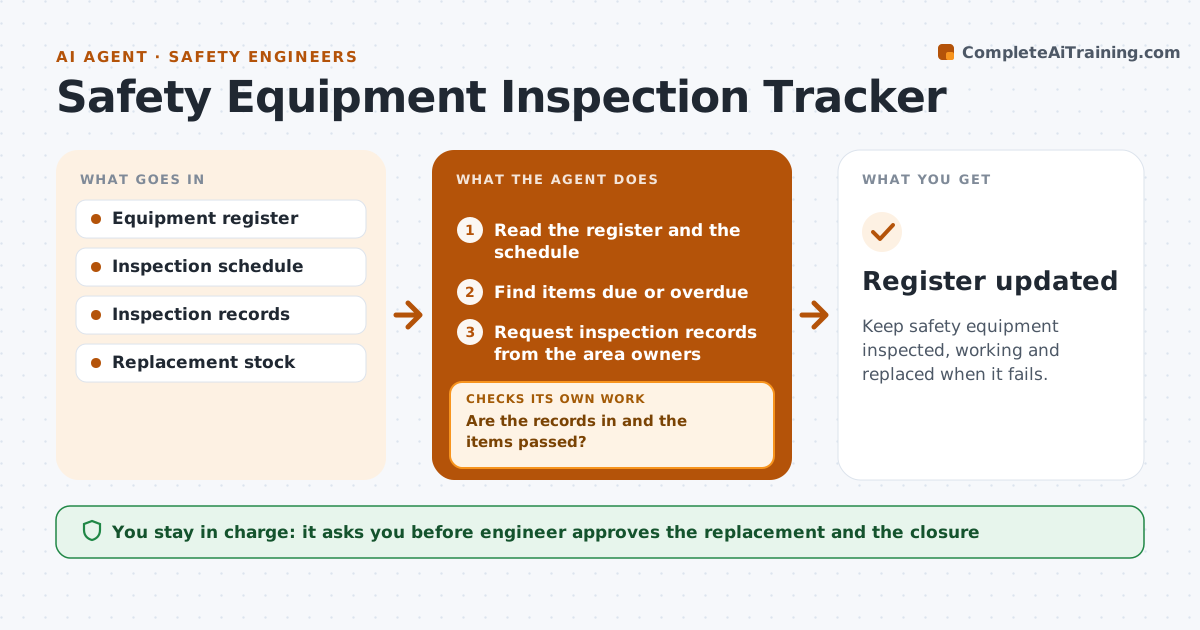
Keep safety equipment inspected, working and replaced when it fails.
What it does
Harnesses, respirators and eyewash stations fail when no one has inspected them. This agent tracks inspection dates for every item. It requests the inspection records, flags failures and tracks replacements. If an item fails, it checks that a replacement is in service before closing the record. The engineer approves the actions. It also looks at the pattern across the site, such as one area where items keep failing, so the engineer can address the cause. Records are kept by item, with the date of every inspection and result. Edge case: a station that fails its flow test is tagged out and the nearest working station is listed.
How it works
Follow the arrows from top to bottom. The orange dashed arrow is the loop: when a check fails, the agent goes back and tries again.
Read the steps as a list
- Daily inspection check
- Read the register and the schedule
- Find items due or overdue
- Request inspection records from the area owners
- Are the records in and the items passed?If not: Flag the failed or missing items. Back to step 3.
- Tag out failed items and list the nearest alternatives
- Order or assign a replacement
- Check that the replacement is in service
- Is a working replacement in service?If not: Chase the order and escalate to the engineer. Back to step 7.
- Engineer approves the actionsThe agent waits here for your OK.
- Register updated
How it decides
It flags overdue inspections and failures, and closes a failure only when a working replacement is in service.
- Overdue by 1 day is a flag
- A failed item is tagged out immediately
- Do not close a record without a replacement in service
- Escalate after 3 days
Make it yours
Every agent is a starting point. You choose these settings for your own situation.
- Inspection frequency by type
- Escalation days (default 3)
- Tag-out rule
- Replacement source
What keeps you in control
It always asks you first
- Engineer approves the replacement and the closure
Hard limits
- Never mark an item passed without a record
- Never close a failure without a replacement
It stops when
- Done: all equipment is passed or replaced
- Stop: no replacement is available and the engineer arranges one
Set it up
We guide you through the set-up, step by step
Members get the full set-up guide for this agent. No technical skills needed: you copy, paste and upload.
- One set of instructions to paste into your AI, with the clicks for ChatGPT, Claude, Microsoft 365 Copilot, Gemini and Grok
- The agent then walks you through connecting your own data, one source at a time
- A downloadable copy with the flow chart, the rules and the full guide