AI agent for chief sales officers
Sales Process Stage Audit Agent
Every open deal sits in a stage it has earned, so forecasts are honest
What it does
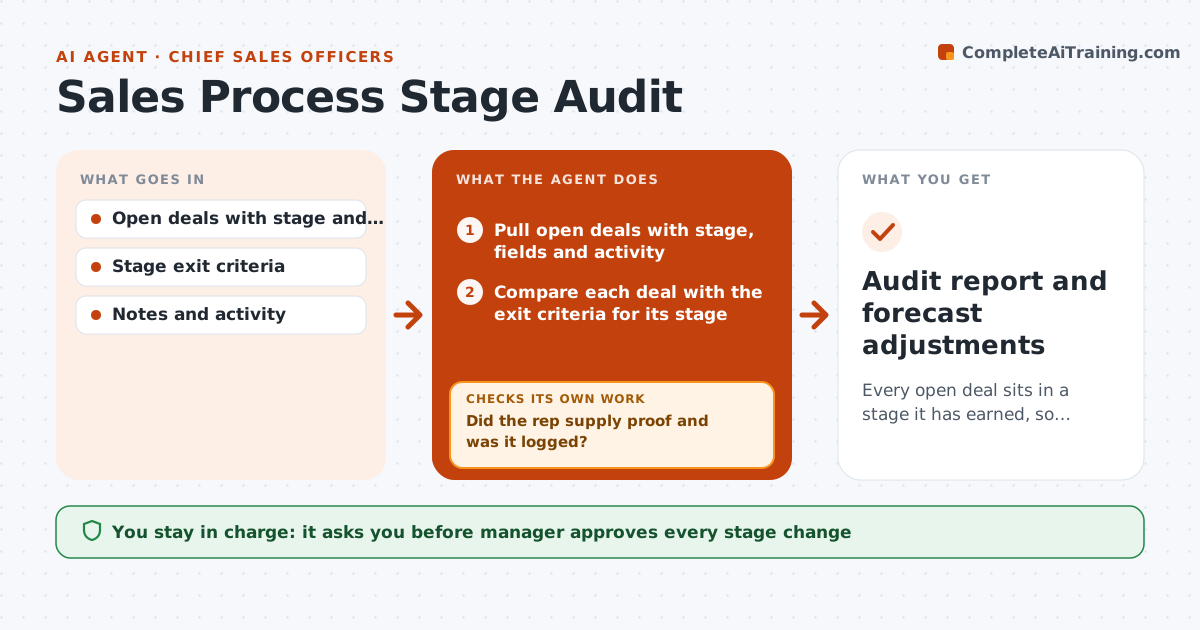
A deal sits in 'Proposal' for six weeks because nobody checks whether the buyer has seen a proposal. Sales leaders know stage definitions, but records drift. This agent checks each open deal against the exit criteria for its stage: for example a named budget owner, a confirmed timeline or a scheduled demo. It flags deals that are in a stage without meeting the criteria, then asks each rep for proof, such as an email or a note. It rechecks the updated records. When the proof is missing it proposes moving the deal back a stage. The manager approves stage changes. Edge case: the rep has proof in email but not in the CRM, so the agent asks them to log it.
How it works
Follow the arrows from top to bottom. The orange dashed arrow is the loop: when a check fails, the agent goes back and tries again.
Read the steps as a list
- Weekly audit begins
- Pull open deals with stage, fields and activity
- Compare each deal with the exit criteria for its stage
- List deals that miss one or more criteria
- Ask each rep for proof of the missing items
- Did the rep supply proof and was it logged?If not: remind the rep and set a deadline. Back to step 4.
- Propose stage moves for deals still missing criteria
- Do the corrected records meet the criteria?If not: recheck the deal and update the list. Back to step 3.
- Manager approves stage changesThe agent waits here for your OK.
- Audit report and forecast adjustments
How it decides
A deal passes when every exit criterion for its stage has evidence in the CRM. Missing evidence leads to a request, then a recommendation to move the deal back.
- Flag a deal when any required exit criterion has no evidence
- Give reps 3 business days to supply proof
- Propose moving back one stage only after the deadline
- Count verbal claims as missing until logged
Make it yours
Every agent is a starting point. You choose these settings for your own situation.
- Exit criteria by stage
- Response deadline (default 3 days)
- Audit day
- Deal size to include
What keeps you in control
It always asks you first
- Manager approves every stage change
- Manager approves forecast category changes
Hard limits
- Do not change stages itself
- Do not penalize reps; only propose moves
- Show the criteria used
It stops when
- Done: all deals meet criteria or are moved
- Stop: a dispute about criteria goes to the manager
Set it up
We guide you through the set-up, step by step
Members get the full set-up guide for this agent. No technical skills needed: you copy, paste and upload.
- One set of instructions to paste into your AI, with the clicks for ChatGPT, Claude, Microsoft 365 Copilot, Gemini and Grok
- The agent then walks you through connecting your own data, one source at a time
- A downloadable copy with the flow chart, the rules and the full guide