AI agent for salesforce administrators
Salesforce Data Import Cleanup Agent
Load external data into Salesforce with no new duplicates and near-zero failed rows
What it does
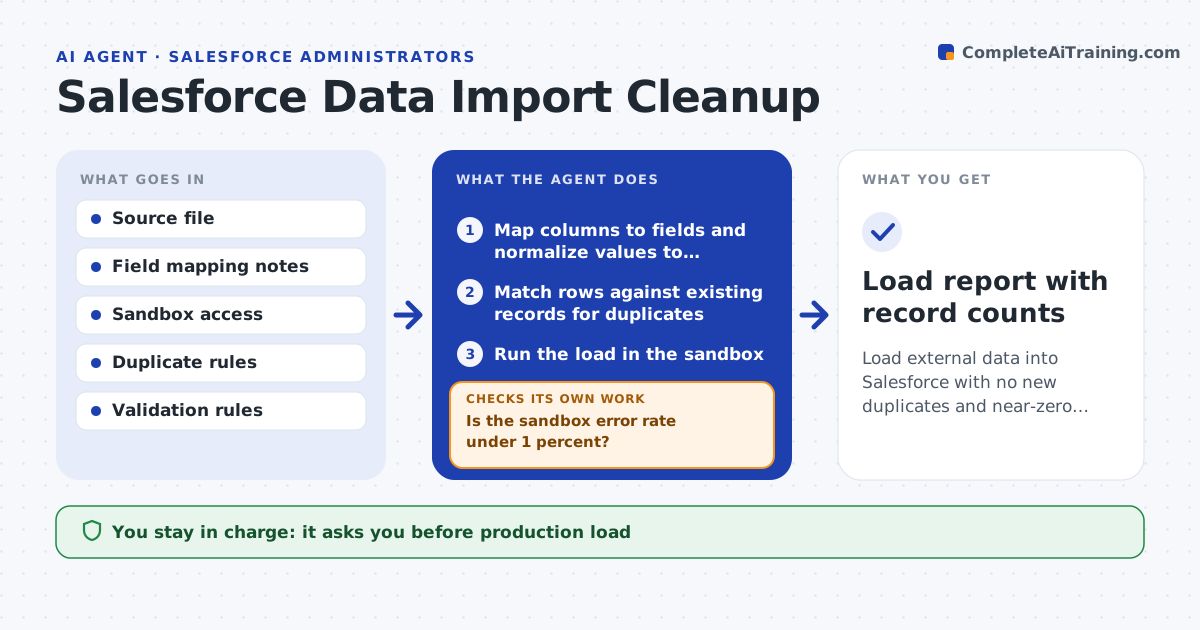
Admins regularly load lists from events, partners or old systems into Salesforce, and a bad load creates duplicates and broken records that take weeks to clean. When a file lands in the import folder, this agent maps columns to fields and normalizes states, phone numbers and picklist values. Picklist values are mapped, never created. It matches each row to existing records, first by email, then by name plus company domain, and treats a row as a duplicate only when it matches exactly one record. It runs the load in a sandbox and reads the error log. If more than 1 percent of rows fail, it fixes the mapping or values and reloads the sandbox. Rows missing required fields are held back. The admin reviews the merge plan and approves the production load. Edge case: two contacts with the same email but different accounts go to a person to decide.
How it works
Follow the arrows from top to bottom. The orange dashed arrow is the loop: when a check fails, the agent goes back and tries again.
Read the steps as a list
- Import file added to the import folder
- Map columns to fields and normalize values to picklists
- Match rows against existing records for duplicates
- Run the load in the sandbox
- Is the sandbox error rate under 1 percent?If not: read the error log, fix mapping or values, and reload in the sandbox. Back to step 2.
- Prepare duplicate merge plan and load summary
- Admin approves the merge plan and production loadThe agent waits here for your OK.
- Run production load and save the success and error files
- Load report with record counts
How it decides
It matches on email, then on name plus company domain, and treats a row as a duplicate only when one of those matches with a single existing record.
- Ambiguous duplicates go to a person
- Rows missing required fields are held back, not forced in
- Picklist values are mapped, never created
Make it yours
Every agent is a starting point. You choose these settings for your own situation.
- Matching rules for duplicates
- Acceptable sandbox error rate (default 1 percent)
- Import folder location
- Objects allowed for import
What keeps you in control
It always asks you first
- Production load
- Any record merge
Hard limits
- Never loads to production without approval
- Never changes validation or duplicate rules
It stops when
- Done: production load complete with report
- Stop: more than 10 percent of rows unfixable, return the file to its owner
Set it up
We guide you through the set-up, step by step
Members get the full set-up guide for this agent. No technical skills needed: you copy, paste and upload.
- One set of instructions to paste into your AI, with the clicks for ChatGPT, Claude, Microsoft 365 Copilot, Gemini and Grok
- The agent then walks you through connecting your own data, one source at a time
- A downloadable copy with the flow chart, the rules and the full guide