AI agent for penetration testers
Scanner Result Triage and Tuning Agent
A short, confirmed finding list from a noisy scan, and scanner settings tuned for the next run
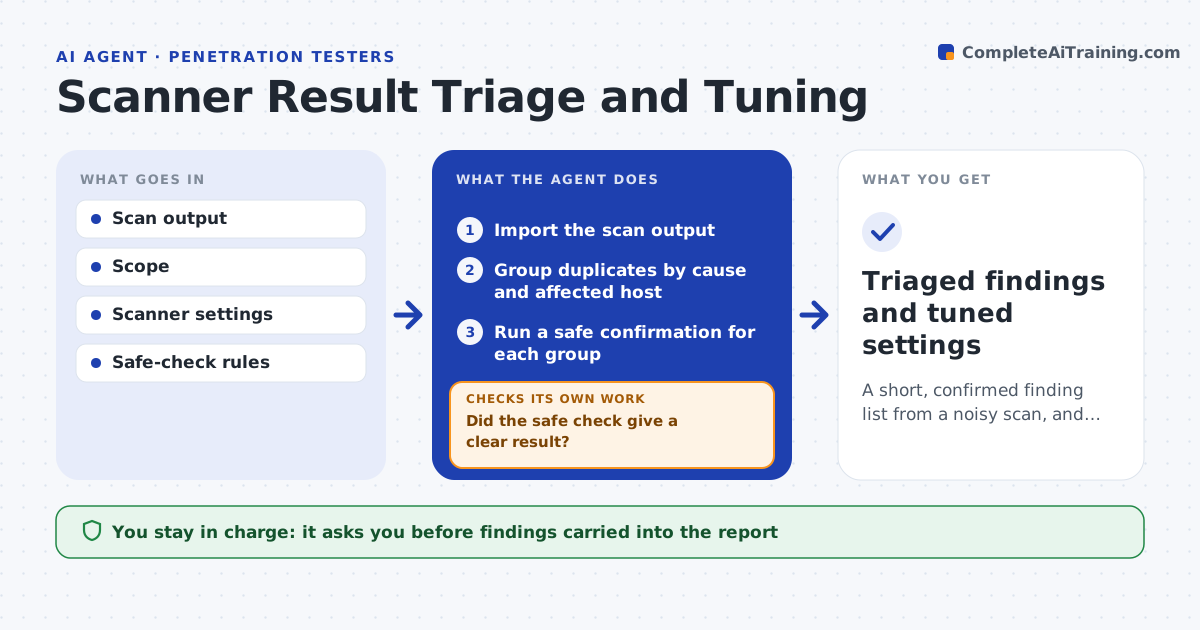
What it does
A vulnerability scan returns 600 findings, and the tester knows half are duplicates or false alarms. This agent imports the scan output and groups duplicate findings by cause. For each group, it tries a safe confirmation, such as checking a version banner against the real service or sending a harmless request, and labels each one confirmed, false or unknown. It records why. After the pass it adjusts the scanner settings for the next run, such as turning off checks that produced only false results on this client. The tester reviews which findings are carried forward. Edge case: an unknown result is not reported as clean, but left open with a note on what was tried.
How it works
Follow the arrows from top to bottom. The orange dashed arrow is the loop: when a check fails, the agent goes back and tries again.
Read the steps as a list
- Scan completes
- Import the scan output
- Group duplicates by cause and affected host
- Run a safe confirmation for each group
- Did the safe check give a clear result?If not: try a second safe method, otherwise label it unknown with notes. Back to step 4.
- Label each group confirmed, false or unknown
- Compute the false rate for each scanner check
- Is any check above 90 percent false results?If not: propose a settings change for the next run. Back to step 7.
- Tester approves what is carried forward and the settingsThe agent waits here for your OK.
- Triaged findings and tuned settings
How it decides
A finding is confirmed only by a safe test or direct evidence. Checks with 90 percent false results are proposed for disabling.
- Group findings with the same cause and fix
- Use only safe checks inside the scope
- Label as unknown when two safe methods fail
- Propose disabling checks that are over 90 percent false on this client
Make it yours
Every agent is a starting point. You choose these settings for your own situation.
- False rate that triggers disabling a check (default 90 percent)
- Safe check list
- Scope and hosts
- Output format for the report
What keeps you in control
It always asks you first
- Findings carried into the report
- Changes to scanner settings
Hard limits
- Runs only safe, non-destructive checks
- Never labels unknown results as clean
It stops when
- Done: every group labeled and settings proposed
- Stop: the scan output cannot be parsed
Set it up
We guide you through the set-up, step by step
Members get the full set-up guide for this agent. No technical skills needed: you copy, paste and upload.
- One set of instructions to paste into your AI, with the clicks for ChatGPT, Claude, Microsoft 365 Copilot, Gemini and Grok
- The agent then walks you through connecting your own data, one source at a time
- A downloadable copy with the flow chart, the rules and the full guide