AI agent for scriptwriters
Scene Continuity Tracker Agent
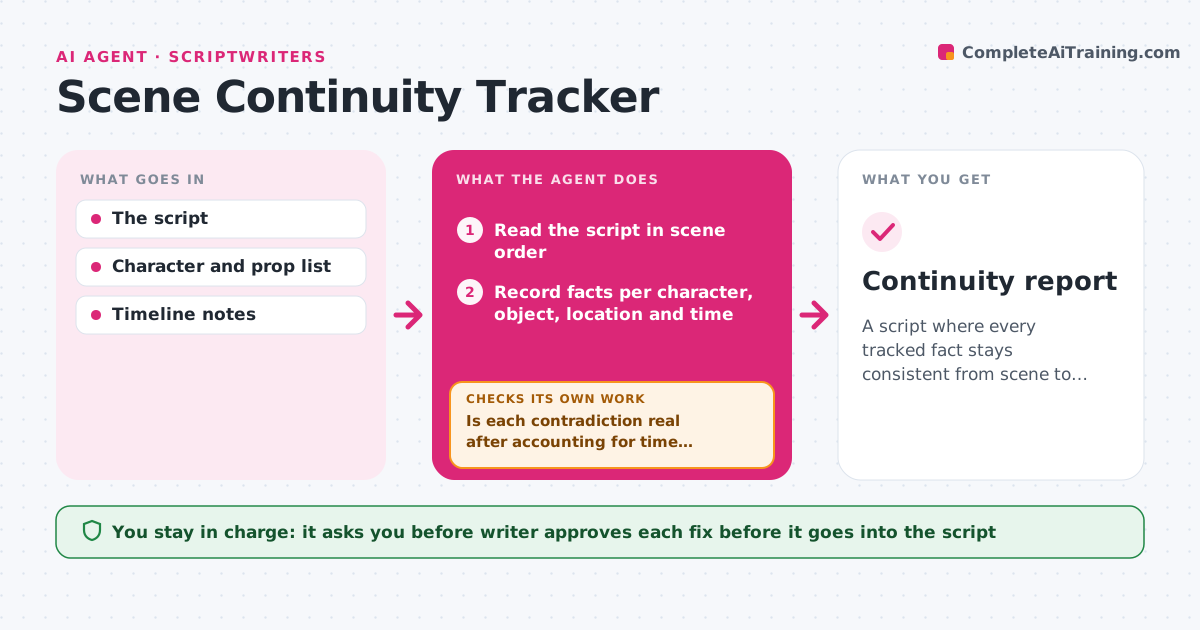
A script where every tracked fact stays consistent from scene to scene, with contradictions found and fixed
What it does
A character is shot in the left arm on page 40 and is carrying a bag with that arm on page 62. It is dusk in scene 12 and bright afternoon in scene 13, five minutes later in story time. This agent reads the script scene by scene and keeps a running record of facts for each character and object: injuries, clothing, props, locations, time of day, weather, who knows what and relationships. It flags contradictions with the page references on both sides and a short note on why they conflict. After each rewrite, it rereads the affected scenes and rechecks anything downstream that depends on them, looping until the list is resolved. The writer approves each fix. Edge case: a time jump marked in the script is not flagged as a contradiction.
How it works
Follow the arrows from top to bottom. The orange dashed arrow is the loop: when a check fails, the agent goes back and tries again.
Read the steps as a list
- Draft or rewrite finished
- Read the script in scene order
- Record facts per character, object, location and time
- Compare facts across scenes and list contradictions with page references
- Is each contradiction real after accounting for time jumps and flashbacks?If not: Remove the false flag and compare again. Back to step 3.
- Suggest the smallest fix for each contradiction
- Writer approves each fixThe agent waits here for your OK.
- Reread the rewritten scenes and everything that depends on them
- Are the contradictions resolved with no new ones created?If not: List the new or remaining conflicts and suggest fixes. Back to step 3.
- Continuity report
How it decides
It records every explicit fact with its scene and flags contradictions only when no time jump, flashback or on-page explanation allows both statements to be true.
- Do not flag differences across a marked time jump
- Flag injuries that change without a scene explaining it
- Flag any prop that appears without a scene introducing it
- Reread all later scenes involving a changed fact
Make it yours
Every agent is a starting point. You choose these settings for your own situation.
- Facts to track
- Script format
- How time jumps are marked
- What counts as a prop
- Report format
What keeps you in control
It always asks you first
- Writer approves each fix before it goes into the script
Hard limits
- Never rewrite the script itself
- Never mark something as an error without both page references
It stops when
- Done: No unexplained contradictions remain
- Stop: The timeline is unclear, so the agent asks the writer to define it
Set it up
We guide you through the set-up, step by step
Members get the full set-up guide for this agent. No technical skills needed: you copy, paste and upload.
- One set of instructions to paste into your AI, with the clicks for ChatGPT, Claude, Microsoft 365 Copilot, Gemini and Grok
- The agent then walks you through connecting your own data, one source at a time
- A downloadable copy with the flow chart, the rules and the full guide