AI agent for school administrators
School Budget Forecast Monitor Agent
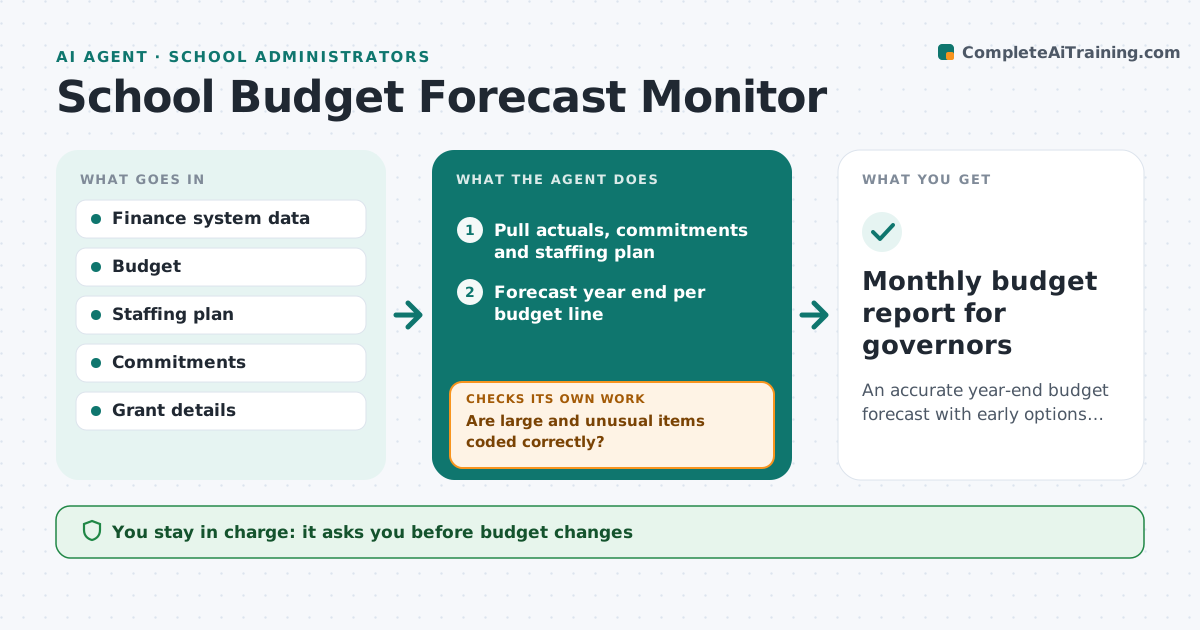
An accurate year-end budget forecast with early options for overspends
What it does
Schools work to a tight budget with staffing as the biggest cost, and overspends are often found too late to fix. Each month this agent pulls actual spending and commitments and compares them with the budget line by line. Before forecasting, it checks the coding of items over $2,000 or with unusual codes with the business manager, because one miscoded order can distort a line. It then forecasts the year end from actuals, commitments and staffing plans and flags lines heading more than 2% over. For each overspend it lists options, such as delaying non-urgent purchases, and models their effect, checking whether the options close the gap. The principal approves changes and reports to governors. Edge case: a grant arrives late in the year, so the agent marks the income as restricted to its purpose.
How it works
Follow the arrows from top to bottom. The orange dashed arrow is the loop: when a check fails, the agent goes back and tries again.
Read the steps as a list
- Month closes
- Pull actuals, commitments and staffing plan
- Are large and unusual items coded correctly?If not: confirm coding with the business manager. Back to step 2.
- Forecast year end per budget line
- Flag lines forecast more than 2% over
- List and model options for overspends
- Do the modeled options bring the forecast within budget?If not: add further options and model again. Back to step 6.
- Principal approves budget changesThe agent waits here for your OK.
- Monthly budget report for governors
How it decides
It forecasts year end from actuals plus commitments and flags lines heading over budget.
- Items over $2,000 or unusual codes verified
- Overspend forecasts above 2% flagged
- Restricted grants kept to their purpose
Make it yours
Every agent is a starting point. You choose these settings for your own situation.
- Overspend threshold
- Item size needing checks
- Report format
- Report day
What keeps you in control
It always asks you first
- Budget changes
- Governor reports
Hard limits
- Never commits spend
- Grant rules followed
It stops when
- Done: report ready
- Stop: finance data missing
Set it up
We guide you through the set-up, step by step
Members get the full set-up guide for this agent. No technical skills needed: you copy, paste and upload.
- One set of instructions to paste into your AI, with the clicks for ChatGPT, Claude, Microsoft 365 Copilot, Gemini and Grok
- The agent then walks you through connecting your own data, one source at a time
- A downloadable copy with the flow chart, the rules and the full guide