AI agent for speech therapists
School Therapy Service Minutes Agent
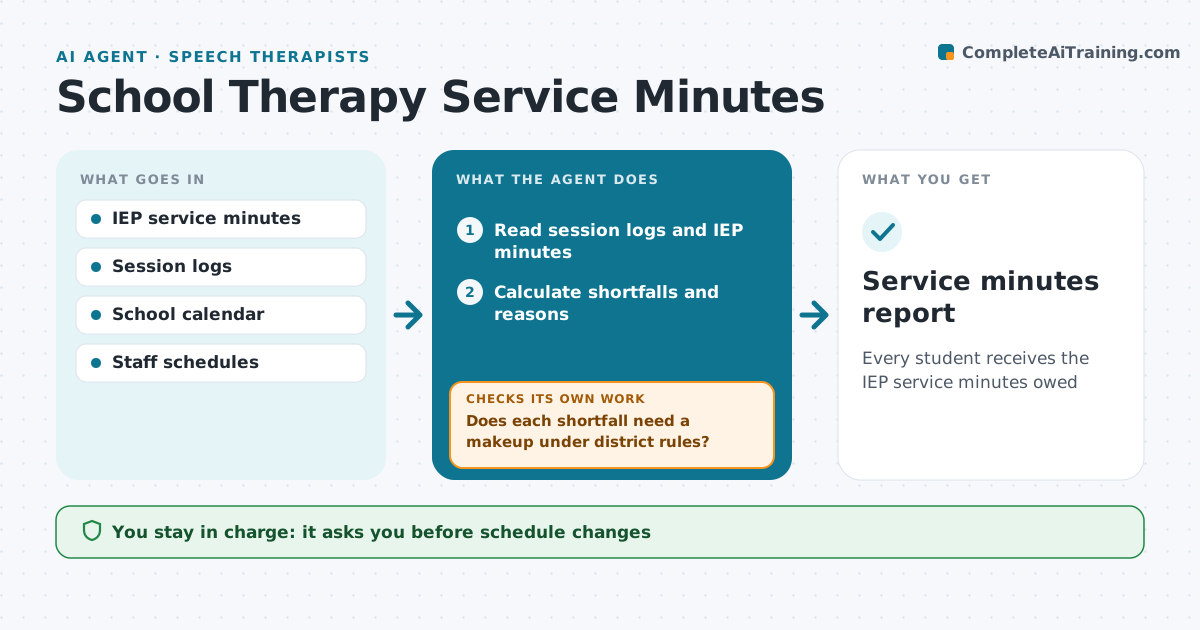
Every student receives the IEP service minutes owed
What it does
IEPs promise a set number of service minutes, and sessions missed for absences, testing or therapist leave must often be made up. At the end of each week, this agent compares delivered minutes in session logs with IEP minutes for each student. It calculates shortfalls and the reason for each. Therapist-caused misses are always made up; student absences follow district rules. It proposes makeup slots in open times that avoid pulling students from core classes. The staff member approves every schedule change and parent notice. The following week, it checks that makeups happened. If not, it proposes new slots and flags repeated misses to the coordinator. It also prepares service summaries for IEP meetings. Edge case: a session missed because the student was absent may not need a makeup, depending on district rules.
How it works
Follow the arrows from top to bottom. The orange dashed arrow is the loop: when a check fails, the agent goes back and tries again.
Read the steps as a list
- Week ends
- Read session logs and IEP minutes
- Calculate shortfalls and reasons
- Does each shortfall need a makeup under district rules?If not: log it as not required with the rule. Back to step 3.
- Propose makeup slots outside core classes
- Staff member approves schedule changesThe agent waits here for your OK.
- Were makeups delivered the following week?If not: propose new slots and flag repeated misses to the coordinator. Back to step 5.
- Service minutes report
How it decides
Delivered minutes are compared with required minutes per period. Shortfalls owed by district rules get makeup proposals.
- Therapist-caused misses are always made up
- Student absences follow district rules
- Makeups avoid core instruction where possible
Make it yours
Every agent is a starting point. You choose these settings for your own situation.
- Reporting period
- District makeup rules
- Times to avoid
- Report format
What keeps you in control
It always asks you first
- Schedule changes
- Parent notices about missed services
Hard limits
- No changes to IEP content
- Parent notices sent by staff only
It stops when
- Done: minutes on track
- Stop: shortfall cannot be met this term, alert coordinator
Set it up
We guide you through the set-up, step by step
Members get the full set-up guide for this agent. No technical skills needed: you copy, paste and upload.
- One set of instructions to paste into your AI, with the clicks for ChatGPT, Claude, Microsoft 365 Copilot, Gemini and Grok
- The agent then walks you through connecting your own data, one source at a time
- A downloadable copy with the flow chart, the rules and the full guide