
Learning path
Learning AI as an Occupational Therapist
This path helps occupational therapists use AI in daily work, from setup to prompts to short video courses chosen for the job. You will learn safe, practical ways to save time and support clients.

Your path
Everything in the Occupational Therapist AI kit, in the order that makes sense. Members tick off each step and see their progress.
Set up your AI
We guide you through each click.
Let skills do your everyday tasks
Connect your apps and pick your AI apps
Hand whole tasks to AI agents
Build your own tools
Everything for occupational therapists
All the courses, certifications, AI tools, MCP servers and apps for occupational therapists, most relevant first. Open any list to see more.
Take the prompt courses
A short framework course to learn how to ask, then 7 lessons with ready-to-use prompts for occupational therapists.
Start with this framework: how to talk to AI
As an occupational therapist, CARE helps you plan patient care by framing context, action, result, and a model self-care example.
Then your prompt course for occupational therapists- 1Teaching Adaptive Techniques3 prompts
- 2Drafting Therapy Plans And Goals3 prompts
- 3Adapting Activities And Environments3 prompts
- 4Documenting Treatment Sessions3 prompts
- 5Monitoring Progress And Adjusting Plans3 prompts
- 6Troubleshooting And Equipment Solutions3 prompts
- 7Collaborating With Caregivers And Team3 prompts
Watch the video courses or add them to your Favorites for later
90 video courses our AI picked for occupational therapists, most useful first. Save the ones you want to watch later with the heart.
Favorites are saved to your account: sign in or get your AI kit first.
Show all 90 video courses
Get certified, or add certifications to your Favorites
Every course ends in an exam and a certificate you can add to LinkedIn. Save the certifications you are aiming for with the heart.
Favorites are saved to your account: sign in or get your AI kit first.
More certifications for occupational therapistsShow all 24 certifications
Try the AI tools for occupational therapists
9 AI tools our AI matched to the work of occupational therapists, best fit first. Each review shows what it does, its alternatives and the jobs it suits.
Favorites are saved to your account: sign in or get your AI kit first.
Show all 9 AI tools
Connect your AI to the apps occupational therapists use
MCP servers let ChatGPT, Claude or Copilot look things up and get work done in other apps, like your email, calendar or bookkeeping software. These 8 fit the work of occupational therapists best, well-known apps first.
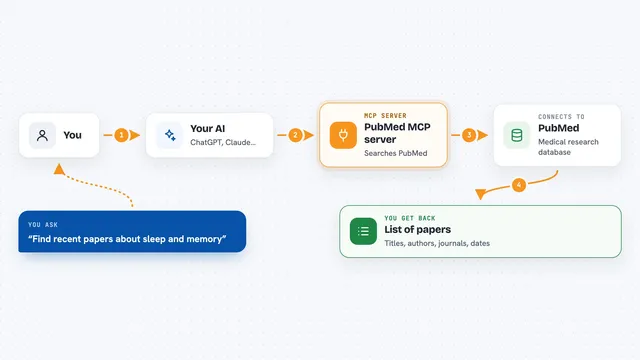
PubMed MCP server
by andybrandtLets your AI search medical and life sciences papers on PubMed and read their abstracts and full text.

PubMed Search MCP Server
by pubsproLet your AI search medical research papers on PubMed and give you plain-English summaries.

NCBI PubMed MCP server
by vitorpavinatoSearch PubMed's millions of research articles and get summaries, authors, and related papers through your AI.

Practice Fusion MCP server
by kushaimLets your AI look up patients, visits, medications and lab results in a Practice Fusion health record.

Taiwan NHI billing MCP server
by tatsujuLets your AI look up Taiwan NHI rejection codes, drug rules, fee points and audit notes for you.
ResearchNo install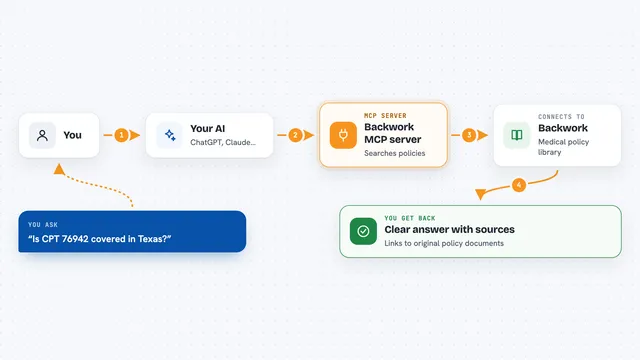
Backwork MCP server
by tylergibbs1Lets your AI look up Medicare and insurance medical policies, check prior authorization, and validate claims with cited sources.
ResearchNo installShow all 8 MCP servers

Hindsight MCP server
by vectorize-ioGive your AI a long-term memory so it remembers facts and past chats and answers with that context.
NotesNo install
Noodle Biomedical Literature MCP server
by helena-bioinformaticsLets your AI search biomedical papers and follow their citation and topic links.
ResearchNo installBuild your own AI apps for occupational therapists
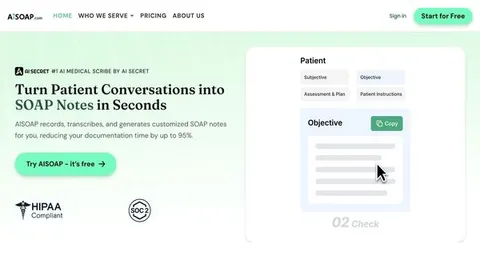
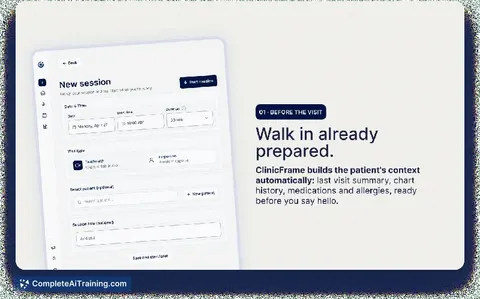
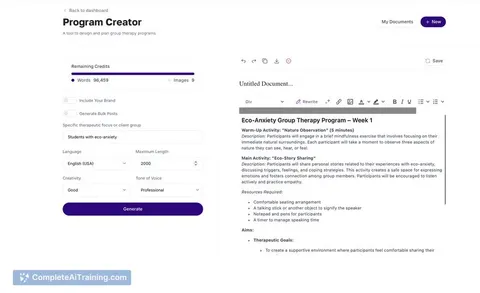
Apps you build yourself with your own AI, no coding needed and no monthly fee. Our AI picked the one that fits the work of occupational therapists.


























































































About this learning path
6 topicsAI for Occupational Therapists: A Practical Learning Path
AI can help you write clearer client guides, plan sessions, and finish notes without losing the human part of therapy. This path is built for occupational therapists who want practical skills, not technical theory.
Everything is step by step. You will set up your AI tool, connect it to your work, learn prompts for common tasks, and choose short video courses with certificates that fit your setting.
Why AI Matters Now
Occupational therapy work is personal, but the paperwork and planning around it keep growing. AI can help you draft clear guides, plan sessions, and write notes so you can spend more attention on clients.
AI does not make clinical decisions. It gives you a fast first draft, a list of ideas, or a plain-language explanation that you review and shape.
What the Path Includes
The path starts with setup questions and simple steps to connect your AI tool to your work. You will learn how to keep client details safe and how to ask for what you need.
Then you take this prompt course, where each lesson matches a common occupational therapy task. After that, you choose short video courses picked for your setting, and each one comes with a certificate you can keep.
How This Path Saves Time
You will practice prompts for therapy plans, adaptive technique guides, progress reviews, and caregiver handouts. These are the tasks that often spill into evenings.
With a reusable prompt, you can turn rough notes into a clear draft in minutes. You still check every detail, but you start from something useful instead of a blank page.
How It Protects Your Career
Using AI well means protecting privacy, explaining your reasoning, and keeping your license and ethics in view. The path shows you how to de-identify information and when not to use AI.
It also helps you stay current as clinics and schools adopt new tools. You become the therapist who can use AI safely and teach others, which makes your experience more valuable.
How to Start
Begin with one task you dislike, such as session notes or a home activity handout. Try a prompt from the course and adjust it until it sounds like you.
Set aside a short block each week to practice and watch one video course. Small, steady practice is enough to make AI a normal part of your day.
Frequently asked questions
Do I need technical skills to use AI?
No. If you can write an email or a treatment note, you can learn these prompts. The course uses plain language and shows you what to type step by step.Will AI replace my clinical judgment?
No. AI can draft, organize, and suggest ideas, but you decide what is safe and right for each client. Your assessment, training, and relationship with the client stay central.How do I protect client privacy?
Use de-identified details, avoid names and identifying information, and follow your workplace rules. The course covers privacy habits for occupational therapy settings.How long does the path take?
You can move at your own pace and fit lessons around your caseload. Many people start with one prompt course lesson and add video courses as their schedule allows.