AI agent for biochemists
Screening Hit Triage Agent
A ranked follow-up list with artifacts removed and borderline hits resolved by retest.
What it does
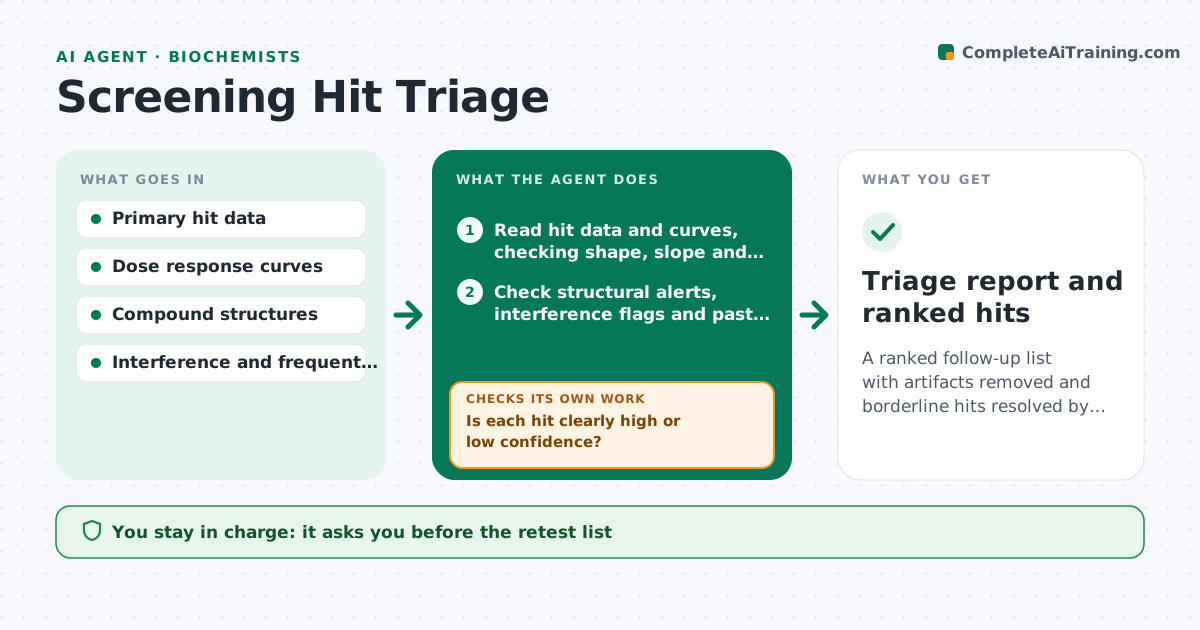
A screen produces hundreds of hits and a large share are artifacts, aggregators or compounds that hit everything. This agent reads the primary hits and checks each for dose response shape, known assay interference flags such as luciferase or fluorescence, and structural alerts for reactive or promiscuous compounds. It also checks whether the compound is a frequent hitter in your earlier screens. It groups hits by confidence and puts borderline ones on a retest list. When retest results arrive, it updates the ranking and checks the groups again. You approve the follow-up list. Edge case: a compound that fails only because of limited solubility is kept for a retest at a lower concentration.
How it works
Follow the arrows from top to bottom. The orange dashed arrow is the loop: when a check fails, the agent goes back and tries again.
Read the steps as a list
- Primary screen results available
- Read hit data and curves, checking shape, slope and efficacy
- Check structural alerts, interference flags and past frequent hitter history
- Score each hit and group it as high, borderline or low confidence
- Is each hit clearly high or low confidence?If not: place borderline hits on a retest list with the reason. Back to step 3.
- Scientist approves the retest listThe agent waits here for your OK.
- Read retest data and update the scores
- Did the retest confirm or reject the borderline hits?If not: mark unresolved, and suggest an orthogonal assay. Back to step 7.
- Rank confirmed hits and list rejected ones with reasons
- Scientist approves the follow-up listThe agent waits here for your OK.
- Triage report and ranked hits
How it decides
It scores hits on curve quality, potency and absence of interference and alerts. Hits in the middle band are retested before ranking.
- Hill slope above 2 or below 0.5: suspect aggregation or artifact
- Compound hit in more than 3 earlier screens: flag as a frequent hitter
- Structural alert for reactive groups: lower confidence unless confirmed by retest
- Potency within 3-fold of the cutoff: send to retest
Make it yours
Every agent is a starting point. You choose these settings for your own situation.
- Potency cutoff
- Slope limits
- Alert filters used
- Frequent hitter threshold (default 3 screens)
- Follow-up list size
What keeps you in control
It always asks you first
- The retest list
- The final follow-up list
Hard limits
- Never discard a hit without logging the reason
- Never claim activity without retest data
It stops when
- Done: ranked follow-up list approved
- Stop: retest cannot be run
Set it up
We guide you through the set-up, step by step
Members get the full set-up guide for this agent. No technical skills needed: you copy, paste and upload.
- One set of instructions to paste into your AI, with the clicks for ChatGPT, Claude, Microsoft 365 Copilot, Gemini and Grok
- The agent then walks you through connecting your own data, one source at a time
- A downloadable copy with the flow chart, the rules and the full guide