AI agent for podcasters
Show Schedule and Season Planning Agent
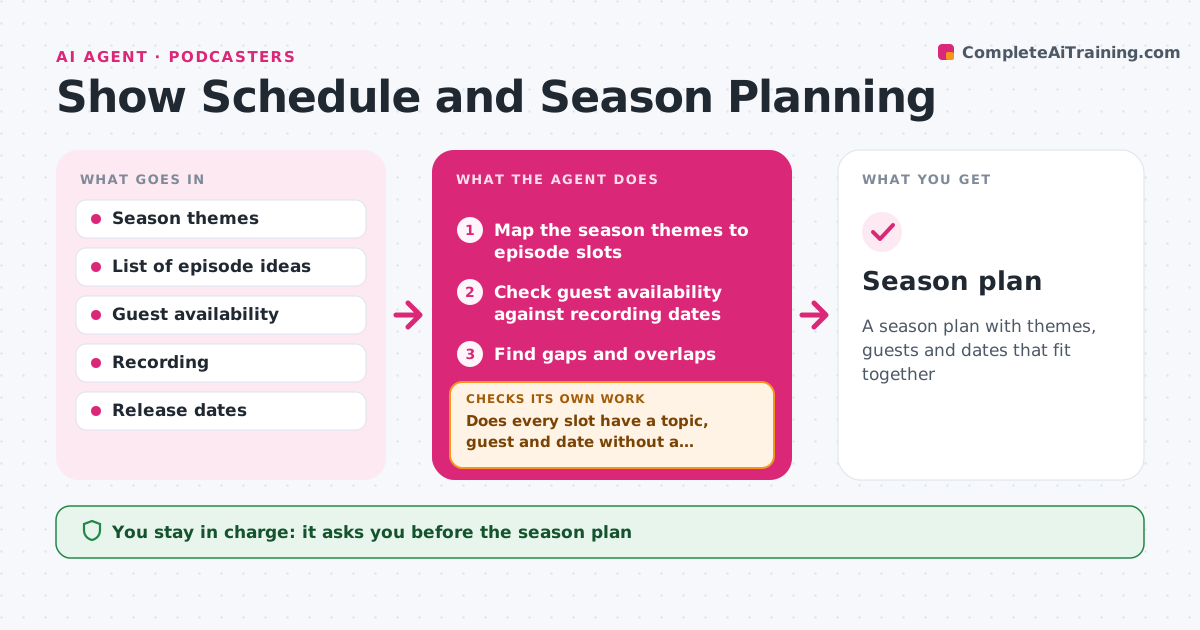
A season plan with themes, guests and dates that fit together
What it does
Topics, guests and release dates are decided week by week, and the season loses focus. This agent maps the season's themes to episodes, then checks guest availability and recording dates. It finds gaps and overlaps, such as two episodes on the same topic or a week with no recording slot. When a guest drops out, it re-plans: it suggests a swap, a solo episode or a new guest, and rechecks the dates. It updates the content calendar. The host approves the plan. Edge case: a guest who is only free on one date forces that episode's slot, and the agent plans around it.
How it works
Follow the arrows from top to bottom. The orange dashed arrow is the loop: when a check fails, the agent goes back and tries again.
Read the steps as a list
- Season planning begins
- Map the season themes to episode slots
- Check guest availability against recording dates
- Find gaps and overlaps
- Does every slot have a topic, guest and date without a clash?If not: swap the episodes, add a solo episode or propose a new guest. Back to step 3.
- Update the content calendar
- Plan a buffer of banked episodes
- Does the plan keep at least one episode in reserve?If not: move a recording earlier or plan a solo episode. Back to step 3.
- Host approves the planThe agent waits here for your OK.
- Season plan
How it decides
Episodes are assigned to the themes first, then to dates by guest availability. Gaps are filled by solo episodes or a banked episode.
- Fix guests with one available date first
- Avoid two episodes on the same topic in a row
- Keep one episode banked
- Fill a gap with a solo episode if needed
Make it yours
Every agent is a starting point. You choose these settings for your own situation.
- Number of episodes
- Banked episodes (default 1)
- Recording days
- Themes
What keeps you in control
It always asks you first
- The season plan
- Inviting or canceling guests
Hard limits
- Never sends invitations
- Never changes the calendar without approval
It stops when
- Done: plan approved with no open gaps
- Stop: too few guests or ideas for the season
Set it up
We guide you through the set-up, step by step
Members get the full set-up guide for this agent. No technical skills needed: you copy, paste and upload.
- One set of instructions to paste into your AI, with the clicks for ChatGPT, Claude, Microsoft 365 Copilot, Gemini and Grok
- The agent then walks you through connecting your own data, one source at a time
- A downloadable copy with the flow chart, the rules and the full guide