AI agent for notaries
Seal and Stamp Inventory Agent
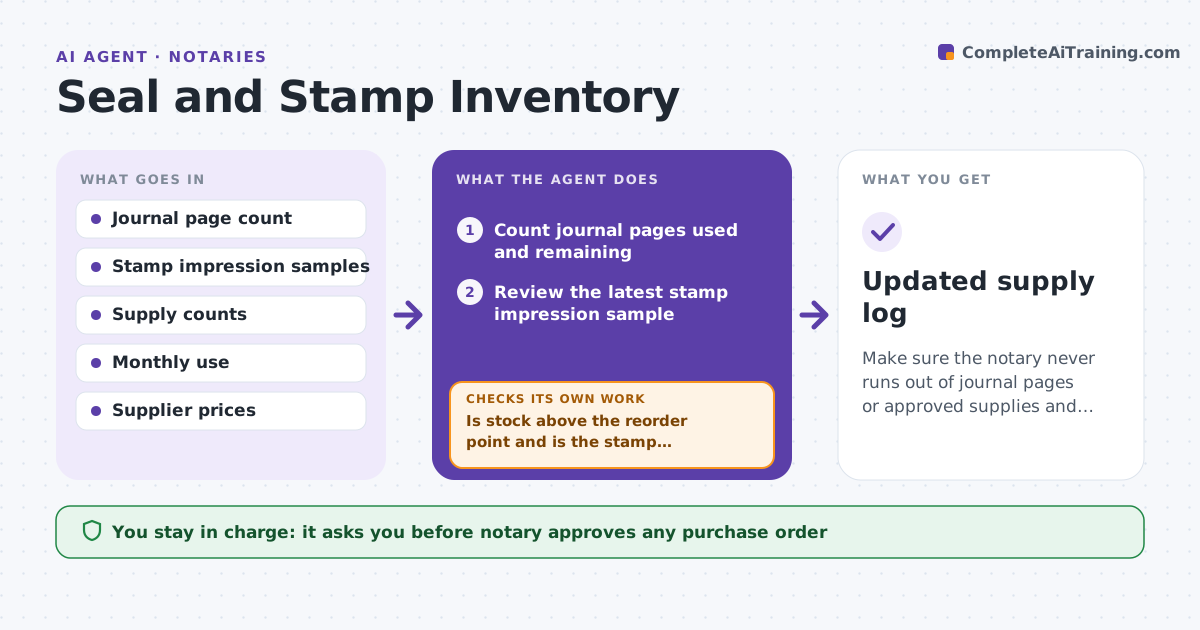
Make sure the notary never runs out of journal pages or approved supplies and replaces worn stamps in time.
What it does
Notary supplies run out at awkward times: a journal fills mid-day, a stamp prints faintly, or inked pads dry out before a big signing. The agent tracks journal pages used, checks stamp impression quality from sample images, and compares supply levels against typical monthly use. When a threshold is hit, it compares suppliers on price, delivery time and approved products, and drafts a purchase order. It records stamp replacements and re-checks stock after delivery. The notary approves any order. Edge case: the stamp impression image shows missing letters on the right edge, so the agent recommends replacement and notes the date.
How it works
Follow the arrows from top to bottom. The orange dashed arrow is the loop: when a check fails, the agent goes back and tries again.
Read the steps as a list
- Weekly supply check
- Count journal pages used and remaining
- Review the latest stamp impression sample
- Compare supply levels with the monthly use rate
- Is stock above the reorder point and is the stamp impression clear?If not: Mark the item for reorder or replacement. Back to step 2.
- Compare suppliers on price, delivery time and approved products
- Draft a purchase order
- Notary approves the orderThe agent waits here for your OK.
- Record the order and the delivery date
- Did the delivery arrive and does stock now meet the reorder point?If not: Contact the supplier and consider a second source. Back to step 5.
- Updated supply log
How it decides
It orders when remaining stock covers less than the lead time plus a buffer. A stamp is replaced when the impression fails the quality check.
- Reorder when stock covers less than delivery time plus 2 weeks
- Replace a stamp when any character is unclear
- Only products approved by the commissioning office are ordered
- A journal at 90 percent full triggers an order
Make it yours
Every agent is a starting point. You choose these settings for your own situation.
- Reorder buffer (default 2 weeks)
- Approved supplier list
- Page threshold for a journal order (default 90 percent)
- Review day
What keeps you in control
It always asks you first
- Notary approves any purchase order
- Notary records any stamp replacement
Hard limits
- Never places an order without approval
- Never orders unapproved products
It stops when
- Done: stock and stamp meet standards
- Stop: no approved supplier is available, so the notary is told
Set it up
We guide you through the set-up, step by step
Members get the full set-up guide for this agent. No technical skills needed: you copy, paste and upload.
- One set of instructions to paste into your AI, with the clicks for ChatGPT, Claude, Microsoft 365 Copilot, Gemini and Grok
- The agent then walks you through connecting your own data, one source at a time
- A downloadable copy with the flow chart, the rules and the full guide