AI agent for legal assistants
Sealing and Redaction Order Compliance Agent
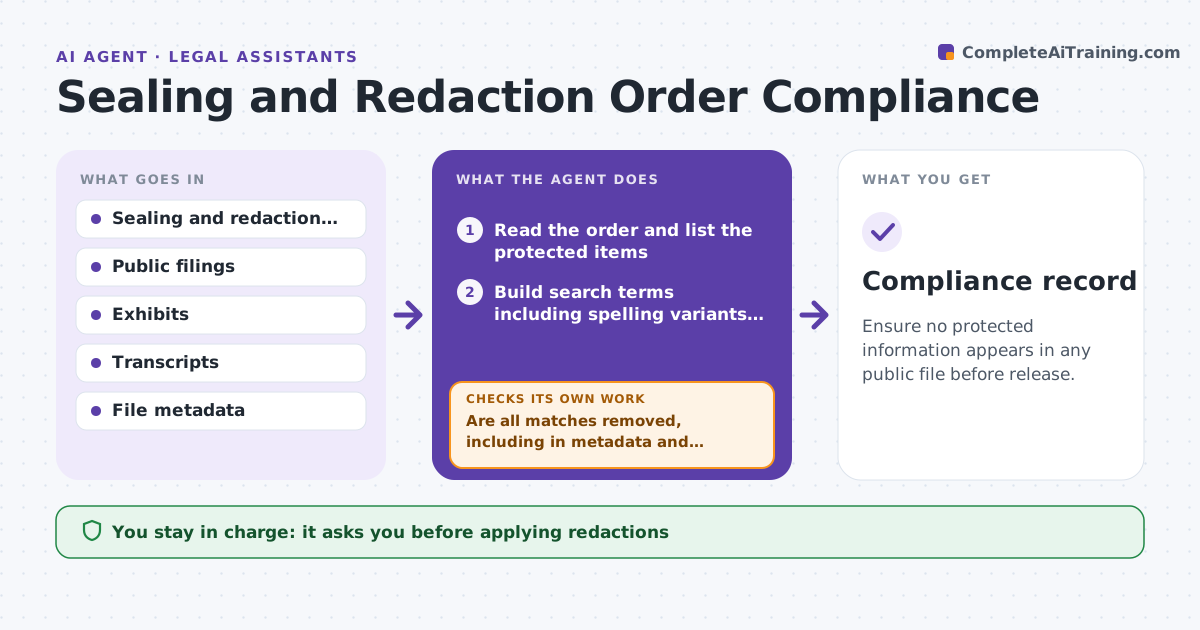
Ensure no protected information appears in any public file before release.
What it does
When a court seals documents or orders names redacted, the rule must be applied to every filing, exhibit and transcript. A single missed name in a public file can cause harm. This agent reads each sealing order and lists the protected items: names, account numbers, exhibits, hearing portions. It scans public filings, exhibits and transcripts for those items, flags each match with page and line, and rechecks after the redaction is applied. It only reads and flags. The judge or clerk approves release of any file. Edge case: when a protected name appears in a file name or a metadata field, the agent flags it too, not only the body text.
How it works
Follow the arrows from top to bottom. The orange dashed arrow is the loop: when a check fails, the agent goes back and tries again.
Read the steps as a list
- A sealing or redaction order is entered
- Read the order and list the protected items
- Build search terms including spelling variants and abbreviations
- Scan public filings, exhibits, transcripts and file metadata
- List every match with file, page and line
- Clerk or judge reviews matches and applies redactionsThe agent waits here for your OK.
- Rescan the redacted files
- Are all matches removed, including in metadata and images?If not: Return the remaining matches to the clerk with page and line. Back to step 7.
- Does the order cover later filings in the case?If not: Add new files to the scan list. Back to step 4.
- Judge or clerk approves release of the fileThe agent waits here for your OK.
- Compliance record
How it decides
Builds a list of protected terms from the order and flags every match, including variants and metadata; a file is clear only if no matches remain.
- Any match of a protected term blocks release
- Variants and initials are searched
- Metadata and file names are scanned
- Scanned images are checked with text recognition
Make it yours
Every agent is a starting point. You choose these settings for your own situation.
- Terms and variants to search
- Files and folders to scan
- Image text recognition on or off
- Who reviews matches
- Report format
What keeps you in control
It always asks you first
- Applying redactions
- Release of any file
- Any change to the scope of the order
Hard limits
- Never alter or release a document
- Never store protected terms outside the case
It stops when
- Done: all files clear and released
- Stop: order unclear, judge clarifies
- Stop: order lifted
Set it up
We guide you through the set-up, step by step
Members get the full set-up guide for this agent. No technical skills needed: you copy, paste and upload.
- One set of instructions to paste into your AI, with the clicks for ChatGPT, Claude, Microsoft 365 Copilot, Gemini and Grok
- The agent then walks you through connecting your own data, one source at a time
- A downloadable copy with the flow chart, the rules and the full guide