AI agent for ecologists
Seasonal Survey Effort Balancing Agent
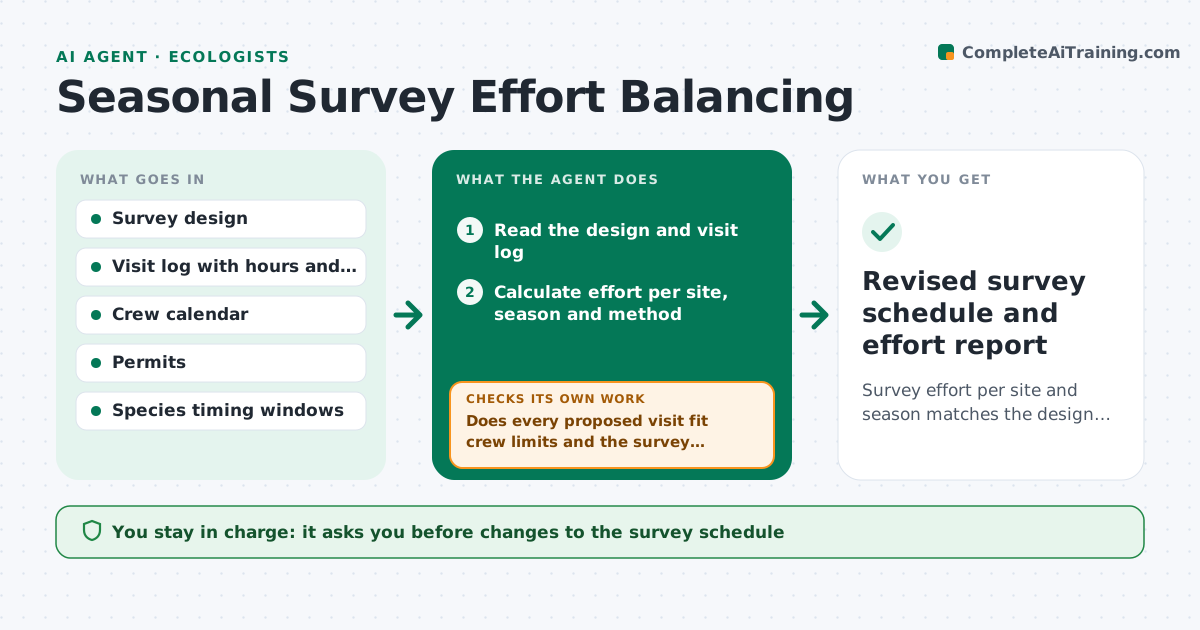
Survey effort per site and season matches the design, with gaps and excess corrected in the next schedule
What it does
Long-term surveys drift: some sites get visited more often, others get missed, and trends become biased. This agent compares survey effort per site and season to the study design, counting visits, hours and methods. It flags gaps and over-effort, then proposes a revised schedule. It checks each proposed visit against crew availability, travel time, permits, weather windows and species timing. If the schedule does not fit, it adjusts and retests. After each season it reruns the comparison with real effort. The lead approves schedule changes. Edge case: one site was unreachable due to flooding, so the agent suggests two extra visits next season with a note that these are make-up effort, not regular effort.
How it works
Follow the arrows from top to bottom. The orange dashed arrow is the loop: when a check fails, the agent goes back and tries again.
Read the steps as a list
- Season starts or ends
- Read the design and visit log
- Calculate effort per site, season and method
- Compare to design and list gaps and excesses
- Draft schedule changes to rebalance effort
- Check crew calendar, permits and species windows
- Does every proposed visit fit crew limits and the survey window?If not: move or drop the visit and propose a substitute site. Back to step 4.
- Note make-up effort separately in the record
- Lead approves schedule changesThe agent waits here for your OK.
- Revised survey schedule and effort report
How it decides
A site is flagged when effort differs from design by more than 15%. Changes must fit crew hours and survey windows.
- Flag a site when effort differs from design by more than 15%
- Never schedule outside the species timing window
- Record make-up visits separately
- Prefer shifting visits over adding crew hours
Make it yours
Every agent is a starting point. You choose these settings for your own situation.
- Effort tolerance (default 15%)
- Seasons and windows
- Crew limits
- How make-up effort is recorded
What keeps you in control
It always asks you first
- Changes to the survey schedule
Hard limits
- Never changes the survey design
- Never schedules without a valid permit
It stops when
- Done: effort within tolerance for all sites
- Stop: design is unclear or permits missing
Set it up
We guide you through the set-up, step by step
Members get the full set-up guide for this agent. No technical skills needed: you copy, paste and upload.
- One set of instructions to paste into your AI, with the clicks for ChatGPT, Claude, Microsoft 365 Copilot, Gemini and Grok
- The agent then walks you through connecting your own data, one source at a time
- A downloadable copy with the flow chart, the rules and the full guide