AI agent for teachers
Seasonal Theme Unit Builder Agent
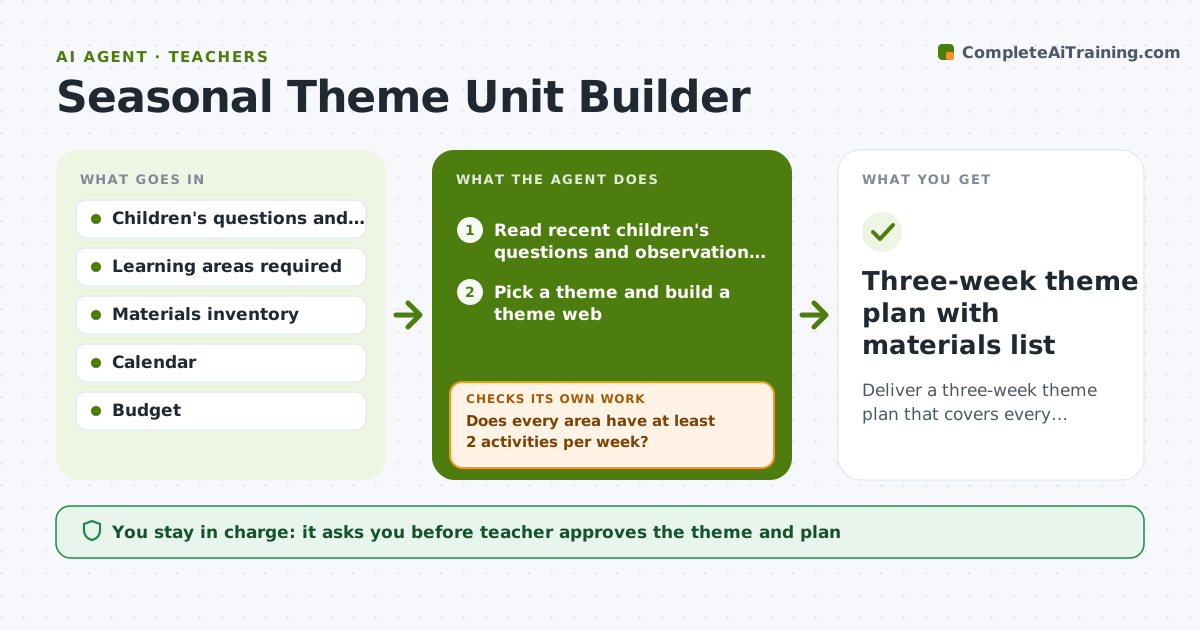
Deliver a three-week theme plan that covers every learning area, uses available materials and follows the children's interests
What it does
A teacher plans a three-week theme but notices later that there is plenty of art and no math. This agent starts from the children's recent questions and observations, such as an interest in worms after a rainy week. It builds a theme web across literacy, math, science, art and movement. Then it checks coverage by learning area and compares the materials each activity needs with what is on the shelf. If an area is empty, it adds activities and checks again. If materials are missing, it swaps in what the room already has or adds a list to buy. It outputs a week-by-week plan and a materials list. The teacher approves the plan. Edge case: a theme with few science links gets one outdoor investigation added.
How it works
Follow the arrows from top to bottom. The orange dashed arrow is the loop: when a check fails, the agent goes back and tries again.
Read the steps as a list
- Planning window opens for the next theme
- Read recent children's questions and observation notes
- Pick a theme and build a theme web
- Draft activities by week and learning area
- Does every area have at least 2 activities per week?If not: Add activities to empty areas and rebuild the weekly grid. Back to step 4.
- Compare required materials with the inventory
- Is every needed material on hand or affordable?If not: Swap the activity for one using available items or add the item to a shopping list. Back to step 4.
- Assemble the weekly plan and materials list
- Teacher approves the plan and purchasesThe agent waits here for your OK.
- Three-week theme plan with materials list
How it decides
It counts activities per learning area and per week. An area with fewer than 2 activities per week is a gap. Activities needing materials not on hand are swapped or listed.
- Start from at least 3 child-originated questions
- Require 2 or more activities per learning area per week
- Prefer materials already in the room
- Add one outdoor or sensory activity each week
Make it yours
Every agent is a starting point. You choose these settings for your own situation.
- Learning areas to cover (default literacy, math, science, art, movement)
- Minimum activities per area per week (default 2)
- Theme length (default 3 weeks)
- Budget per theme (default $25)
What keeps you in control
It always asks you first
- Teacher approves the theme and plan
- Teacher approves any purchases
Hard limits
- Never plan activities that break safety rules
- Never make purchases without teacher approval
- Keep activities age appropriate
It stops when
- Done: Plan approved with all areas covered
- Stop: Budget or safety concern blocks a key activity, so hand to the teacher
Set it up
We guide you through the set-up, step by step
Members get the full set-up guide for this agent. No technical skills needed: you copy, paste and upload.
- One set of instructions to paste into your AI, with the clicks for ChatGPT, Claude, Microsoft 365 Copilot, Gemini and Grok
- The agent then walks you through connecting your own data, one source at a time
- A downloadable copy with the flow chart, the rules and the full guide