AI agent for information security analysts
Security Awareness Follow-up Agent
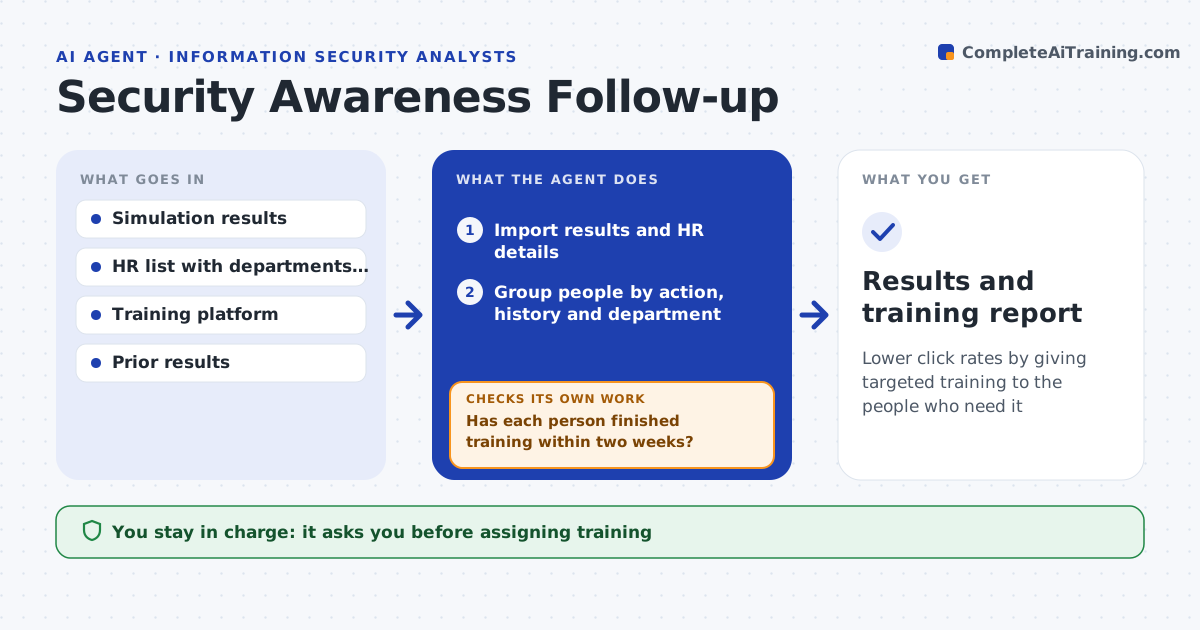
Lower click rates by giving targeted training to the people who need it
What it does
Phishing simulations show who is likely to fall for a real attack, but most companies give everyone the same yearly training. After each simulation this agent reads the results and groups people by behavior, such as clicked, entered details or reported, and by department. It assigns short refresher modules to people who clicked and a stronger course to repeat clickers. It drafts a note for managers of departments with high click rates. Two weeks later it checks completion and compares the next simulation result. If someone has not finished, it sends one reminder, then checks again and lists anyone still behind for their manager. You approve training assignments and manager notes. Edge case: someone on leave during the simulation is not counted as a non-reporter or a repeat clicker.
How it works
Follow the arrows from top to bottom. The orange dashed arrow is the loop: when a check fails, the agent goes back and tries again.
Read the steps as a list
- Phishing simulation ends
- Import results and HR details
- Group people by action, history and department
- Pick training and draft manager notes
- Security lead approves assignments and notesThe agent waits here for your OK.
- Assign training and send notes
- Has each person finished training within two weeks?If not: send one reminder, then list them for their manager. Back to step 6.
- Results and training report
How it decides
Training level depends on the action taken and how many times it happened before. Departments above the rate threshold get a manager note.
- Clicked once gets a 5-minute module
- Repeat clickers or those who entered details get a full course
- Exclude people on leave during the simulation
Make it yours
Every agent is a starting point. You choose these settings for your own situation.
- Training modules per level
- Department rate that triggers a manager note (default 10%)
- Completion window (default 14 days)
- Message tone
What keeps you in control
It always asks you first
- Assigning training
- Sending notes to managers
Hard limits
- Never shares individual results beyond managers
- No messages sent without approval
It stops when
- Done: training complete or escalated
- Stop: simulation data incomplete
Set it up
We guide you through the set-up, step by step
Members get the full set-up guide for this agent. No technical skills needed: you copy, paste and upload.
- One set of instructions to paste into your AI, with the clicks for ChatGPT, Claude, Microsoft 365 Copilot, Gemini and Grok
- The agent then walks you through connecting your own data, one source at a time
- A downloadable copy with the flow chart, the rules and the full guide