AI agent for director of its
Server Room Power and Cooling Agent
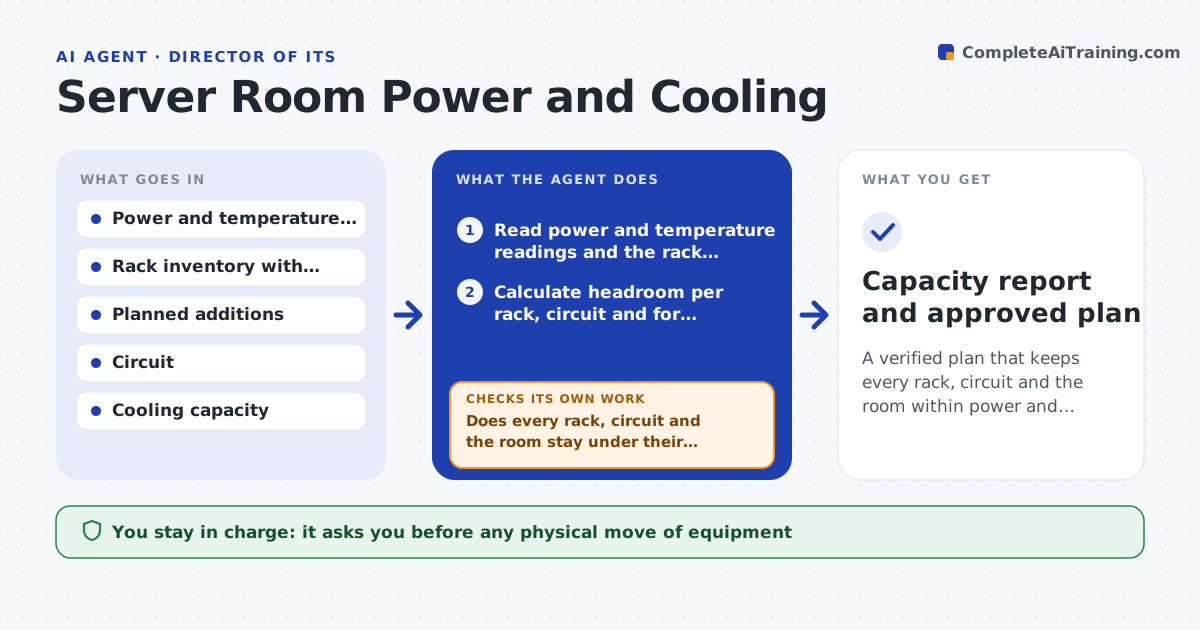
A verified plan that keeps every rack, circuit and the room within power and cooling limits for the planning period
What it does
Equipment gets added one rack at a time until a breaker trips or a hot aisle runs warm. This agent reads power and temperature readings from the room and the rack inventory, and calculates headroom per rack, per circuit and for the room's cooling. It models planned additions, such as 6 new servers or a storage array, and checks whether they fit. It flags racks that will exceed limits, with the date they would, and drafts a relocation plan that moves load to racks with spare capacity. It then reruns the model with the moves applied to confirm every rack and circuit stays safe. The director approves any move. Edge case: a rack's nameplate rating is higher than its measured draw, so the agent uses measured peaks plus a margin.
How it works
Follow the arrows from top to bottom. The orange dashed arrow is the loop: when a check fails, the agent goes back and tries again.
Read the steps as a list
- Monthly run or equipment request
- Read power and temperature readings and the rack inventory
- Calculate headroom per rack, circuit and for cooling
- Add planned equipment to the model
- Does every rack, circuit and the room stay under their limits?If not: list the racks that exceed limits and propose relocations. Back to step 3.
- Draft a relocation plan with the order of moves
- Rerun the model with the moves applied
- Is every limit met after the moves?If not: redo the plan with different target racks. Back to step 5.
- Director approves the movesThe agent waits here for your OK.
- Capacity report and approved plan
How it decides
Headroom uses measured peak draw plus a 15 percent margin. A rack is flagged at 80 percent of its limit.
- Use measured peak draw plus a 15 percent margin
- Flag racks at 80 percent of power or cooling limits
- Keep redundant power feeds balanced within 10 percent
- Do not plan a move that leaves a rack with no cooling margin
Make it yours
Every agent is a starting point. You choose these settings for your own situation.
- Margin on measured peaks (default 15 percent)
- Alert threshold (default 80 percent)
- Rooms and circuits in scope
- Planning horizon in months
What keeps you in control
It always asks you first
- Any physical move of equipment
- Purchasing additional capacity
Hard limits
- Never moves or powers down equipment
- Never uses nameplate ratings alone
It stops when
- Done: a plan keeps every limit met
- Stop: readings are missing for any rack in scope
Set it up
We guide you through the set-up, step by step
Members get the full set-up guide for this agent. No technical skills needed: you copy, paste and upload.
- One set of instructions to paste into your AI, with the clicks for ChatGPT, Claude, Microsoft 365 Copilot, Gemini and Grok
- The agent then walks you through connecting your own data, one source at a time
- A downloadable copy with the flow chart, the rules and the full guide