AI agent for mediators
Settlement Payment Schedule Verifier Agent
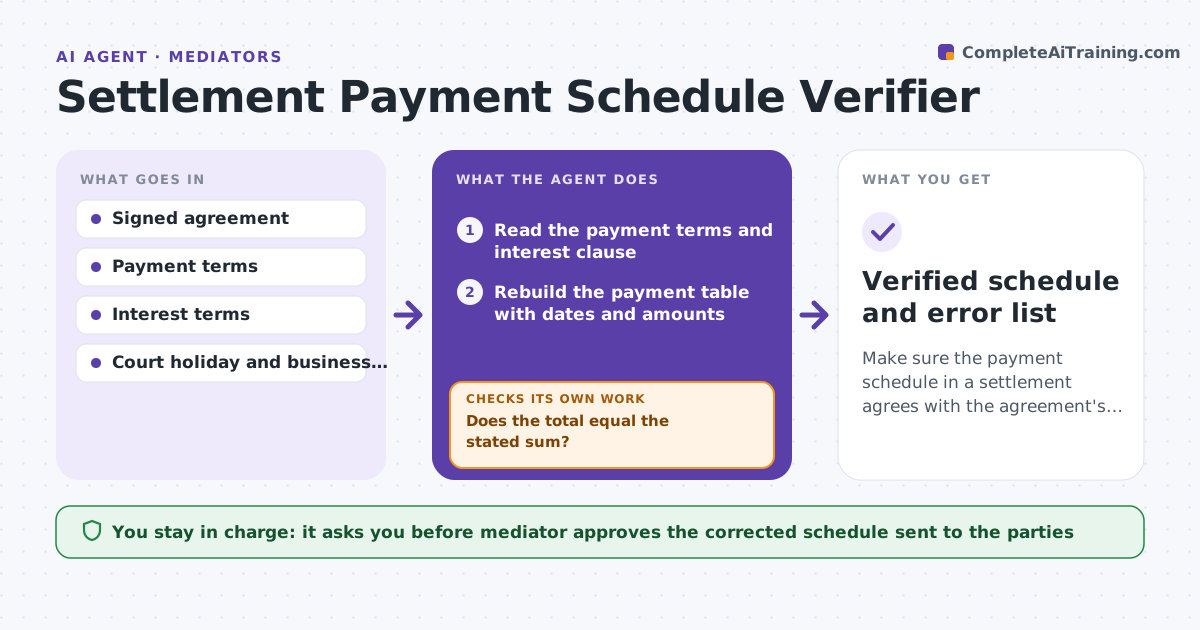
Make sure the payment schedule in a settlement agrees with the agreement's stated sum, dates and terms.
What it does
Settlement agreements often include a payment schedule, and errors in dates, totals or interest cause disputes later. The agent reads the signed terms and rebuilds the payment table with dates and interest where stated. It compares the total with the stated settlement sum, checks that each date falls on a business day, and checks that any default clause matches the table. It lists errors and drafts a corrected schedule that follows the agreement's wording. After corrections, it recalculates and re-checks. The mediator approves what goes back to the parties. Edge case: monthly payments of $2,000 over 11 months total $22,000, but the stated sum is $24,000.
How it works
Follow the arrows from top to bottom. The orange dashed arrow is the loop: when a check fails, the agent goes back and tries again.
Read the steps as a list
- Settlement agreement signed
- Read the payment terms and interest clause
- Rebuild the payment table with dates and amounts
- Calculate the total and any interest
- Does the total equal the stated sum?If not: List the difference and the clause that controls the amount. Back to step 3.
- Check each date against the business day calendar
- Compare the default clause with the table
- Do the dates and default terms match?If not: Draft a corrected schedule that follows the agreement text. Back to step 3.
- Mediator approves what goes back to the partiesThe agent waits here for your OK.
- Verified schedule and error list
How it decides
A schedule passes when the totals equal the stated sum, every date is a valid business day and the default terms match. Differences are listed with the clause that applies.
- The stated total controls over a payment count
- A date on a weekend or holiday moves to the next business day if the agreement says so
- Interest uses the rate and method in the agreement only
- Differences over $1 are listed
Make it yours
Every agent is a starting point. You choose these settings for your own situation.
- Business day calendar and holidays
- Rounding rule for interest
- Difference threshold to flag (default $1)
- Format of the corrected schedule
What keeps you in control
It always asks you first
- Mediator approves the corrected schedule sent to the parties
Hard limits
- Never chooses between two readings of the agreement
- Never contacts the parties directly
It stops when
- Done: schedule matches the agreement
- Stop: the agreement is ambiguous, so the mediator is told which clause
Set it up
We guide you through the set-up, step by step
Members get the full set-up guide for this agent. No technical skills needed: you copy, paste and upload.
- One set of instructions to paste into your AI, with the clicks for ChatGPT, Claude, Microsoft 365 Copilot, Gemini and Grok
- The agent then walks you through connecting your own data, one source at a time
- A downloadable copy with the flow chart, the rules and the full guide