AI agent for it specialists
Shared Drive Permission Cleanup Agent
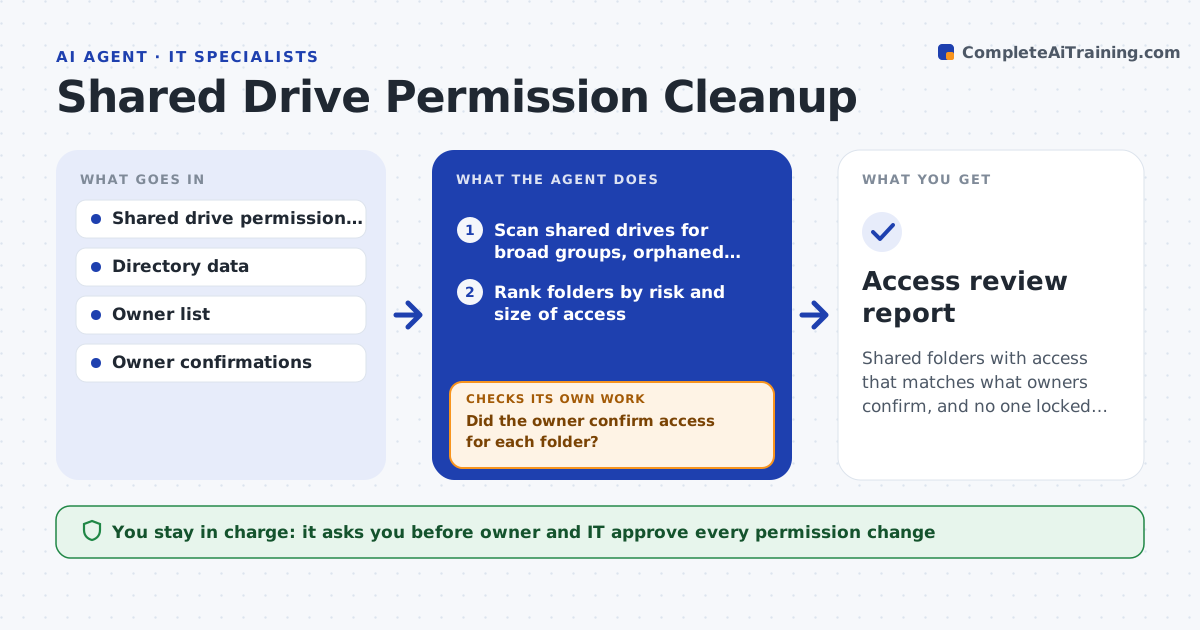
Shared folders with access that matches what owners confirm, and no one locked out
What it does
Folder permissions grow into broad access that nobody can explain. This agent scans shared drives for folders open to broad groups, accounts that no longer belong to anyone and unusual direct grants. It asks each folder's owner to confirm who really needs access. From their answers it proposes tightened permissions. After changes, it checks that the confirmed users still have the access they need so that no one gets locked out of their work. IT and the owner approve the changes. Edge case: a folder has no named owner, so the agent finds the most active editor and asks them.
How it works
Follow the arrows from top to bottom. The orange dashed arrow is the loop: when a check fails, the agent goes back and tries again.
Read the steps as a list
- Quarterly access review
- Scan shared drives for broad groups, orphaned accounts and direct grants
- Rank folders by risk and size of access
- Find or assign an owner for each folder
- Ask owners to confirm who needs access
- Did the owner confirm access for each folder?If not: remind the owner and escalate to their manager after the deadline. Back to step 4.
- Propose tightened permissions from the confirmations
- Owner and IT approve the changesThe agent waits here for your OK.
- Apply the approved changes
- Can confirmed users still open the folder?If not: restore the missing access and review the proposal. Back to step 9.
- Access review report
How it decides
Access is kept when the owner confirms it. Orphaned and unconfirmed access is proposed for removal.
- Rank folders open to all staff or large groups first
- Remove accounts of people who have left
- Keep only access confirmed by the owner
- Test access for a confirmed user after every change
Make it yours
Every agent is a starting point. You choose these settings for your own situation.
- Review frequency (default: quarterly)
- Group size that counts as broad (default: 100)
- Owner response deadline (default: 10 days)
- Folders in scope
What keeps you in control
It always asks you first
- Owner and IT approve every permission change
Hard limits
- Never removes access without approval
- Never reads file contents
It stops when
- Done: all flagged folders are confirmed or tightened
- Stop: owners do not respond after escalation and the folder is escalated to IT
Set it up
We guide you through the set-up, step by step
Members get the full set-up guide for this agent. No technical skills needed: you copy, paste and upload.
- One set of instructions to paste into your AI, with the clicks for ChatGPT, Claude, Microsoft 365 Copilot, Gemini and Grok
- The agent then walks you through connecting your own data, one source at a time
- A downloadable copy with the flow chart, the rules and the full guide