AI agent for nurses
Shift Handoff Report Agent
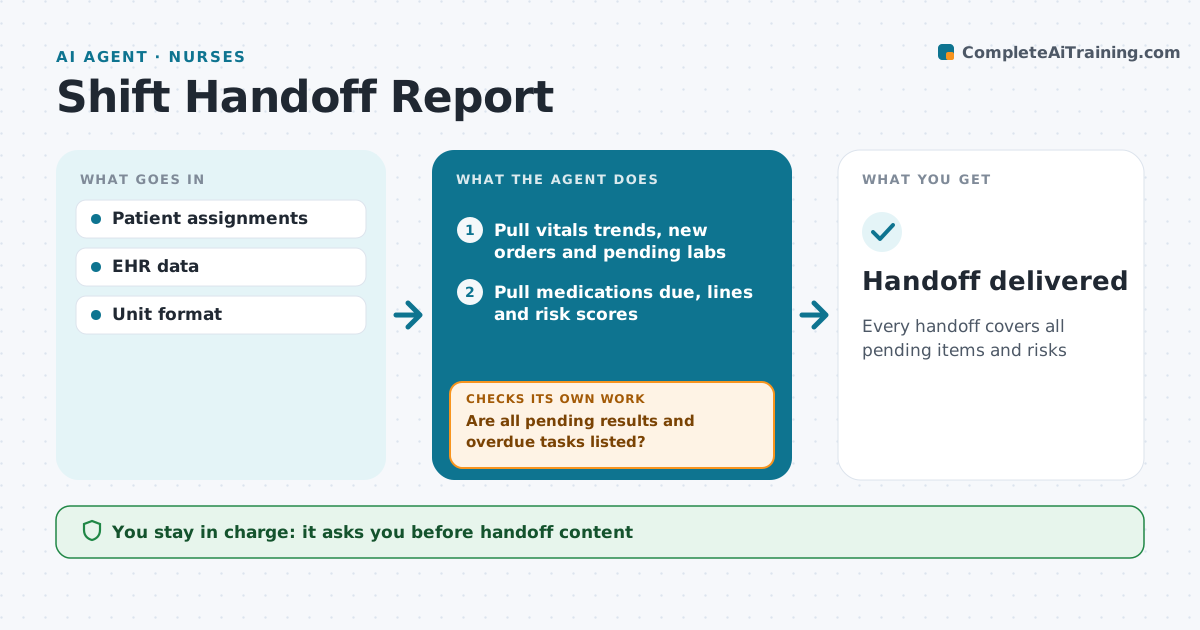
Every handoff covers all pending items and risks
What it does
At shift change, nurses must pass on each patient's status, pending tasks and risks, and details get lost when the unit is busy. This agent pulls the shift's data for each assigned patient: vital sign trends, new orders, pending labs, medications due, lines and risk scores. It drafts a structured handoff in the unit's format. It then checks the draft against orders and the task list. If pending results or overdue tasks are missing, it adds them. The nurse edits and confirms the content. The incoming nurse acknowledges each patient, and any patient not acknowledged is flagged for a bedside verbal handoff. The nurse approves the handoff content. Edge case: patients with a change in condition during the shift are listed first.
How it works
Follow the arrows from top to bottom. The orange dashed arrow is the loop: when a check fails, the agent goes back and tries again.
Read the steps as a list
- Hour before shift change
- Pull vitals trends, new orders and pending labs
- Pull medications due, lines and risk scores
- Draft handoff in the unit's format
- Are all pending results and overdue tasks listed?If not: add the missing items from the orders and task list. Back to step 4.
- Nurse edits and confirms the handoffThe agent waits here for your OK.
- Did the incoming nurse acknowledge each patient?If not: flag the patient for a bedside verbal handoff. Back to step 6.
- Handoff delivered
How it decides
Pending items and changes are pulled from the record and listed by priority.
- Changes in condition first
- Overdue tasks flagged
- Unit format followed
Make it yours
Every agent is a starting point. You choose these settings for your own situation.
- Handoff format
- Data included
- Timing
- Priority rules
What keeps you in control
It always asks you first
- Handoff content
Hard limits
- No orders by the agent
It stops when
- Done: handoff confirmed
- Stop: EHR unavailable, use paper
Set it up
We guide you through the set-up, step by step
Members get the full set-up guide for this agent. No technical skills needed: you copy, paste and upload.
- One set of instructions to paste into your AI, with the clicks for ChatGPT, Claude, Microsoft 365 Copilot, Gemini and Grok
- The agent then walks you through connecting your own data, one source at a time
- A downloadable copy with the flow chart, the rules and the full guide