AI agent for videographers
Shoot Day Call Sheet Agent
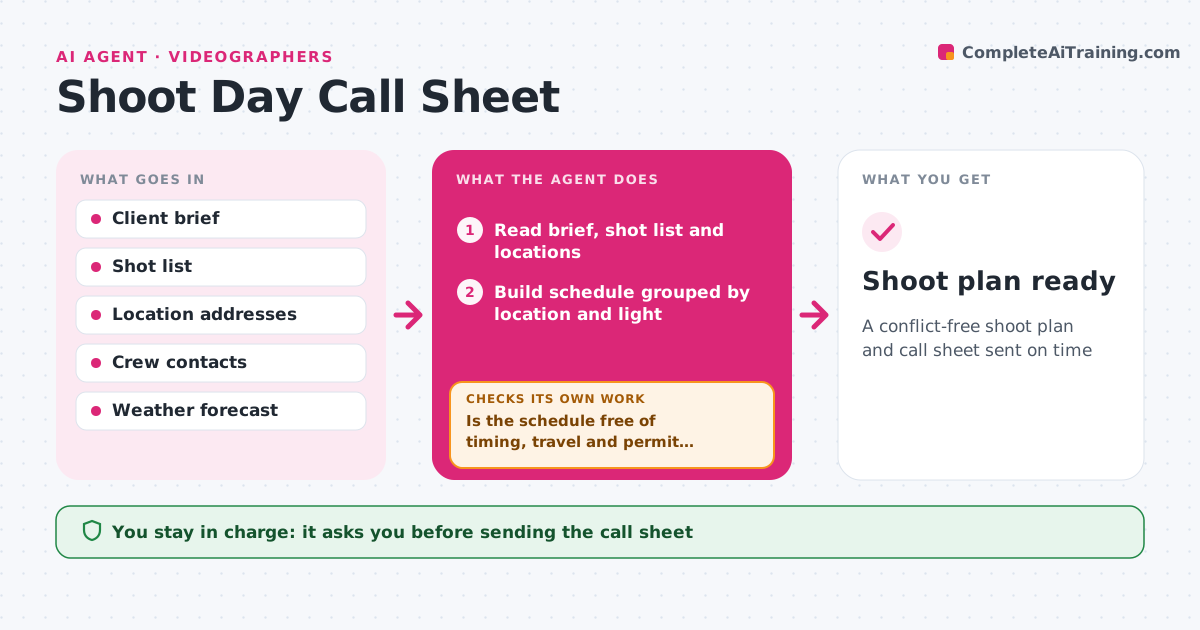
A conflict-free shoot plan and call sheet sent on time
What it does
A shoot day only works if locations, light, people and gear all line up. This agent turns the client brief and shot list into a schedule grouped by location and light. It checks sunrise and sunset times, the weather forecast, location access hours and permit needs. It then looks for conflicts, such as travel between locations eating the golden hour, or a missing permit. When it finds one, it reorders shots, adds a plan B or lists the permit to get, and checks again. It builds the gear list from the shots and drafts the call sheet. The videographer approves the call sheet before it goes to crew and client. The day before, it rechecks the weather. Edge case: if rain is forecast for exterior shots, it proposes an indoor alternative and flags it.
How it works
Follow the arrows from top to bottom. The orange dashed arrow is the loop: when a check fails, the agent goes back and tries again.
Read the steps as a list
- Shoot date confirmed
- Read brief, shot list and locations
- Build schedule grouped by location and light
- Check weather, sunlight times, access and permits
- Is the schedule free of timing, travel and permit conflicts?If not: reorder shots, add a plan B or list the missing permit. Back to step 3.
- Build gear list and call sheet
- Videographer approves the call sheetThe agent waits here for your OK.
- Send call sheet to crew and client
- Shoot plan ready
How it decides
It groups shots by location and light needs, then flags any timing, travel or permit conflict. Exterior shots get a plan B when rain chance is above the set limit.
- Schedule exterior shots inside the needed light window
- Add a plan B when rain chance passes the limit
- Flag travel between locations longer than the set time
Make it yours
Every agent is a starting point. You choose these settings for your own situation.
- Maximum travel time between locations (default 45 minutes)
- Rain chance that triggers a plan B (default 40%)
- Call sheet template
- Crew and gear lists
What keeps you in control
It always asks you first
- Sending the call sheet
- Applying for or paying permits
Hard limits
- Never books or pays for anything without approval
- Never shares crew phone numbers with the client
It stops when
- Done: call sheet sent and confirmed
- Stop: a required permit is missing; tell the videographer
Set it up
We guide you through the set-up, step by step
Members get the full set-up guide for this agent. No technical skills needed: you copy, paste and upload.
- One set of instructions to paste into your AI, with the clicks for ChatGPT, Claude, Microsoft 365 Copilot, Gemini and Grok
- The agent then walks you through connecting your own data, one source at a time
- A downloadable copy with the flow chart, the rules and the full guide