AI agent for executive assistants
Signature and Approval Chase Agent
Get every document signed or approved on time and put ready documents in front of the executive.
What it does
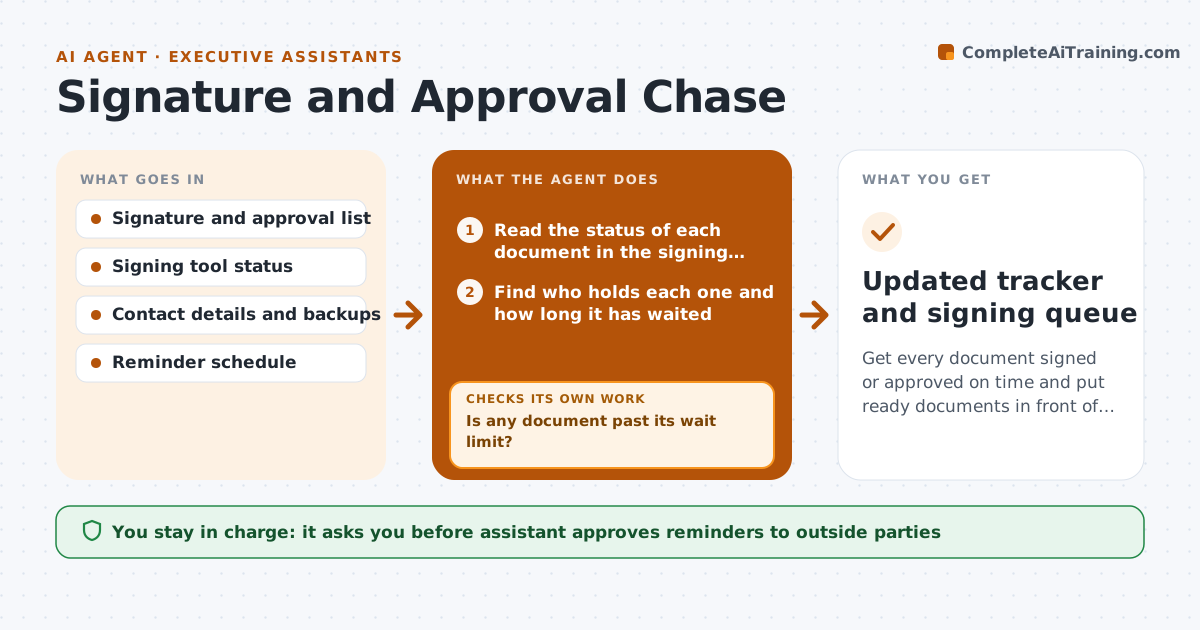
Executives lose days when a contract waits in someone else's inbox. This agent keeps one list of every document that needs the executive's signature or someone else's approval. It checks the status in the signing tool, notes who holds it, and works out how long it has waited. After a set time it drafts a reminder to the next person. When all other approvals are in, it moves the document to the top of the executive's queue with a short summary of what changed. If a reminder bounces or the person is away, it finds the backup contact. The executive signs; the assistant approves any reminder to an outside party. Edge case: a document signed by the wrong signer is flagged, not forwarded.
How it works
Follow the arrows from top to bottom. The orange dashed arrow is the loop: when a check fails, the agent goes back and tries again.
Read the steps as a list
- Daily check or a new document is added
- Read the status of each document in the signing tool
- Find who holds each one and how long it has waited
- Is any document past its wait limit?If not: Check again tomorrow. Back to step 2.
- Draft a reminder to the holder
- Assistant approves reminders to outside partiesThe agent waits here for your OK.
- Send the reminder
- Did the reminder reach the holder?If not: Find a backup contact or another route and draft a new one. Back to step 5.
- Mark documents with all approvals as ready
- Place ready documents at the top of the executive's queue
- Updated tracker and signing queue
How it decides
It reminds the person holding the document after the set wait, and escalates to a backup when a reminder fails.
- Remind internal holders after 2 working days and outside parties after 3
- Flag documents with a signer mismatch instead of forwarding
- A bounced reminder triggers a backup contact
- Documents due within 48 hours go to the top
Make it yours
Every agent is a starting point. You choose these settings for your own situation.
- Wait time before a reminder (default 2 days internal, 3 outside)
- Backup contacts per person
- Reminder tone
- Queue order rules
What keeps you in control
It always asks you first
- Assistant approves reminders to outside parties
- Executive signs every document
Hard limits
- Never sign or approve for the executive
- Never send to an outside party without assistant approval
It stops when
- Done: all documents are signed or have an owner and a date
- Stop: a document has a legal or signer problem and the assistant steps in
Set it up
We guide you through the set-up, step by step
Members get the full set-up guide for this agent. No technical skills needed: you copy, paste and upload.
- One set of instructions to paste into your AI, with the clicks for ChatGPT, Claude, Microsoft 365 Copilot, Gemini and Grok
- The agent then walks you through connecting your own data, one source at a time
- A downloadable copy with the flow chart, the rules and the full guide