AI agent for civil engineers
Site Observation Report Agent
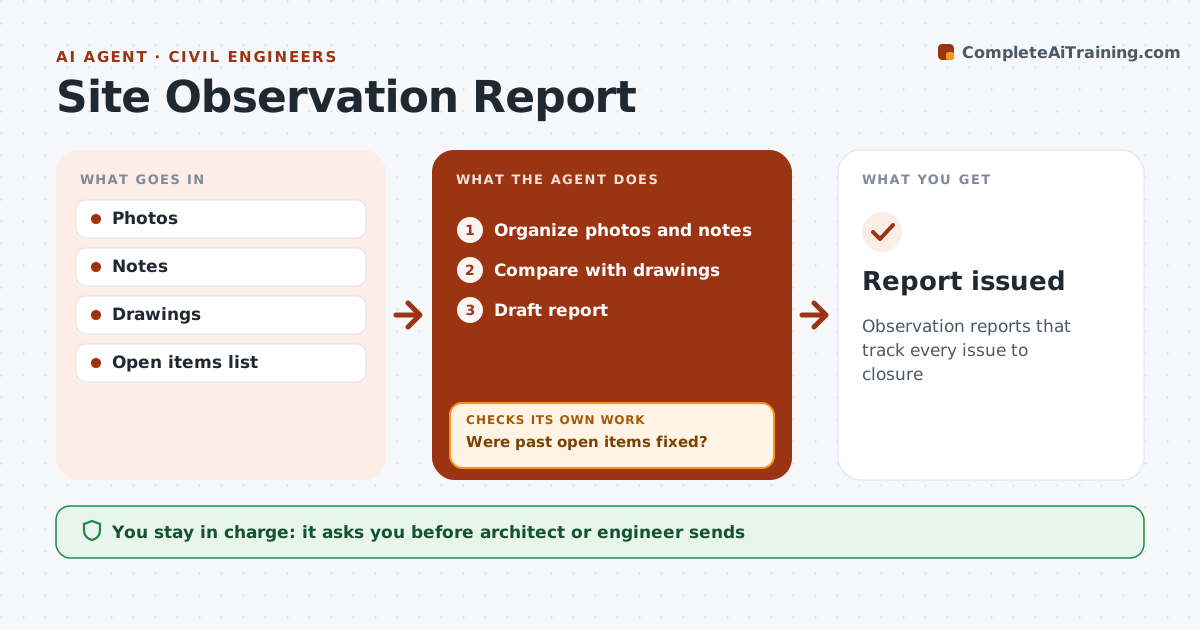
Observation reports that track every issue to closure
What it does
During construction, architects and engineers visit sites and must report what they see, and open items from earlier visits are easy to lose. This agent organizes photos and notes from each visit and ties each photo to the relevant drawing. It compares observations with the drawings and lists items that do not follow the design. It carries forward open items from past visits and checks whether new photos and notes show each one fixed. Items stay open until there is evidence of the fix; if none is found, the item is kept open and noted for the next visit. The architect or engineer approves and sends the report; the agent never sends it. Edge case: safety issues seen on site are reported to the contractor's superintendent, because site safety is not the design team's job to manage.
How it works
Follow the arrows from top to bottom. The orange dashed arrow is the loop: when a check fails, the agent goes back and tries again.
Read the steps as a list
- Site visit done
- Organize photos and notes
- Compare with drawings
- Were past open items fixed?If not: keep open and note. Back to step 2.
- Draft report
- Architect or engineer approves and sendsThe agent waits here for your OK.
- Report issued
How it decides
Items are open until new evidence shows correction.
- Open until evidence
- Safety to superintendent
- Photos tied to drawings
Make it yours
Every agent is a starting point. You choose these settings for your own situation.
- Template
- Photo rules
- Item categories
- Distribution list
What keeps you in control
It always asks you first
- Architect or engineer sends
Hard limits
- Never directs means and methods
- Never sends itself
It stops when
- Done: report issued
- Stop: project complete
Set it up
We guide you through the set-up, step by step
Members get the full set-up guide for this agent. No technical skills needed: you copy, paste and upload.
- One set of instructions to paste into your AI, with the clicks for ChatGPT, Claude, Microsoft 365 Copilot, Gemini and Grok
- The agent then walks you through connecting your own data, one source at a time
- A downloadable copy with the flow chart, the rules and the full guide