AI agent for civil engineers
Site Visit Observation Follow-Up Agent
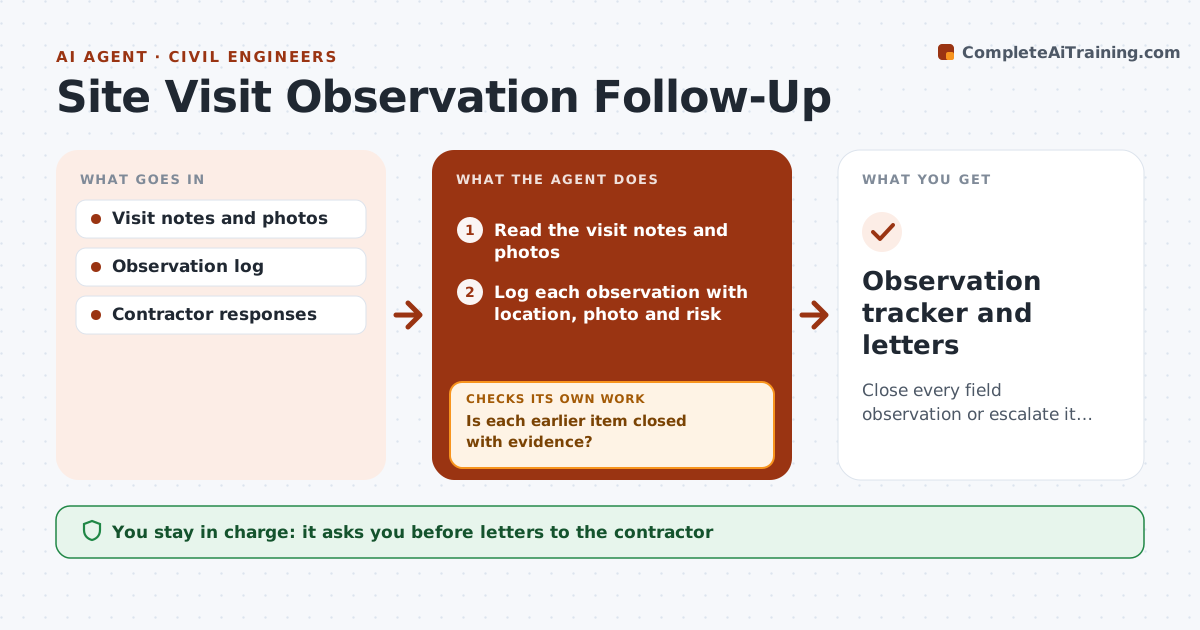
Close every field observation or escalate it, with evidence.
What it does
Observations from a site visit get written in a report and then are not checked on the next visit. This agent logs each observation with location and photos, and tracks the contractor's response. On later visits, it uses your new notes and photos to check each open item for closure evidence. It marks closed items, keeps the others open, and escalates those that remain open after your set number of visits. It drafts the follow-up letter to the contractor. You approve every letter. Edge case: a rebar spacing problem is noted at a slab edge, and the next visit's photos show the pour was done, so the agent escalates it.
How it works
Follow the arrows from top to bottom. The orange dashed arrow is the loop: when a check fails, the agent goes back and tries again.
Read the steps as a list
- Site visit is complete
- Read the visit notes and photos
- Log each observation with location, photo and risk
- Compare new notes and photos with earlier open items
- Is each earlier item closed with evidence?If not: Keep it open and record what is missing. Back to step 4.
- Draft the follow-up letter to the contractor
- Engineer approves the letter before it is sentThe agent waits here for your OK.
- Update the observation log and rank open items by risk
- Has any open item passed the escalation limit?If not: Continue tracking at the next visit. Back to step 4.
- Engineer approves the escalation note drafted for those itemsThe agent waits here for your OK.
- Observation tracker and letters
How it decides
It marks an item closed only with evidence in a later visit. Items open after two visits are escalated.
- Closed means visible evidence in photos or a later visit
- Escalate after 2 visits open (default)
- Safety and structural items rank highest
- Covered work is escalated at once
Make it yours
Every agent is a starting point. You choose these settings for your own situation.
- Escalation limit (default 2 visits)
- Risk ranking
- Letter tone
- Photo requirements
- Contractor contacts
What keeps you in control
It always asks you first
- Letters to the contractor
- Escalations
Hard limits
- Never sends letters without approval
- Never closes an item without evidence
- Keeps photos with dates
It stops when
- Done: all items closed
- Stop: contractor non-responsive after escalation; engineer decides next step
Set it up
We guide you through the set-up, step by step
Members get the full set-up guide for this agent. No technical skills needed: you copy, paste and upload.
- One set of instructions to paste into your AI, with the clicks for ChatGPT, Claude, Microsoft 365 Copilot, Gemini and Grok
- The agent then walks you through connecting your own data, one source at a time
- A downloadable copy with the flow chart, the rules and the full guide