
AI agent for digital marketing managers
Social Content Calendar Build Agent
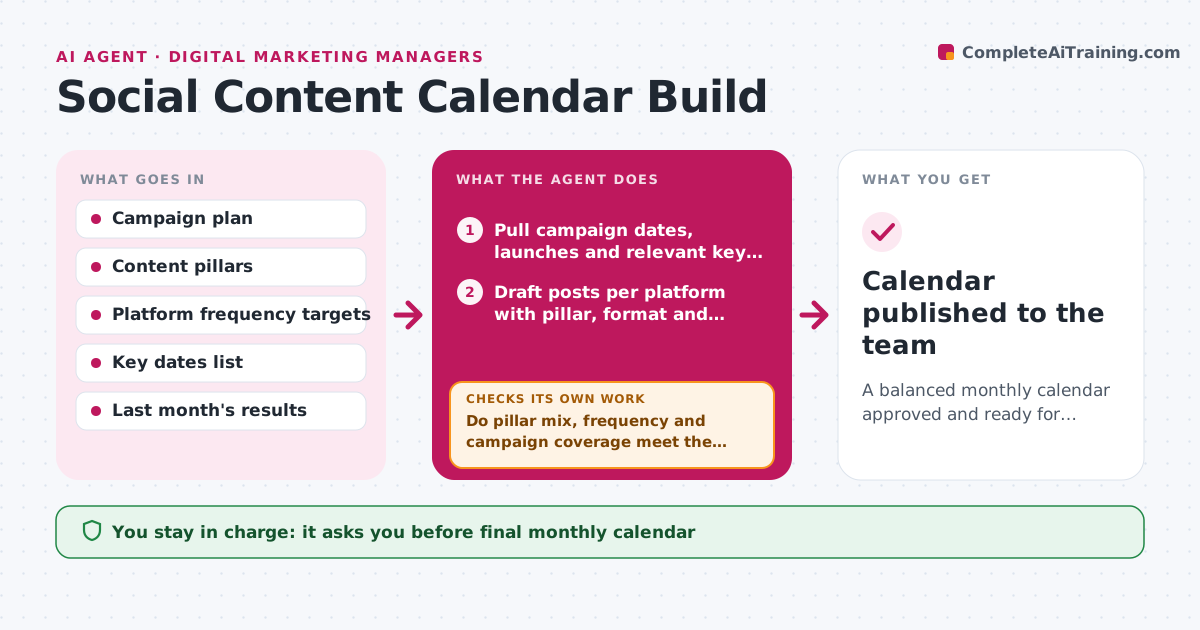
A balanced monthly calendar approved and ready for production
What it does
Building next month's social calendar by hand means juggling campaign dates, launches, holidays and content pillars across several platforms. Each month this agent pulls those dates and drafts posts per platform, each with a format, pillar and short brief. Then it checks the balance: the mix of pillars, posting frequency per platform, no two big announcements on one day, and every campaign date covered. If the mix is off, it moves or swaps posts and checks again until the targets are met. It flags posts that need design or video work early so creators have enough lead time. The manager approves the plan before any briefs go to creators. Edge case: a sensitive date, such as a day of remembrance, gets no promotional posts, and the agent moves any that land on it.
How it works
Follow the arrows from top to bottom. The orange dashed arrow is the loop: when a check fails, the agent goes back and tries again.
Read the steps as a list
- Planning week begins
- Pull campaign dates, launches and relevant key dates
- Draft posts per platform with pillar, format and brief
- Do pillar mix, frequency and campaign coverage meet the targets?If not: move or swap posts, then recheck. Back to step 3.
- Flag posts needing design or video lead time
- Manager approves the calendarThe agent waits here for your OK.
- Create briefs in the content tool
- Calendar published to the team
How it decides
It fills campaign dates first, then fills pillars to their target share, using last month's top formats for each platform.
- No promotional posts on sensitive dates
- Video posts need at least 10 days lead time
- No pillar above 40% of posts
Make it yours
Every agent is a starting point. You choose these settings for your own situation.
- Content pillars and target shares
- Posts per week per platform
- Lead time for video and design
- Key dates list to use
What keeps you in control
It always asks you first
- Final monthly calendar
Hard limits
- Never schedules posts
- Does not invent product news
It stops when
- Done: calendar approved and briefs created
- Stop: campaign plan missing, ask manager
Set it up
We guide you through the set-up, step by step
Members get the full set-up guide for this agent. No technical skills needed: you copy, paste and upload.
- One set of instructions to paste into your AI, with the clicks for ChatGPT, Claude, Microsoft 365 Copilot, Gemini and Grok
- The agent then walks you through connecting your own data, one source at a time
- A downloadable copy with the flow chart, the rules and the full guide



