AI agent for headteachers
Special Educational Needs Provision Tracker Agent
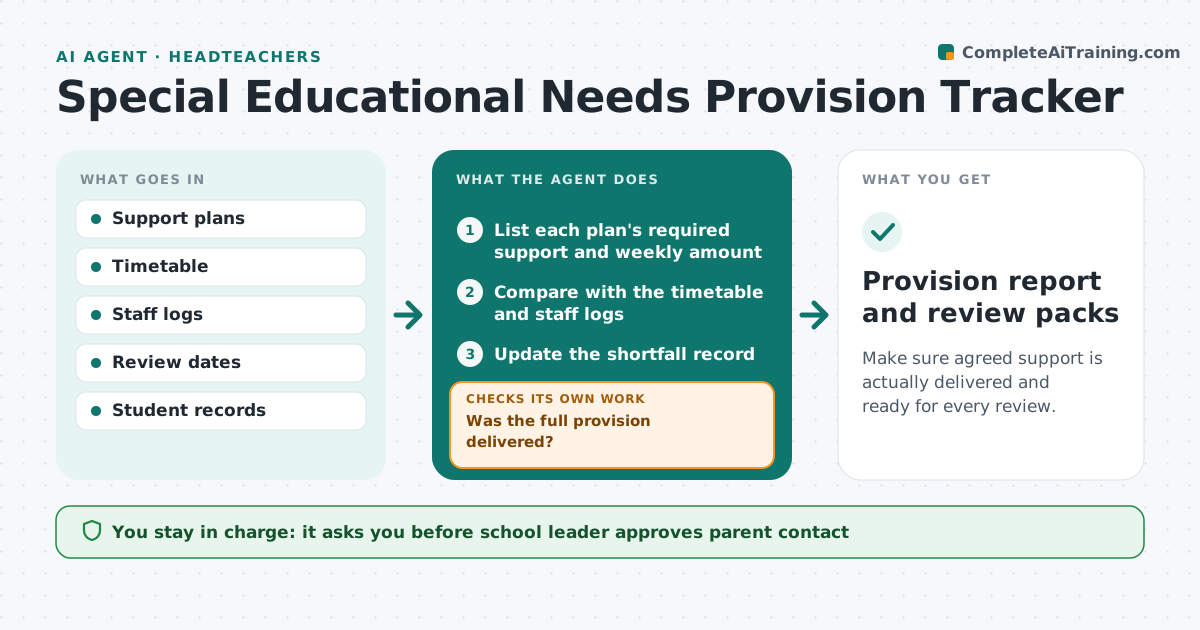
Make sure agreed support is actually delivered and ready for every review.
What it does
Support plans for students with special educational needs state what help should happen each week and when the plan will be reviewed. Provision is not always delivered, because of staff absence or timetable changes. The agent lists each plan's required support, compares it with the timetable and staff logs, and flags provision not delivered. It sets review meetings, prepares an evidence pack, and replans when staffing changes. The school leader approves contact with parents. Edge case: a student is due 3 sessions of reading support, only 2 were logged, so the agent finds an assistant absence and proposes a cover slot.
How it works
Follow the arrows from top to bottom. The orange dashed arrow is the loop: when a check fails, the agent goes back and tries again.
Read the steps as a list
- Weekly provision check
- List each plan's required support and weekly amount
- Compare with the timetable and staff logs
- Was the full provision delivered?If not: Find the cause and propose a cover slot. Back to step 3.
- Update the shortfall record
- Set review meetings and prepare evidence packs
- Draft parent messages about shortfalls and reviews
- School leader approves parent contactThe agent waits here for your OK.
- Is the shortfall resolved next week?If not: Escalate to the SEN coordinator with the pattern. Back to step 3.
- Provision report and review packs
How it decides
Provision is met when logged sessions equal the plan. A shortfall triggers a cover proposal and, if it continues, a review evidence note.
- A shortfall of one session is logged and covered
- Two shortfalls in a month need a parent message
- Evidence packs are ready 7 days before a review
- Review dates are set from the plan
Make it yours
Every agent is a starting point. You choose these settings for your own situation.
- Shortfalls before a parent message (default 2 in a month)
- Evidence pack lead time (default 7 days)
- Staff log source
- Who covers sessions
What keeps you in control
It always asks you first
- School leader approves parent contact
Hard limits
- Never changes a plan itself
- Never shares a student's information outside the staff involved
It stops when
- Done: provision delivered or plan reviewed
- Stop: the plan changes at review
Set it up
We guide you through the set-up, step by step
Members get the full set-up guide for this agent. No technical skills needed: you copy, paste and upload.
- One set of instructions to paste into your AI, with the clicks for ChatGPT, Claude, Microsoft 365 Copilot, Gemini and Grok
- The agent then walks you through connecting your own data, one source at a time
- A downloadable copy with the flow chart, the rules and the full guide