AI agent for preschool teachers
Speech and Language Referral Evidence Agent
Produce a dated, specific evidence summary that supports a respectful family conversation and referral
What it does
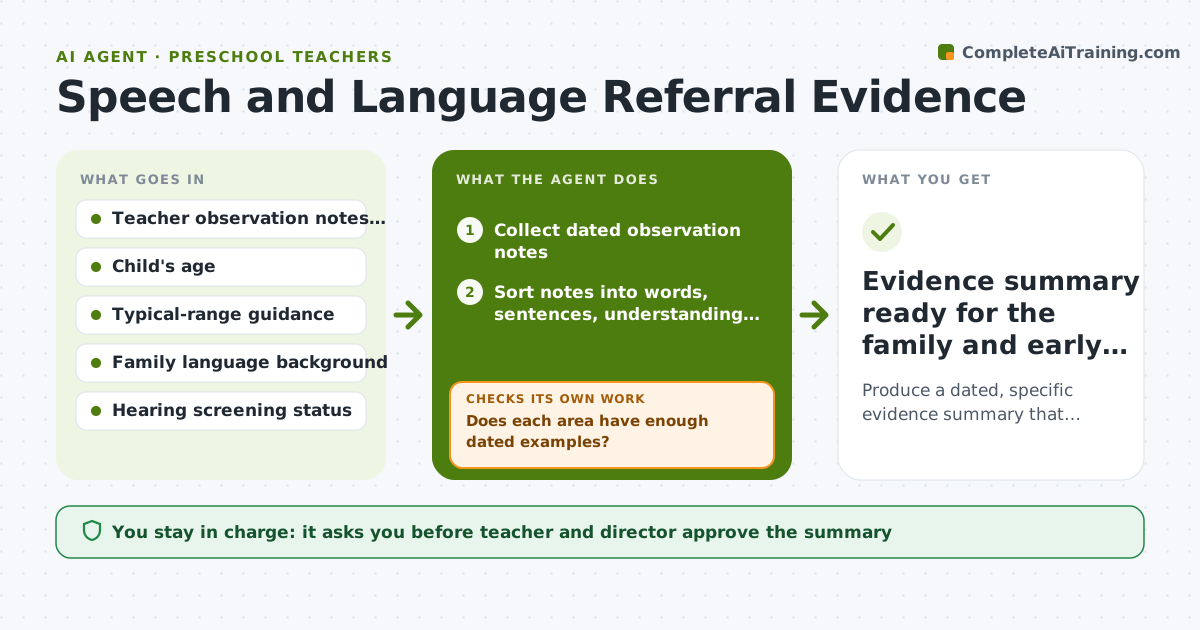
A teacher may feel a child is behind in speech but only have a vague impression. This agent collects short dated observation notes over several weeks and sorts each one into a skill area: words used, sentence length, understanding of directions and speech sounds. It compares what it sees with typical age ranges the teacher supplies from the center's guidance. Where evidence is thin in one area, it tells the teacher what to watch for the next week, for example two-step directions at snack time. It loops until each area has enough dated examples or the teacher decides to stop. It then drafts a referral summary. The teacher and director approve it before any family conversation. Edge case: if notes are all from group time, it asks for a one-to-one example before drawing a conclusion.
How it works
Follow the arrows from top to bottom. The orange dashed arrow is the loop: when a check fails, the agent goes back and tries again.
Read the steps as a list
- Teacher flags a speech or language concern
- Collect dated observation notes
- Sort notes into words, sentences, understanding and sounds
- Compare each area with typical age ranges
- Does each area have enough dated examples?If not: Ask the teacher to observe the thin area next week with a named activity, then add the notes. Back to step 2.
- Rule out other explanations such as home language or hearing
- Is the gap consistent across settings and weeks?If not: Extend observation by two weeks and compare again. Back to step 4.
- Draft the referral summary and family talking points
- Teacher and director approve before any family conversationThe agent waits here for your OK.
- Evidence summary ready for the family and early intervention
How it decides
It counts dated examples per skill area and compares them with age ranges. An area needs at least 4 examples from 2 settings before it counts as evidence.
- Require at least 4 dated examples across 2 settings per skill area
- Flag a possible delay when most examples fall below the lower end of the age range
- Check hearing screening and multilingual exposure before suggesting a referral
- Keep language neutral: describe what was seen, not what it means
Make it yours
Every agent is a starting point. You choose these settings for your own situation.
- Minimum examples per skill area (default 4)
- Typical-range reference used (default the center's guidance)
- Review cycle (default weekly)
- Family language and tone of the summary (default plain English, respectful)
What keeps you in control
It always asks you first
- Teacher and director approve the summary
- Teacher decides whether and when to talk with the family
Hard limits
- Never diagnose or label a child
- Never contact a family or outside agency on its own
- Protect child names: share only with the teacher and director
It stops when
- Done: Summary approved and family conversation scheduled
- Stop: Evidence shows typical development after the extended review, so close the file
Set it up
We guide you through the set-up, step by step
Members get the full set-up guide for this agent. No technical skills needed: you copy, paste and upload.
- One set of instructions to paste into your AI, with the clicks for ChatGPT, Claude, Microsoft 365 Copilot, Gemini and Grok
- The agent then walks you through connecting your own data, one source at a time
- A downloadable copy with the flow chart, the rules and the full guide