AI agent for speechwriters
Speech Audience Research Agent
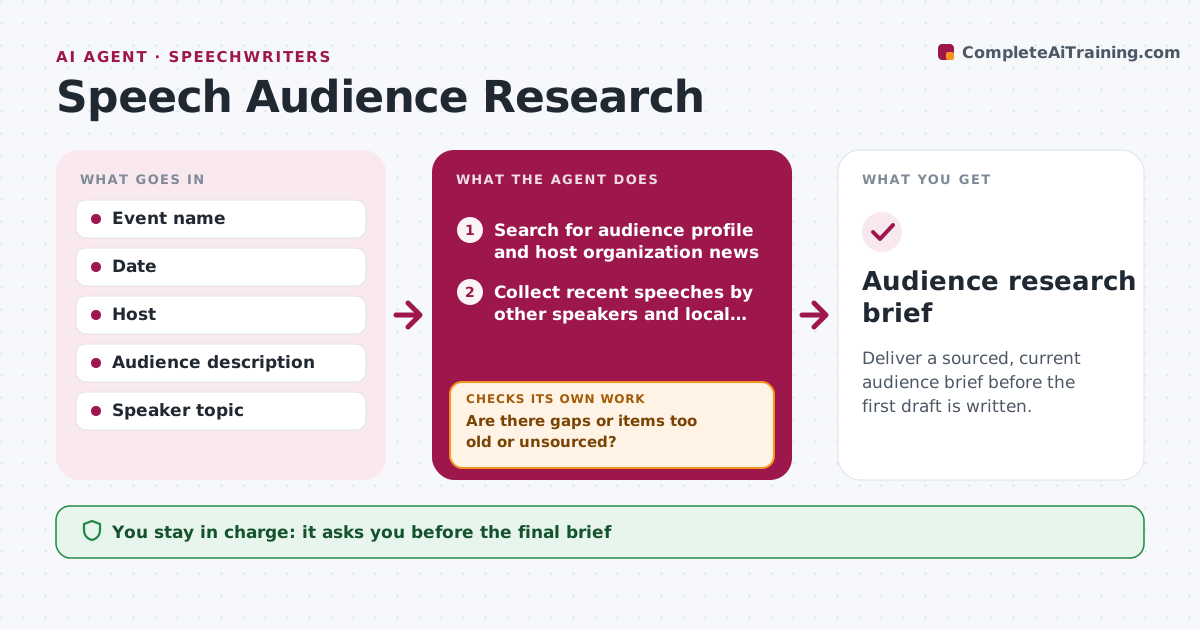
Deliver a sourced, current audience brief before the first draft is written.
What it does
A speech lands badly when the writer does not know who is in the room or what happened last week. For each event, this agent gathers the audience profile, news about the host organization, recent speeches by other speakers, and local issues. It checks every item for source and date. Items older than your limit, or with no source, are dropped. It then looks at what is missing, such as no local angle, and searches again with new terms. It delivers a brief with sources and a short list of risks, like a sensitive topic in the news. You approve the brief before drafting. Edge case: a conference host had a leadership change two days ago, and the agent adds it to the risks.
How it works
Follow the arrows from top to bottom. The orange dashed arrow is the loop: when a check fails, the agent goes back and tries again.
Read the steps as a list
- Event is confirmed with host and topic
- Search for audience profile and host organization news
- Collect recent speeches by other speakers and local issues
- Check each item for source and date
- Are there gaps or items too old or unsourced?If not: Drop weak items and list the gaps. Back to step 3.
- Search again for each gap with new keywords
- Does the brief cover audience, host, speakers, local issues and risks?If not: Repeat the search for the missing parts. Back to step 4.
- Write the brief with risks and sources
- Speechwriter approves the briefThe agent waits here for your OK.
- Audience research brief
How it decides
It keeps items that are recent, sourced and relevant to the topic. It runs another search for each gap in the brief checklist.
- Items older than 90 days are dropped unless they are background (default)
- Every claim needs a source link
- Sensitive current events are placed in a risk section
- Stop searching a gap after three tries and report it
Make it yours
Every agent is a starting point. You choose these settings for your own situation.
- Age limit for items (default 90 days)
- Checklist sections in the brief
- Number of search tries per gap (default 3)
- Preferred news sources
- Brief length
What keeps you in control
It always asks you first
- The final brief
Hard limits
- Never invents facts
- Never researches private individuals
- Marks anything it could not verify
It stops when
- Done: brief covers all checklist parts with sources
- Stop: gaps remain after three searches; listed as unknown
Set it up
We guide you through the set-up, step by step
Members get the full set-up guide for this agent. No technical skills needed: you copy, paste and upload.
- One set of instructions to paste into your AI, with the clicks for ChatGPT, Claude, Microsoft 365 Copilot, Gemini and Grok
- The agent then walks you through connecting your own data, one source at a time
- A downloadable copy with the flow chart, the rules and the full guide