AI agent for school administrators
Staff Recruitment and Reference Check Agent
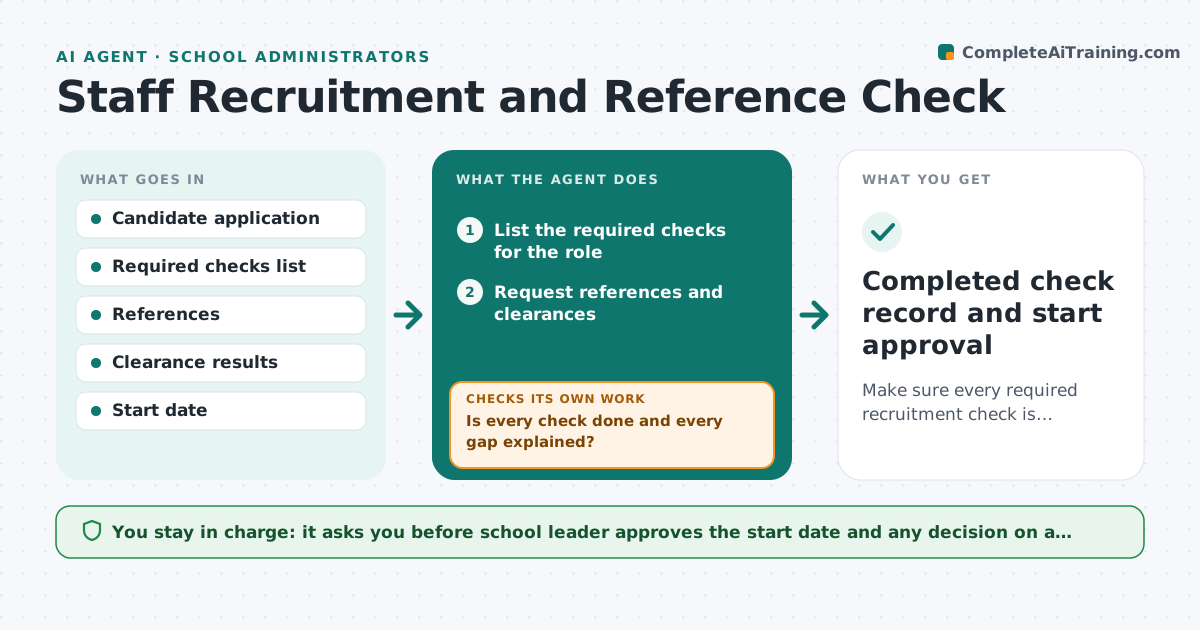
Make sure every required recruitment check is complete before a staff member starts.
What it does
Safer recruitment has many steps, and one missing check can cause a serious problem. For each hire, the agent lists the checks required, tracks references and clearances, and compares dates and gaps in the employment history. It chases outstanding items and records results. It blocks a start date until every check is done. If a reference raises a concern, it flags it and does not decide. Every result is logged with its date so the file is ready for any inspection. If a reference raises a concern, the agent shows it to the leader and does not judge it. The school leader approves the start. Edge case: a candidate's history shows an unexplained 8 month gap, so the agent asks for an explanation before the start date.
How it works
Follow the arrows from top to bottom. The orange dashed arrow is the loop: when a check fails, the agent goes back and tries again.
Read the steps as a list
- Offer made to a candidate
- List the required checks for the role
- Request references and clearances
- Compare the employment history with references and dates
- Is every check done and every gap explained?If not: Chase the item and ask the candidate to explain any gap. Back to step 3.
- Log each result as it arrives
- Do all results satisfy the requirements?If not: Flag any concern to the leader and hold the start date. Back to step 3.
- School leader approves the startThe agent waits here for your OK.
- Completed check record and start approval
How it decides
A hire is ready when every check is present, dated and satisfactory, and the employment history has no unexplained gap. Otherwise the start date stays blocked.
- No start date until all checks are complete
- A gap of more than 3 months needs an explanation
- References are requested directly from the referee
- Chase outstanding items every 3 days
Make it yours
Every agent is a starting point. You choose these settings for your own situation.
- Checks required by role
- Gap length that needs an explanation (default 3 months)
- Chase interval (default 3 days)
- Approver
What keeps you in control
It always asks you first
- School leader approves the start date and any decision on a concern
Hard limits
- Never decides on a hire or a concern
- Never starts a person without all checks
It stops when
- Done: all checks complete and start approved
- Stop: a serious concern means the offer is reviewed by the leader
Set it up
We guide you through the set-up, step by step
Members get the full set-up guide for this agent. No technical skills needed: you copy, paste and upload.
- One set of instructions to paste into your AI, with the clicks for ChatGPT, Claude, Microsoft 365 Copilot, Gemini and Grok
- The agent then walks you through connecting your own data, one source at a time
- A downloadable copy with the flow chart, the rules and the full guide