AI agent for legal assistants
Statute Amendment History Tracer Agent
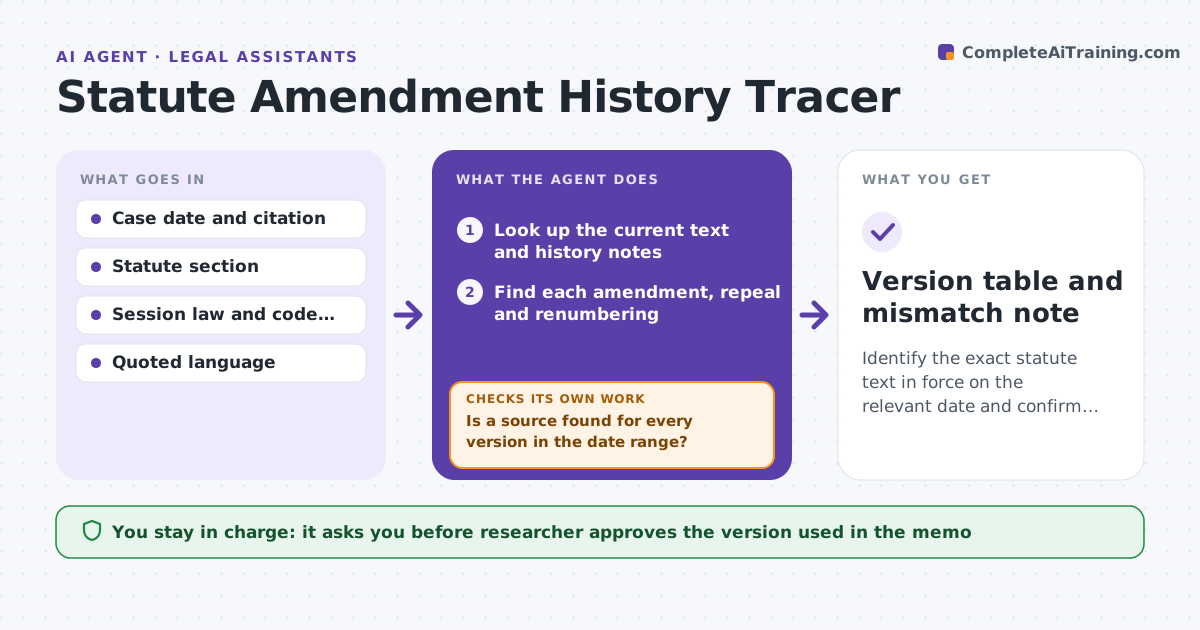
Identify the exact statute text in force on the relevant date and confirm that the quoted language matches it.
What it does
A case from 1998 may quote a statute that has since been amended, renumbered or repealed, and quoting the current text can be wrong. Given a case date and a statute section, the agent looks up the text in force on that date, traces each amendment and renumbering, and compares the language quoted in the case or memo with the correct version. It records a version table with effective dates and source citations and flags mismatches. If a source is missing it searches again with other names or section numbers. The researcher approves which version goes into the memo. Edge case: section 12 was renumbered 12A in 2004, so a later case cites the new number for the old text.
How it works
Follow the arrows from top to bottom. The orange dashed arrow is the loop: when a check fails, the agent goes back and tries again.
Read the steps as a list
- Researcher enters case date and section
- Look up the current text and history notes
- Find each amendment, repeal and renumbering
- Build a version table with effective dates and sources
- Is a source found for every version in the date range?If not: Search again under older section numbers and session laws. Back to step 3.
- Select the version in force on the case date
- Compare the quoted language with that version
- Does the quote match the version in force?If not: Record the difference and find the version it actually matches. Back to step 3.
- Researcher approves which version goes into the memoThe agent waits here for your OK.
- Version table and mismatch note
How it decides
A version is chosen by effective date. A quote passes when it matches the version in force on the case date word for word.
- Use the effective date, not the enactment date
- A renumbering is traced both ways
- A quote that matches a different year is flagged with that year
- A missing version blocks the conclusion
Make it yours
Every agent is a starting point. You choose these settings for your own situation.
- Jurisdictions covered
- Sources ranked as authority
- Date used (decision, filing or event)
- Format of the version table
What keeps you in control
It always asks you first
- Researcher approves the version used in the memo
Hard limits
- Never states a version as certain without a source
- Never changes quoted text in the researcher's memo
It stops when
- Done: version chosen and quote verified
- Stop: a version cannot be found, so the researcher is told which gap remains
Set it up
We guide you through the set-up, step by step
Members get the full set-up guide for this agent. No technical skills needed: you copy, paste and upload.
- One set of instructions to paste into your AI, with the clicks for ChatGPT, Claude, Microsoft 365 Copilot, Gemini and Grok
- The agent then walks you through connecting your own data, one source at a time
- A downloadable copy with the flow chart, the rules and the full guide