AI agent for structural engineers
Structural Calculation Package Check Agent
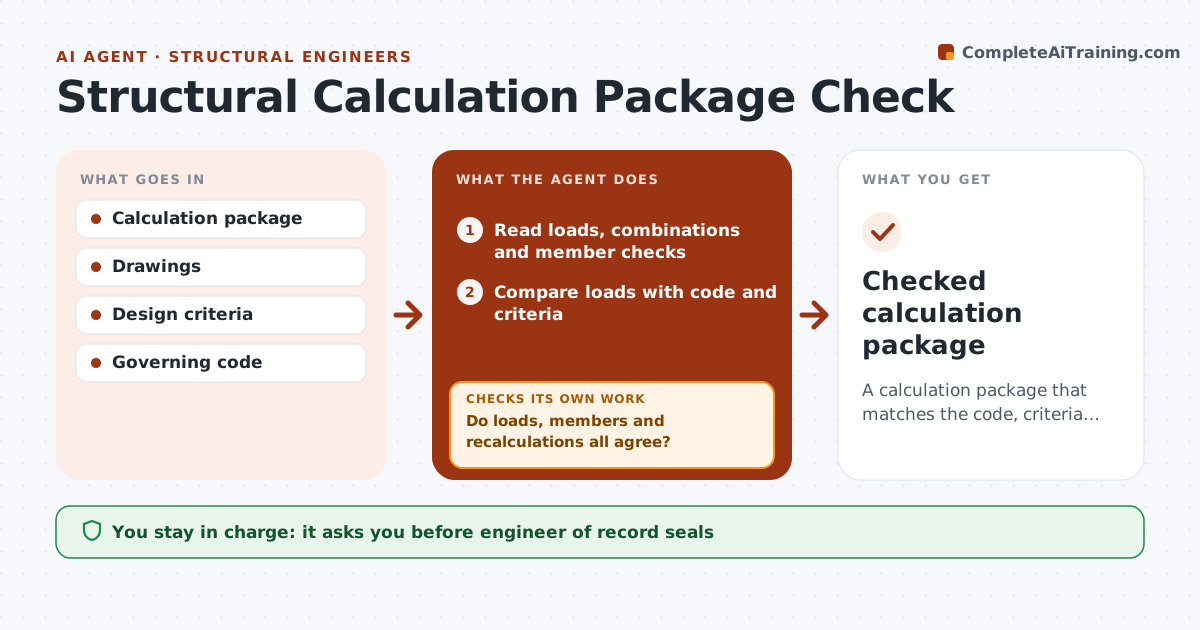
A calculation package that matches the code, criteria and drawings
What it does
A structural calculation package must use the right code loads and combinations, and every member on the drawings must be checked. A missed load can be dangerous. This agent reads the package and drawings and compares the loads used with the governing code and project criteria. It matches every member on the drawings to a calculation with a passing ratio. It recomputes a sample of key members on its own, which must agree within 5%. If loads, members or recalculations disagree, it lists the issues for the designer and re-checks the revised package. The engineer of record reviews and seals. Edge case: when the geometry suggests snow drift or seismic irregularity, it lists those checks even if the package does not mention them.
How it works
Follow the arrows from top to bottom. The orange dashed arrow is the loop: when a check fails, the agent goes back and tries again.
Read the steps as a list
- Package ready for check
- Read loads, combinations and member checks
- Compare loads with code and criteria
- Match drawing members to calculations
- Recompute a sample of key members
- Do loads, members and recalculations all agree?If not: list issues for the designer and re-check the revised package. Back to step 3.
- Engineer of record reviews and sealsThe agent waits here for your OK.
- Checked calculation package
How it decides
Loads and combinations must match code. Every member needs a passing calculation, and sample recalculations must agree within 5%.
- Code loads govern
- Every drawing member needs a calc
- Recalculation within 5%
Make it yours
Every agent is a starting point. You choose these settings for your own situation.
- Code edition
- Sample size
- Tolerance
- Report format
What keeps you in control
It always asks you first
- Engineer of record seals
Hard limits
- Never seals
- Never replaces engineer judgment
It stops when
- Done: package checked
- Stop: design criteria missing
Set it up
We guide you through the set-up, step by step
Members get the full set-up guide for this agent. No technical skills needed: you copy, paste and upload.
- One set of instructions to paste into your AI, with the clicks for ChatGPT, Claude, Microsoft 365 Copilot, Gemini and Grok
- The agent then walks you through connecting your own data, one source at a time
- A downloadable copy with the flow chart, the rules and the full guide