AI agent for law students
Study Group Handoff Agent
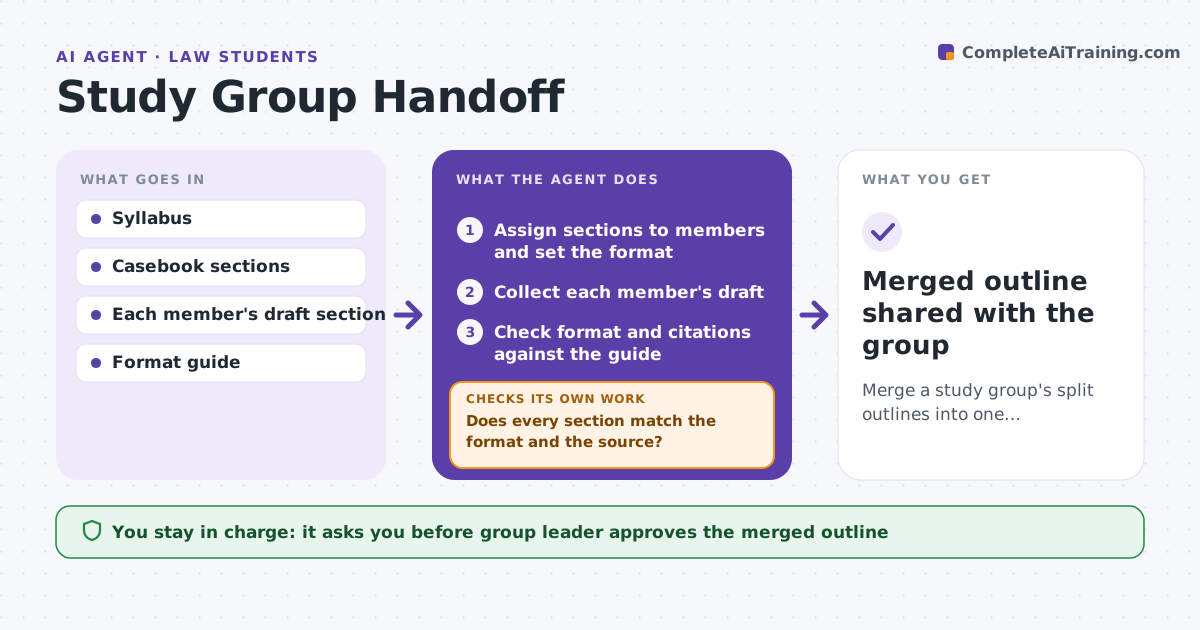
Merge a study group's split outlines into one consistent, accurate outline.
What it does
Study groups split outlines by topic, and the pieces end up in different formats, with different rule statements and no clear owner. The agent assigns outline sections, collects each member's draft, and checks format, citation style and rule statements against the syllabus and casebook. It lists contradictions between sections, such as two members stating a test differently. It sends each member a fix list and re-checks after edits. It repeats this until the merged outline is consistent. The group leader approves the merged outline before it is shared. Edge case: two members state the elements of adverse possession differently, so the agent quotes both and the casebook.
How it works
Follow the arrows from top to bottom. The orange dashed arrow is the loop: when a check fails, the agent goes back and tries again.
Read the steps as a list
- Group sets an outline deadline
- Assign sections to members and set the format
- Collect each member's draft
- Check format and citations against the guide
- Compare rule statements with the casebook and the syllabus
- Does every section match the format and the source?If not: Send each member a fix list with the quoted source. Back to step 3.
- List contradictions between sections
- Are all contradictions resolved after the edits?If not: Send the remaining conflicts to both authors and re-check. Back to step 3.
- Group leader approves the merged outlineThe agent waits here for your OK.
- Merged outline shared with the group
How it decides
A section passes when it matches the format, its rule statements agree with the casebook and with other sections. Conflicts are shown to both authors with the source text.
- Casebook text decides a conflicting rule statement
- Missing sections are chased 2 days before the deadline
- A member gets at most 5 fixes per round
- Format errors are fixed before content conflicts are reviewed
Make it yours
Every agent is a starting point. You choose these settings for your own situation.
- Format rules for the outline
- Days before deadline to chase (default 2)
- Maximum fixes per member per round
- Sources treated as final authority
What keeps you in control
It always asks you first
- Group leader approves the merged outline
- Group leader approves reminders to members
Hard limits
- Never rewrites a member's content without them
- Never shares the outline outside the group
It stops when
- Done: merged outline approved
- Stop: deadline passes with open conflicts, so the leader decides
Set it up
We guide you through the set-up, step by step
Members get the full set-up guide for this agent. No technical skills needed: you copy, paste and upload.
- One set of instructions to paste into your AI, with the clicks for ChatGPT, Claude, Microsoft 365 Copilot, Gemini and Grok
- The agent then walks you through connecting your own data, one source at a time
- A downloadable copy with the flow chart, the rules and the full guide