AI agent for newsletter writers
Subject Line Test Cycle Agent
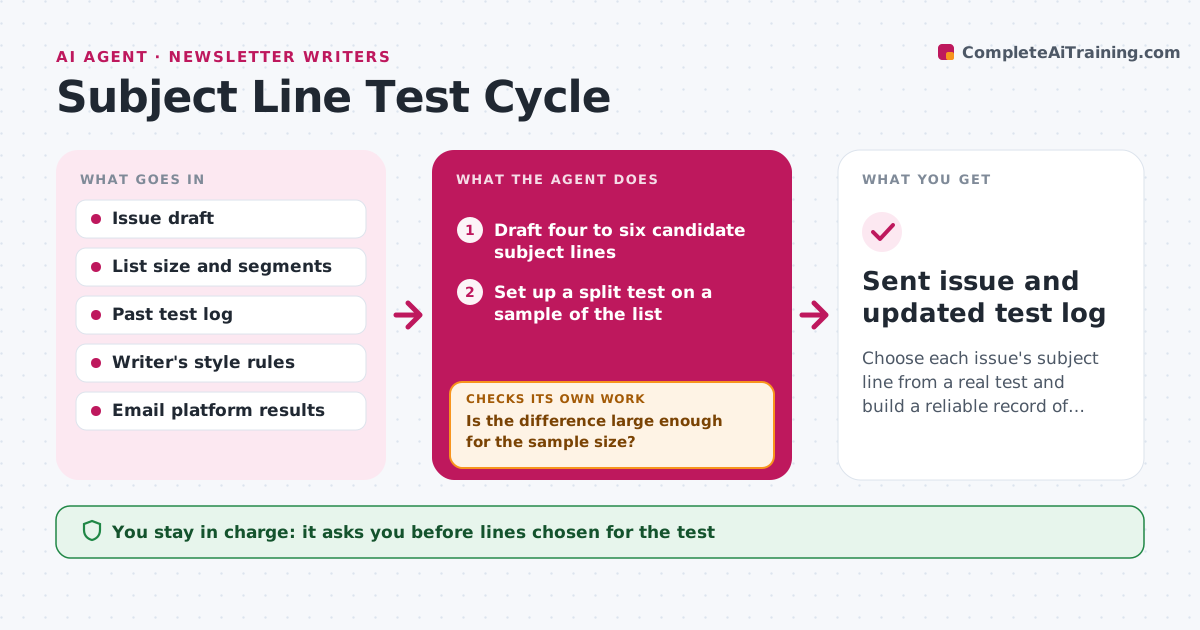
Choose each issue's subject line from a real test and build a reliable record of what works
What it does
Writers often test two subject lines, see a small difference and draw the wrong lesson. This agent runs a proper test for each issue. It drafts four to six candidate lines from the issue's lead story, following the writer's style rules, and the writer picks two or three. It sets up a split test on a sample of the list, waits for the test window, then reads opens and clicks. It checks whether the difference is large enough given the sample size. If it is not, it calls the test a tie and sends the writer's default choice. It logs each test's result by line type, such as question, number or curiosity, so patterns build over months. Every month it checks whether a learned pattern still holds before suggesting it. The writer approves the lines and the final send. Edge case: an inbox provider's privacy feature inflates opens, so it weighs clicks more.
How it works
Follow the arrows from top to bottom. The orange dashed arrow is the loop: when a check fails, the agent goes back and tries again.
Read the steps as a list
- Issue draft ready
- Draft four to six candidate subject lines
- Writer picks two or three lines to testThe agent waits here for your OK.
- Set up a split test on a sample of the list
- Wait for the test window and read opens and clicks
- Is the difference large enough for the sample size?If not: call a tie, record it and use the writer's default line. Back to step 4.
- Writer approves sending the winning line to the rest of the listThe agent waits here for your OK.
- Log the result by line type
- Monthly: do learned patterns still hold in the last eight tests?If not: retire the pattern from suggestions. Back to step 8.
- Sent issue and updated test log
How it decides
It declares a winner only when the difference in click rate is clear for the sample size; otherwise it calls a tie and uses the writer's default.
- Use click rate as the main measure, opens only as a tiebreaker
- Use a test sample of at least 10% of the list or 2,000 people, whichever is larger
- Call a tie when the click difference is under 0.3 points on samples under 5,000
- Retire a pattern that wins fewer than half of its last eight tests
Make it yours
Every agent is a starting point. You choose these settings for your own situation.
- Test sample size (default 10% or 2,000)
- Test window (default 4 hours)
- Main measure (default clicks)
- Style rules for subject lines
What keeps you in control
It always asks you first
- Lines chosen for the test
- Sending to the full list
Hard limits
- Never sends to the full list without approval
- Never uses misleading or clickbait lines that break the style rules
- Never changes the send schedule
It stops when
- Done: issue sent and test logged
- Stop: list too small for a test, so it drafts lines without testing
Set it up
We guide you through the set-up, step by step
Members get the full set-up guide for this agent. No technical skills needed: you copy, paste and upload.
- One set of instructions to paste into your AI, with the clicks for ChatGPT, Claude, Microsoft 365 Copilot, Gemini and Grok
- The agent then walks you through connecting your own data, one source at a time
- A downloadable copy with the flow chart, the rules and the full guide