AI agent for supply chain managers
Supplier Delivery Delay Response Agent
Early warning and an agreed plan for every supplier delay that affects customers or production
What it does
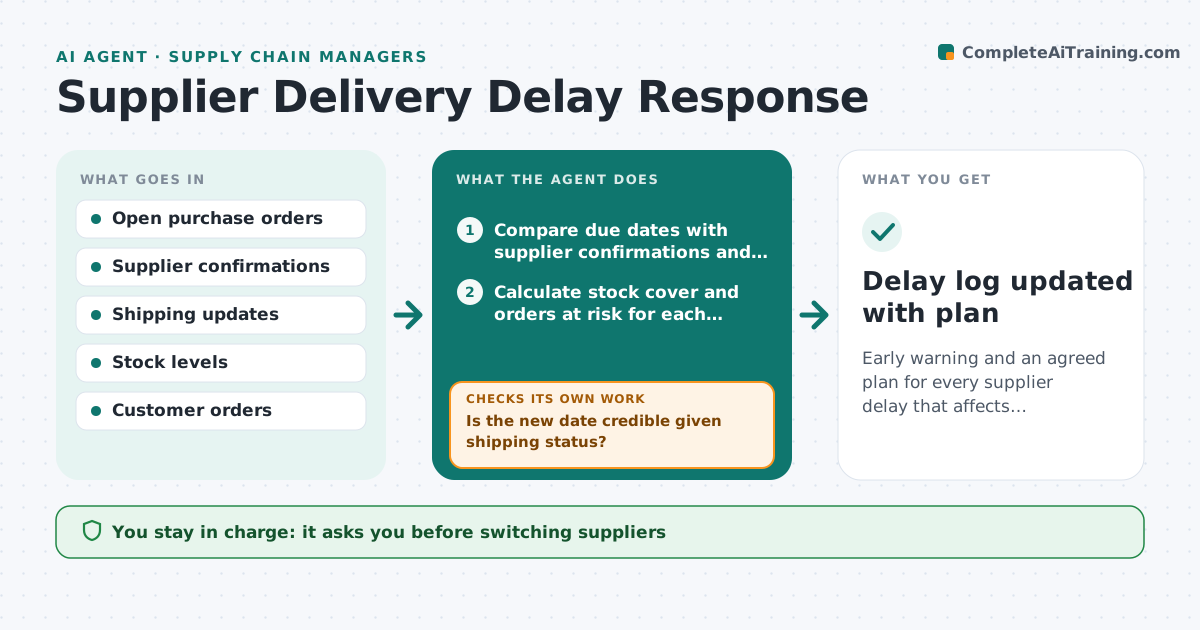
Supplier delays hurt sales and production, but they are often noticed only when stock runs out. Each day this agent watches open purchase orders and supplier confirmations. When a date moves or a confirmation is missing, it works out which orders, customers or production runs are affected and how many days of stock cover remain. It asks the supplier for a firm date and checks the answer against shipping updates. A date that is impossible given shipping time is treated as unconfirmed. If the risk stays high, it lists alternatives such as another approved supplier or a partial shipment. The purchasing manager approves any switch or customer message.
How it works
Follow the arrows from top to bottom. The orange dashed arrow is the loop: when a check fails, the agent goes back and tries again.
Read the steps as a list
- Daily open order check
- Compare due dates with supplier confirmations and shipping updates
- Calculate stock cover and orders at risk for each delay
- Ask the supplier for a firm date
- Is the new date credible given shipping status?If not: mark unconfirmed and ask for proof of shipment. Back to step 4.
- List alternatives for high-risk items
- Manager approves switch, split order or customer noticeThe agent waits here for your OK.
- Delay log updated with plan
How it decides
It ranks delays by days of stock cover left and customer orders at risk.
- Delays leaving under 5 days of cover are high risk
- Dates without shipping proof are unconfirmed
- Only approved alternate suppliers are suggested
Make it yours
Every agent is a starting point. You choose these settings for your own situation.
- High-risk stock cover threshold (default 5 days)
- Suppliers in scope
- Approved alternates list
- Check time
What keeps you in control
It always asks you first
- Switching suppliers
- Messages to customers
Hard limits
- Never places orders
- Does not contact customers
It stops when
- Done: all delays have a plan
- Stop: supplier unreachable for two days, escalate
Set it up
We guide you through the set-up, step by step
Members get the full set-up guide for this agent. No technical skills needed: you copy, paste and upload.
- One set of instructions to paste into your AI, with the clicks for ChatGPT, Claude, Microsoft 365 Copilot, Gemini and Grok
- The agent then walks you through connecting your own data, one source at a time
- A downloadable copy with the flow chart, the rules and the full guide