AI agent for diversity and inclusion managers
Supplier Diversity Spend Tracking Agent
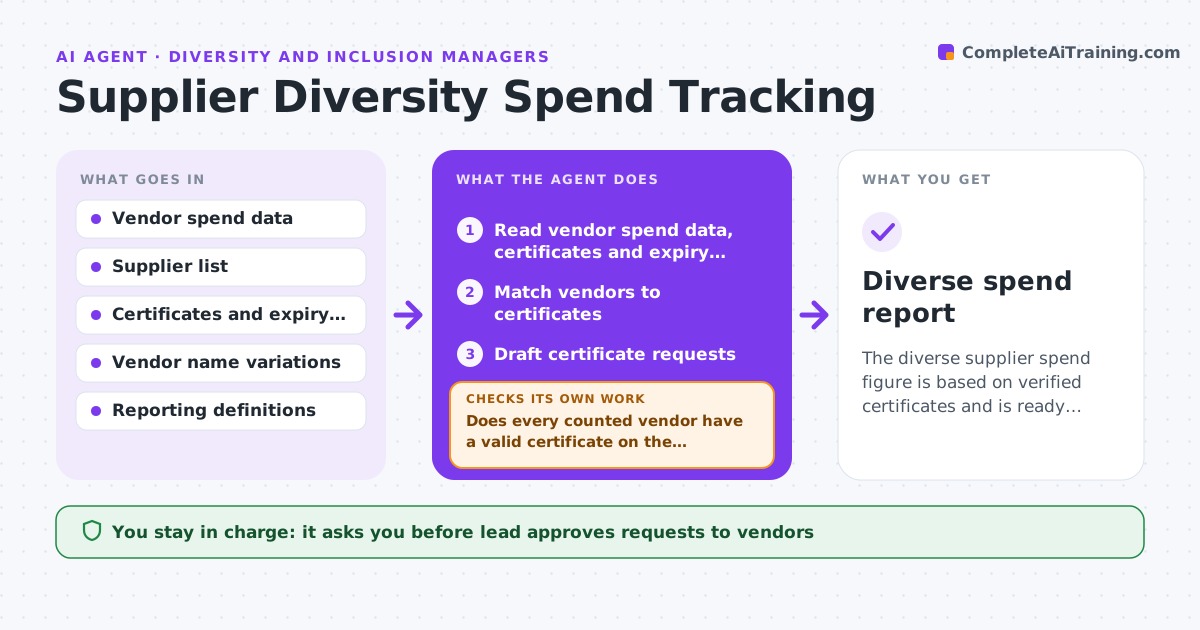
The diverse supplier spend figure is based on verified certificates and is ready for the lead to approve.
What it does
Spend with diverse suppliers is reported from incomplete vendor records, and some certifications have expired. The agent reads vendor spend, checks each supplier's certification status and expiry, and flags those that are unverified. It requests certificates, matches them to the vendor records, and recalculates the totals. It rechecks for vendors that were paid under a different name or a parent company, since one supplier can hide behind two names. Spend with unverified vendors is reported on its own line and never counted as diverse spend. It never contacts a vendor without approval. The lead approves the report. Edge case: a vendor whose certificate expired last month but who was certified when the spend happened.
How it works
Follow the arrows from top to bottom. The orange dashed arrow is the loop: when a check fails, the agent goes back and tries again.
Read the steps as a list
- Quarter ends
- Read vendor spend data, certificates and expiry dates
- Match vendors to certificates
- Does every counted vendor have a valid certificate on the payment date?If not: Mark it unverified and request a certificate. Back to step 3.
- Draft certificate requests
- Lead approves the requestsThe agent waits here for your OK.
- Read the new certificates and rematch
- Recalculate the totals
- Do the totals agree after rematching and name checks?If not: Check name variations and parent companies, then recalculate. Back to step 3.
- Lead approves the drafted reportThe agent waits here for your OK.
- Diverse spend report
How it decides
It counts spend only for vendors whose certificate was valid on the payment date and treats name variations as one vendor after a match check.
- Count spend by the certificate validity on the payment date
- Merge name variations only after a check
- Request certificates 60 days before expiry
- Report unverified spend separately
Make it yours
Every agent is a starting point. You choose these settings for your own situation.
- Certification bodies accepted
- Reminder lead time (default 60 days)
- Reporting periods
- Name matching rules
What keeps you in control
It always asks you first
- Lead approves requests to vendors
- Lead approves the report
Hard limits
- Never contact vendors without approval
- Do not report unverified spend as verified
It stops when
- Done: totals verified and the report approved
- Stop: certification standards are unclear and the lead must confirm
Set it up
We guide you through the set-up, step by step
Members get the full set-up guide for this agent. No technical skills needed: you copy, paste and upload.
- One set of instructions to paste into your AI, with the clicks for ChatGPT, Claude, Microsoft 365 Copilot, Gemini and Grok
- The agent then walks you through connecting your own data, one source at a time
- A downloadable copy with the flow chart, the rules and the full guide