AI agent for mechanical engineers
Supplier First Article Inspection Review Agent
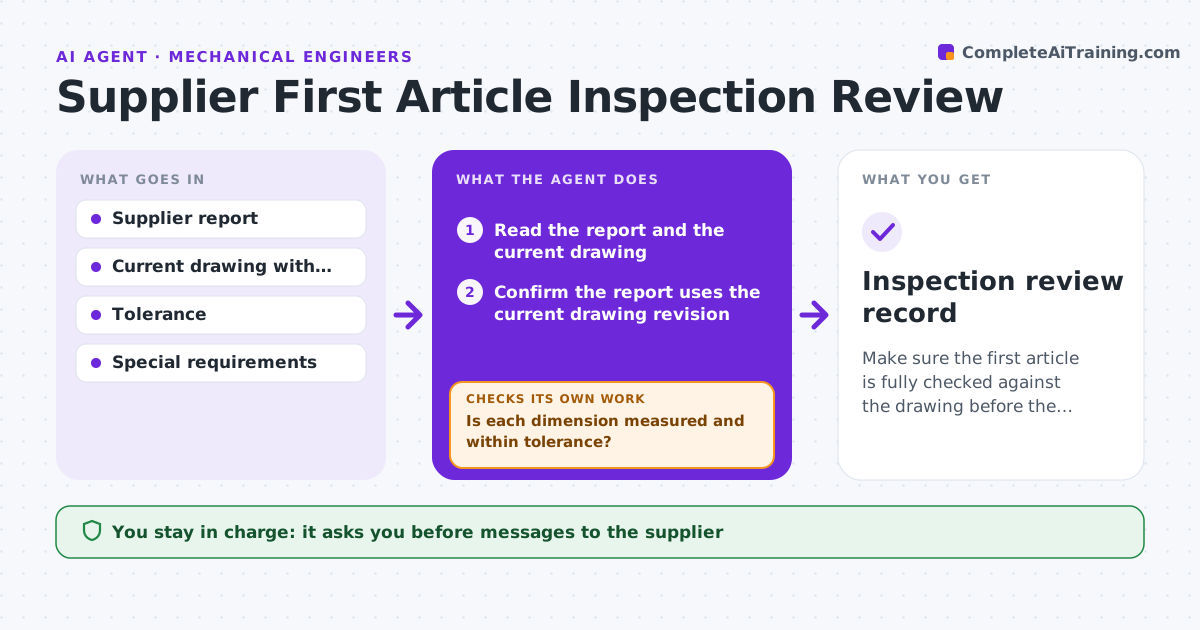
Make sure the first article is fully checked against the drawing before the build proceeds.
What it does
A machine shop sends a first article report and the build starts before anyone checks it. This agent reads the supplier's report and compares every measured value with the drawing dimension and tolerance. It flags values outside tolerance, dimensions missing from the report, and notes that do not match the drawing revision. It drafts clear questions to the supplier. When the supplier replies with new data or an explanation, it checks again. It continues until each item is resolved or marked for rejection. You decide to accept or reject. Edge case: the report uses the previous drawing revision, so every value is checked against the wrong limits, and the agent catches it first.
How it works
Follow the arrows from top to bottom. The orange dashed arrow is the loop: when a check fails, the agent goes back and tries again.
Read the steps as a list
- First article report is received
- Read the report and the current drawing
- Confirm the report uses the current drawing revision
- Compare every measurement with its dimension and tolerance
- Is each dimension measured and within tolerance?If not: List out-of-tolerance and missing dimensions. Back to step 4.
- Draft supplier questions for each open item
- Engineer approves the message to the supplierThe agent waits here for your OK.
- Compare the reply data with the drawing again
- Are all items now resolved?If not: Keep the open items and draft a follow-up. Back to step 4.
- Engineer accepts or rejects the first articleThe agent waits here for your OK.
- Inspection review record
How it decides
It checks each balloon against the drawing. A value on the limit is flagged for review. Missing items count as open.
- Wrong drawing revision stops the review at once
- A measurement within 5% of the limit is flagged (default)
- Missing balloons count as open
- Critical features need evidence, not just a pass mark
Make it yours
Every agent is a starting point. You choose these settings for your own situation.
- Near-limit warning level (default 5%)
- Critical features list
- Required evidence type
- Supplier contact
- Reply deadline (default 3 days)
What keeps you in control
It always asks you first
- Messages to the supplier
- Acceptance or rejection
Hard limits
- Never accepts a part itself
- Never contacts the supplier without approval
- Keeps the full comparison table
It stops when
- Done: all items resolved and accepted
- Stop: item cannot be resolved; recommend rejection
Set it up
We guide you through the set-up, step by step
Members get the full set-up guide for this agent. No technical skills needed: you copy, paste and upload.
- One set of instructions to paste into your AI, with the clicks for ChatGPT, Claude, Microsoft 365 Copilot, Gemini and Grok
- The agent then walks you through connecting your own data, one source at a time
- A downloadable copy with the flow chart, the rules and the full guide