AI agent for purchasing managers
Supplier Risk Monitoring Agent
Early warning of supplier risks with exposure and actions
What it does
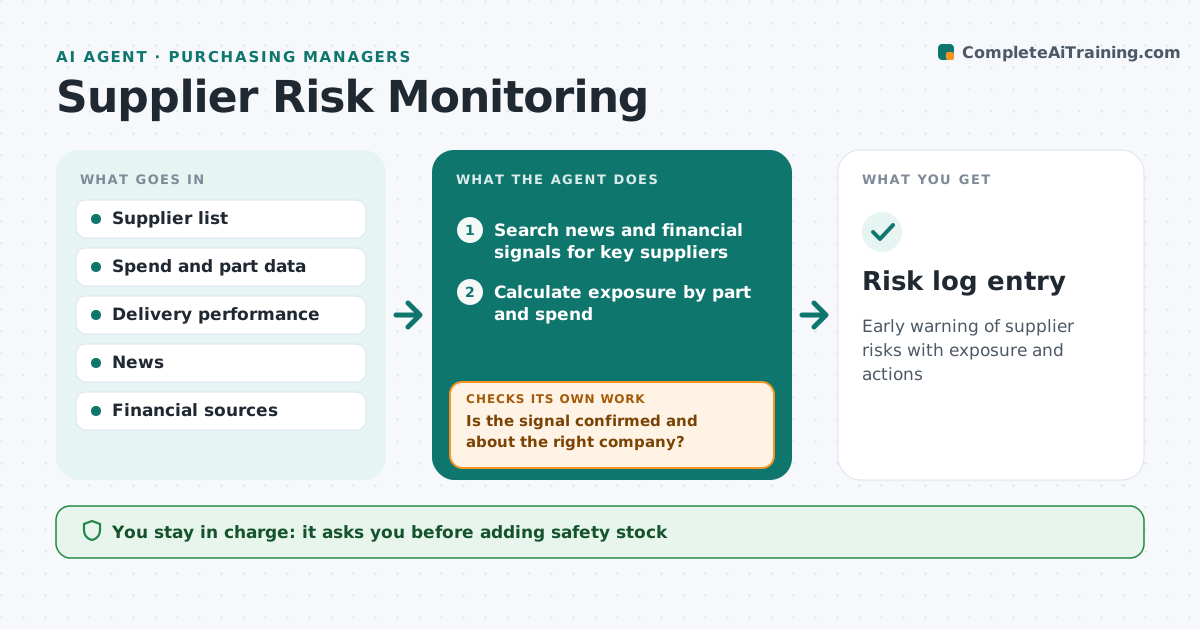
Supplier problems such as financial trouble or a plant fire often surface only when shipments stop. Each day this agent scans news, financial signals, delivery performance and regional events for key suppliers. When it finds a signal, it first checks the item is real and about the right company, matching by address and registration because similar names cause confusion. If unclear, it looks for a second source. It then calculates how much spend and which parts depend on that supplier, and whether a second source is qualified. It drafts a risk note with exposure and options such as extra safety stock or qualifying another supplier. The purchasing manager approves actions and any contact with the supplier.
How it works
Follow the arrows from top to bottom. The orange dashed arrow is the loop: when a check fails, the agent goes back and tries again.
Read the steps as a list
- Daily scan
- Search news and financial signals for key suppliers
- Is the signal confirmed and about the right company?If not: search a second source and match by address. Back to step 2.
- Calculate exposure by part and spend
- Check for a qualified second source
- Draft risk note with actions
- Manager approves actionsThe agent waits here for your OK.
- Risk log entry
How it decides
It raises a risk when a confirmed signal affects a supplier with high spend or a single-source part.
- Single-source parts raise priority
- Confirm with two sources
- Rank by spend and line impact
Make it yours
Every agent is a starting point. You choose these settings for your own situation.
- Suppliers watched
- Signal sources
- Exposure threshold
- Alert frequency
What keeps you in control
It always asks you first
- Adding safety stock
- Starting a second source
Hard limits
- Never contacts suppliers without approval
It stops when
- Done: risk logged with actions
- Stop: no confirmation; keep watching
Set it up
We guide you through the set-up, step by step
Members get the full set-up guide for this agent. No technical skills needed: you copy, paste and upload.
- One set of instructions to paste into your AI, with the clicks for ChatGPT, Claude, Microsoft 365 Copilot, Gemini and Grok
- The agent then walks you through connecting your own data, one source at a time
- A downloadable copy with the flow chart, the rules and the full guide