AI agent for market research analysts
Survey Fieldwork Quota Monitor Agent
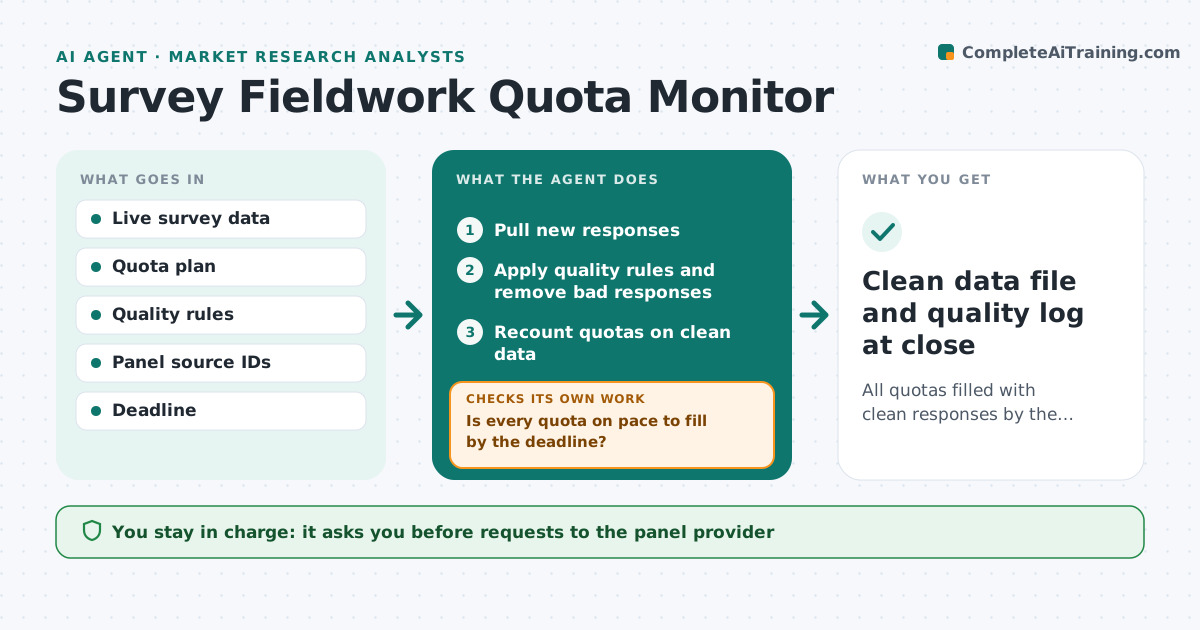
All quotas filled with clean responses by the fieldwork deadline
What it does
During survey fieldwork, quotas by age, region or customer type fill at different speeds, and some respondents speed through or give nonsense answers. Several times a day this agent pulls new responses. It removes speeders, straight-liners, failed attention checks and duplicate devices using your rules, then recounts quotas on clean responses only. When a quota falls behind the pace needed to finish on time, it drafts a boost request to the panel provider. When a quota is full, it drafts a close request. It also compares removal rates across panel sources and flags any source with far more bad responses. The analyst approves every message to the provider. At close, it delivers a clean file with a quality log. Edge case: one panel source with a much higher removal rate is flagged for review.
How it works
Follow the arrows from top to bottom. The orange dashed arrow is the loop: when a check fails, the agent goes back and tries again.
Read the steps as a list
- Scheduled fieldwork check
- Pull new responses
- Apply quality rules and remove bad responses
- Recount quotas on clean data
- Is every quota on pace to fill by the deadline?If not: draft boost or close requests and check again next run. Back to step 2.
- Compare removal rates across panel sources
- Is every source's removal rate within the normal range?If not: flag the source and draft a note to the provider. Back to step 6.
- Analyst approves messages to the panel providerThe agent waits here for your OK.
- Clean data file and quality log at close
How it decides
It removes responses that break quality rules, then compares each quota's clean count with the pace needed to finish on time.
- Remove responses faster than the speed limit
- Flag panel sources with high removal rates
- Request boosts when a quota falls behind pace
Make it yours
Every agent is a starting point. You choose these settings for your own situation.
- Speeder threshold (default one third of median time)
- Quality rules
- Check frequency
- Quota plan
What keeps you in control
It always asks you first
- Requests to the panel provider
- Extending fieldwork
Hard limits
- Never deletes raw responses
- Never contacts the provider without approval
It stops when
- Done: all quotas filled with clean data
- Stop: a quota cannot fill by deadline; ask the analyst about relaxing it
Set it up
We guide you through the set-up, step by step
Members get the full set-up guide for this agent. No technical skills needed: you copy, paste and upload.
- One set of instructions to paste into your AI, with the clicks for ChatGPT, Claude, Microsoft 365 Copilot, Gemini and Grok
- The agent then walks you through connecting your own data, one source at a time
- A downloadable copy with the flow chart, the rules and the full guide