
Learning path
Learning AI as a Librarian
A guided path for librarians who want to use AI well. Start with setup, connect your AI, then learn prompts for research, readers, cataloging, and programs.

Your path
Everything in the Librarian AI kit, in the order that makes sense. Members tick off each step and see their progress.
Set up your AI
We guide you through each click.
Let skills do your everyday tasks
Connect your apps and pick your AI apps
Hand whole tasks to AI agents
Build your own tools
Keep growing
Everything for librarians
All the courses, certifications, AI tools, MCP servers and apps for librarians, most relevant first. Open any list to see more.
Take the prompt courses
A short framework course to learn how to ask, then 8 lessons with ready-to-use prompts for librarians.
Start with this framework: how to talk to AI
ICIO reusable templates let you classify and extract book metadata repeatedly, like sorting new arrivals by genre, pulling title, author, ISBN.
Then your prompt course for librariansWatch the video courses or add them to your Favorites for later
107 video courses our AI picked for librarians, most useful first. Save the ones you want to watch later with the heart.
Favorites are saved to your account: sign in or get your AI kit first.
Show all 107 video courses
Get certified, or add certifications to your Favorites
Every course ends in an exam and a certificate you can add to LinkedIn. Save the certifications you are aiming for with the heart.
Favorites are saved to your account: sign in or get your AI kit first.
More certifications for librariansShow all 24 certifications
Try the AI tools for librarians
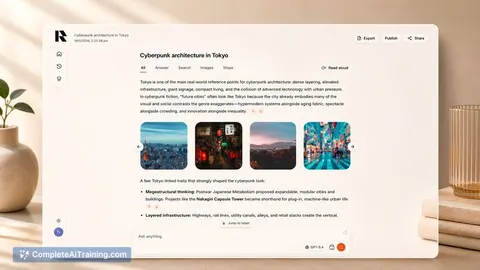
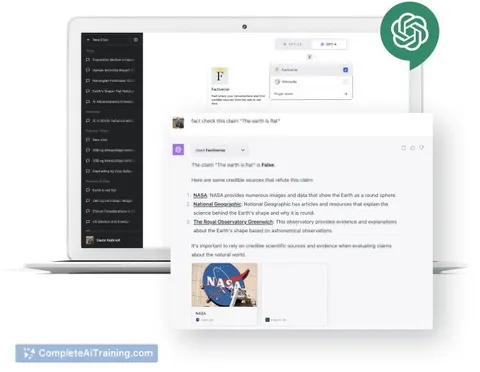
24 AI tools our AI matched to the work of librarians, best fit first. Each review shows what it does, its alternatives and the jobs it suits.
Favorites are saved to your account: sign in or get your AI kit first.
Show all 24 AI tools
Connect your AI to the apps librarians use
MCP servers let ChatGPT, Claude or Copilot look things up and get work done in other apps, like your email, calendar or bookkeeping software. These 12 fit the work of librarians best, well-known apps first.

Internet Archive Books MCP server
by smeet666Search the Internet Archive, Library of Congress and BnF at once, including the text inside scanned books.

Internet Archive MCP server
by smeet666Search inside millions of scanned books and old web pages, and read the web as it was on a given day.

Scholar Sidekick MCP server
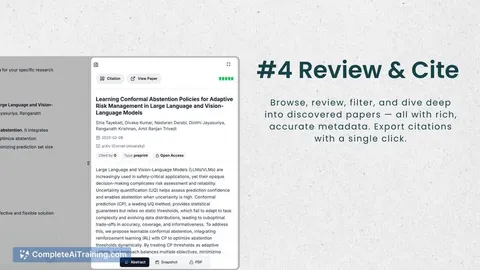
by mlavaYour AI can check citations, spot fake references, and format bibliographies in thousands of styles.
ResearchNo install
Cite Caddy MCP server
by herbertkokholmLet your AI read and update your Zotero library: find items, add tags, write notes, and export citations.

Web Researcher MCP server
by zoharbabinLets your AI search trusted sites, read full articles, and give you real, clickable sources.

Bing Search MCP server
by leehanchungLets your AI search the web, news, and images through Microsoft Bing while you chat.
Show all 12 MCP servers

Sofya MCP server
by sofya-coLets your AI search the web, read pages and PDFs, pull out details, and write cited research reports.
Research Official
NCBI PubMed MCP server
by vitorpavinatoSearch PubMed's millions of research articles and get summaries, authors, and related papers through your AI.

Brave Search MCP server
by braveLets your AI search the web, news, images, and places through Brave Search.

Google Scholar MCP server
by HasDataLets your AI search Google Scholar and pull ready-made citations for papers you find.
ResearchNo install
Google Search MCP server (AceDataCloud)
by AceDataCloudLets your AI run Google searches for web, images, news, videos, places and maps, and hand you the results.
ResearchNo install
DuckDuckGo Search MCP server
by nickclydeLets your AI search the web with DuckDuckGo and read the pages it finds.
Build your own AI apps for librarians
Apps you build yourself with your own AI, no coding needed and no monthly fee. Our AI picked the 5 that fit the work of librarians.
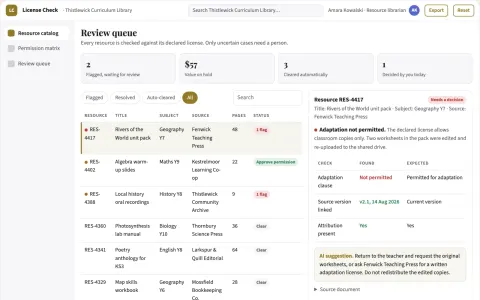
Education resource license checker
A source-linked use-permission register for teaching materials.
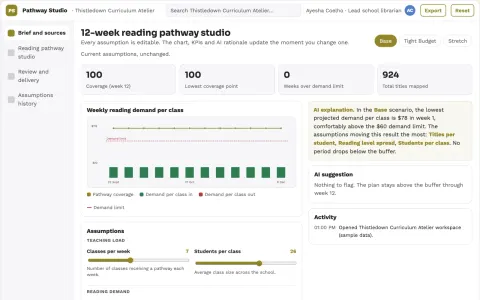
School library reading pathway studio
Curriculum-linked choices with visible rationale.
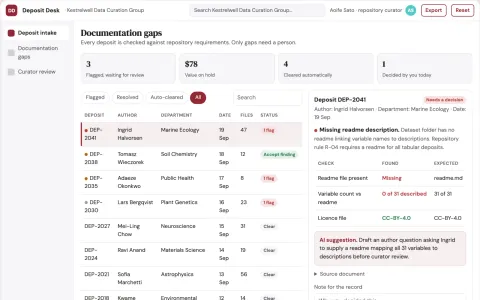
Research data publication checklist desk
Make research deposits understandable before curator review.
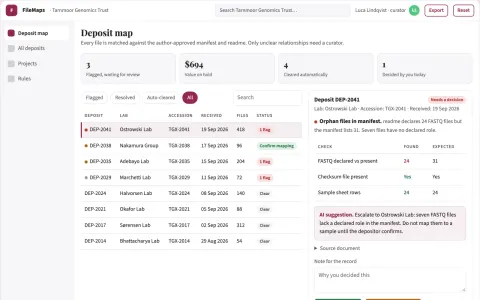
Research repository file navigator
Findability across complex research deposits.
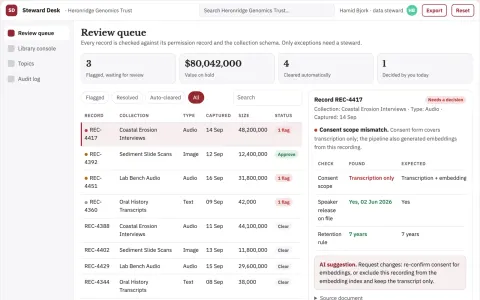
Unstructured research data stewardship console
Reduce time spent locating, labelling and reconciling unstructured research material while keeping provenance and review intact.






































































































About this learning path
6 topicsAI for Librarians: A Calm, Practical Path
You already help people find good information. This path shows you how to bring AI into that work without losing your judgment or your warmth.
You will set up your tools, connect your AI, and practice prompts for the tasks you do every week. Short videos and clear steps keep it manageable.
Why AI Matters Now
Patrons ask harder questions and expect faster answers. AI can help you draft search plans, summaries, and lists so you can focus on the person in front of you.
What the Path Includes
You start with setup questions and connecting your AI. Then you learn skills for your job inside your AI, take this prompt course, and watch video courses picked for librarians. Each video course comes with its certification.
How It Saves Time
Prompts for research, reader advisory, cataloging, and programs cut the blank page time. You still check every answer, but you start with a draft instead of nothing.
How It Protects Your Career
AI will not replace a librarian's local knowledge and care. It will change how tasks get done. Learning to use it well keeps you valuable and ready for what comes next.
How to Start
Begin with the setup questions and connect one AI tool you already have. Then work through the prompt course lesson by lesson. Pick one video course that matches your daily work.
Frequently asked questions
Do I need to be technical to use this path?
No. The path starts with simple setup questions and plain steps. If you can use a web browser and a library database, you can do this.Which AI tools will I use?
You can use ChatGPT, Claude, or Gemini. The prompts work across them, and you can choose the one your library allows.Will AI replace my professional judgment?
No. You verify every catalog note, subject heading, and patron answer against local rules and your own expertise. AI helps you draft, not decide.How long does the path take?
You can move at your own pace. Most librarians finish the prompt course in a few short sittings and add video courses as their schedule allows.