AI agent for hvac technicians
System Installation Commissioning Agent
Every installation commissioned to design with a complete handover pack
What it does
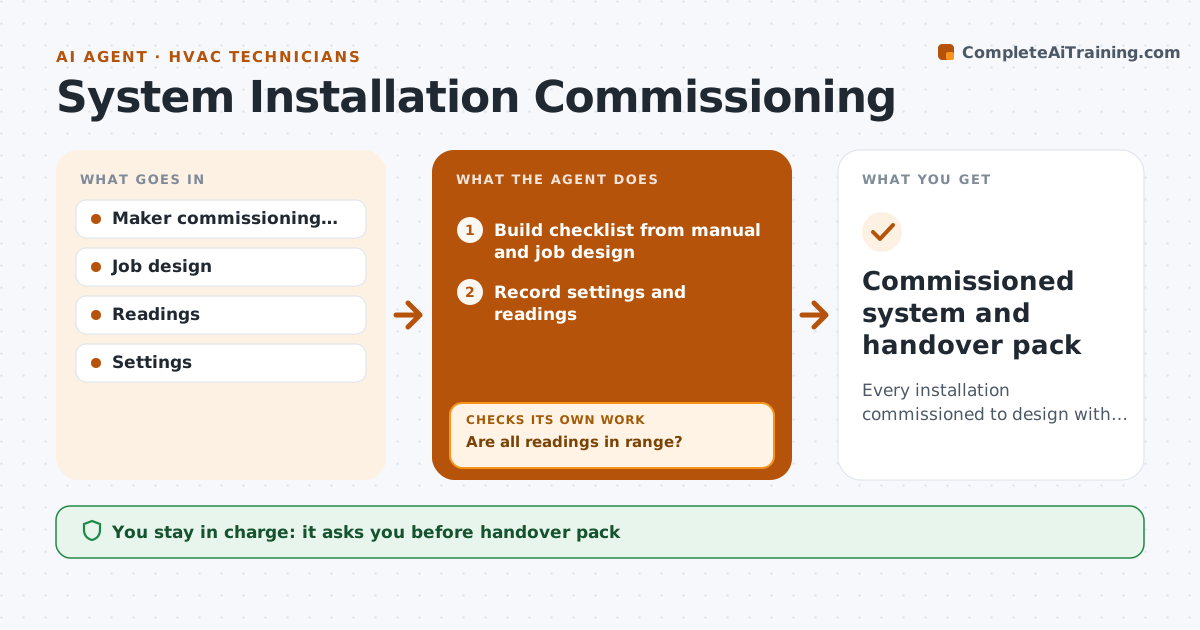
Installing a heat pump, boiler or machine ends with commissioning, the checks and readings that prove it runs as designed, and skipped steps lead to callbacks and warranty disputes. When an installation is ready for start-up, this agent builds the checklist from the maker's manual and the job design. Where the design sets a value different from the manual default, the design wins. As the technician enters settings and readings, it compares each with its expected range. Every step needs a reading or a confirmation. If a reading is off, it suggests the likely adjustment and asks for a new reading. It then drafts the handover pack with settings, readings and plain-language user instructions. The technician approves the pack and the customer signs. Edge case: a reading that cannot be brought into range is recorded with a follow-up visit booked.
How it works
Follow the arrows from top to bottom. The orange dashed arrow is the loop: when a check fails, the agent goes back and tries again.
Read the steps as a list
- Installation ready for start-up
- Build checklist from manual and job design
- Record settings and readings
- Compare with expected ranges
- Are all readings in range?If not: suggest an adjustment and take new readings. Back to step 3.
- Draft handover pack
- Technician approves and customer signsThe agent waits here for your OK.
- Commissioned system and handover pack
How it decides
Each reading must fall within the maker's or design range before the step is marked done.
- Design values override defaults
- Every step needs a reading or confirmation
- User instructions are in plain language
Make it yours
Every agent is a starting point. You choose these settings for your own situation.
- Equipment types
- Checklist sources
- Handover template
- Required readings
What keeps you in control
It always asks you first
- Handover pack
- Customer sign-off
Hard limits
- Never changes safety settings
- Never signs on the customer's behalf
It stops when
- Done: pack signed
- Stop: system cannot reach design values, raise with the designer
Set it up
We guide you through the set-up, step by step
Members get the full set-up guide for this agent. No technical skills needed: you copy, paste and upload.
- One set of instructions to paste into your AI, with the clicks for ChatGPT, Claude, Microsoft 365 Copilot, Gemini and Grok
- The agent then walks you through connecting your own data, one source at a time
- A downloadable copy with the flow chart, the rules and the full guide