AI agent for ctos
Technology Vendor Evaluation Agent
An evidence-based vendor recommendation with total cost of ownership
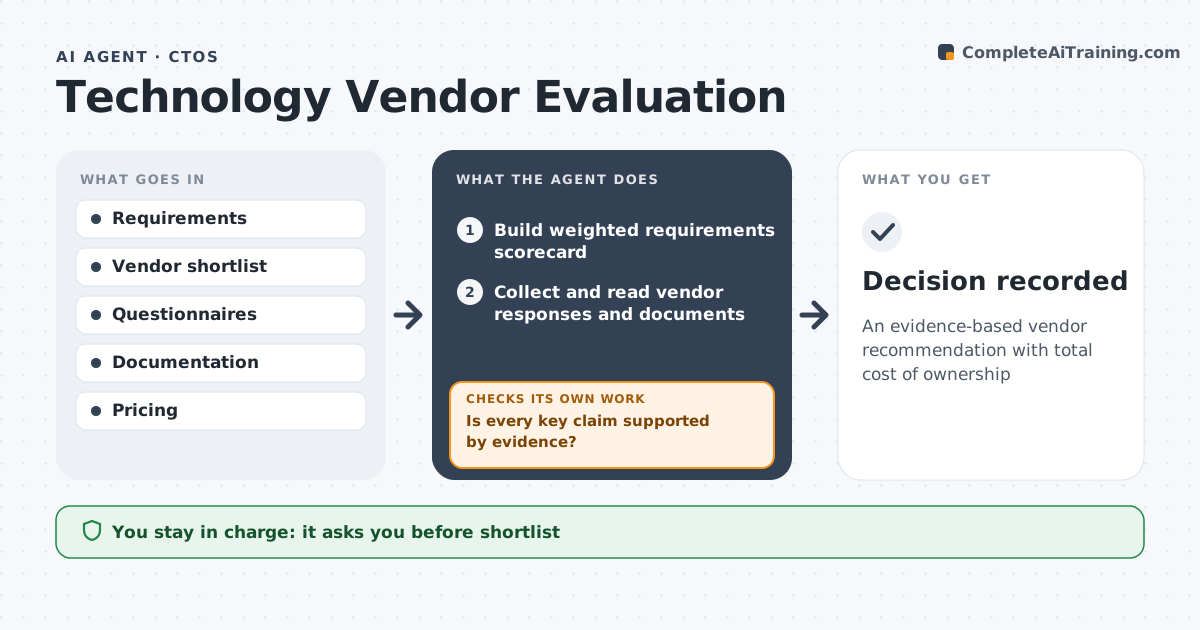
What it does
When the company needs a new platform, the CTO must compare vendors fairly, but sales claims and polished demos make that hard. This agent turns requirements into a weighted scorecard. The CTO approves the shortlist and questionnaire. The agent then sends questionnaires, reads answers, documentation and security reports, and checks every key claim against evidence. Unsupported claims score zero until proven; for those it drafts a follow-up question or a proof-of-concept test. Security reports older than 12 months are not accepted. It scores each vendor with evidence and calculates three-year total cost, including integration, training and exit. It drafts a recommendation weighing score against cost. The CTO approves the final choice. Edge case: a vendor's security report is two years old, so the agent asks for a current one before scoring security.
How it works
Follow the arrows from top to bottom. The orange dashed arrow is the loop: when a check fails, the agent goes back and tries again.
Read the steps as a list
- Platform need approved
- Build weighted requirements scorecard
- CTO approves shortlist and questionnaireThe agent waits here for your OK.
- Collect and read vendor responses and documents
- Is every key claim supported by evidence?If not: draft follow-up questions or a proof-of-concept test. Back to step 4.
- Score vendors and calculate three-year cost
- Draft recommendation
- CTO approves final choiceThe agent waits here for your OK.
- Decision recorded
How it decides
It scores only claims backed by documents or tests and compares weighted scores with total cost.
- Unsupported claims score zero
- Security reports older than 12 months not accepted
- Cost includes integration, training and exit
Make it yours
Every agent is a starting point. You choose these settings for your own situation.
- Requirements and weights
- Cost horizon
- Evidence rules
- Shortlist size
What keeps you in control
It always asks you first
- Shortlist
- Vendor contact
- Final selection
Hard limits
- Never signs contracts
- Vendor data kept confidential
It stops when
- Done: decision recorded
- Stop: requirements change, restart scoring
Set it up
We guide you through the set-up, step by step
Members get the full set-up guide for this agent. No technical skills needed: you copy, paste and upload.
- One set of instructions to paste into your AI, with the clicks for ChatGPT, Claude, Microsoft 365 Copilot, Gemini and Grok
- The agent then walks you through connecting your own data, one source at a time
- A downloadable copy with the flow chart, the rules and the full guide