AI agent for ecologists
Telemetry and Tag Data Gap Agent
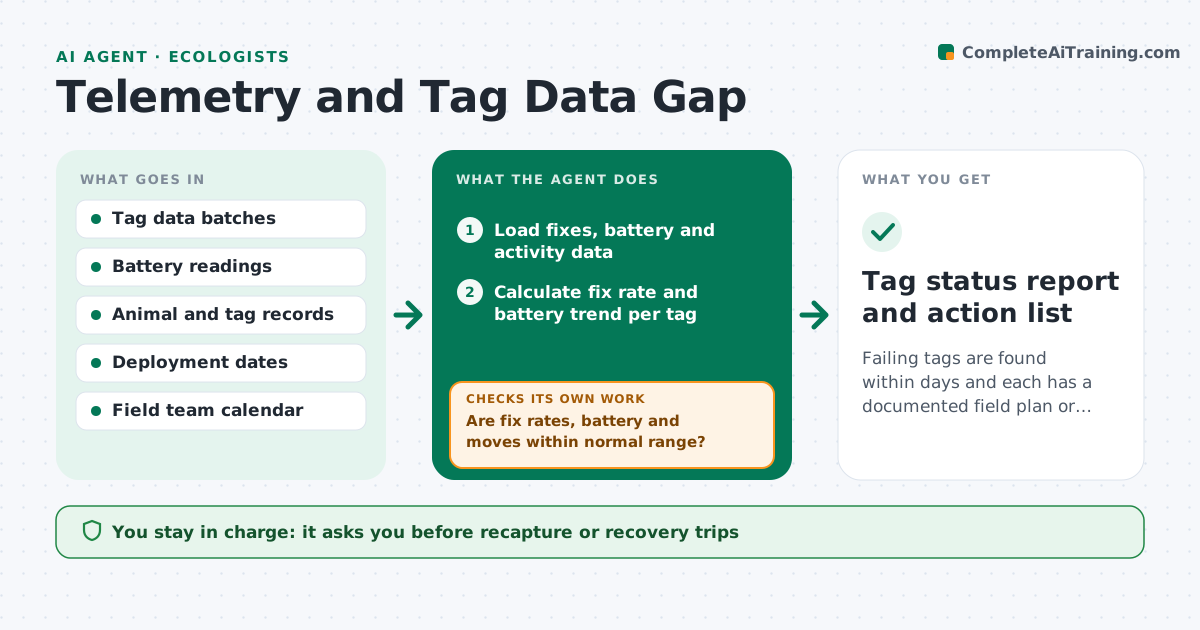
Failing tags are found within days and each has a documented field plan or decision
What it does
Tag failures often show up months after the animal stopped sending good data. This agent reads each incoming transmission and checks for missing fixes, falling battery voltage and moves that are not physically possible. It flags tags that look like they are failing and separates them from animals that simply died or moved out of range. For each flagged tag it proposes a plan, such as a recapture attempt, a recovery trip or accepting the loss. Each new data batch is checked against the previous ones. The lead approves any field action. Edge case: a bird shows a 400 kilometer jump in one hour, so the agent marks it as a location error, not a migration.
How it works
Follow the arrows from top to bottom. The orange dashed arrow is the loop: when a check fails, the agent goes back and tries again.
Read the steps as a list
- New tag data batch arrives
- Load fixes, battery and activity data
- Calculate fix rate and battery trend per tag
- Check each move against plausible speed
- Are fix rates, battery and moves within normal range?If not: flag the tag and classify it as failing, animal lost or error. Back to step 3.
- Compare to earlier batches to separate trends from noise
- Propose recapture, recovery or acceptance for each flagged tag
- Is a field plan feasible given crew, permits and season?If not: offer another option such as delayed recapture or remote monitoring. Back to step 7.
- Lead approves field actionsThe agent waits here for your OK.
- Tag status report and action list
How it decides
A tag is flagged when fixes drop below its normal rate, battery trends below the cutoff, or a move exceeds the species' plausible speed.
- Flag a tag when fix rate drops below 50% of its median
- Flag battery below the species cutoff
- Mark moves over the speed limit as errors
- Do not propose recapture during breeding season
Make it yours
Every agent is a starting point. You choose these settings for your own situation.
- Fix rate alert level (default 50%)
- Battery cutoffs
- Plausible speed by species
- Batch check frequency
What keeps you in control
It always asks you first
- Recapture or recovery trips
- Changes to tag deployment plans
Hard limits
- Never authorizes recapture on its own
- Never deletes data
It stops when
- Done: every flagged tag has a decision
- Stop: data feed is down
Set it up
We guide you through the set-up, step by step
Members get the full set-up guide for this agent. No technical skills needed: you copy, paste and upload.
- One set of instructions to paste into your AI, with the clicks for ChatGPT, Claude, Microsoft 365 Copilot, Gemini and Grok
- The agent then walks you through connecting your own data, one source at a time
- A downloadable copy with the flow chart, the rules and the full guide