AI agent for structural engineers
Temporary Works and Shoring Review Agent
Review contractor temporary works submissions against the permanent design and track resubmittals to approval
What it does
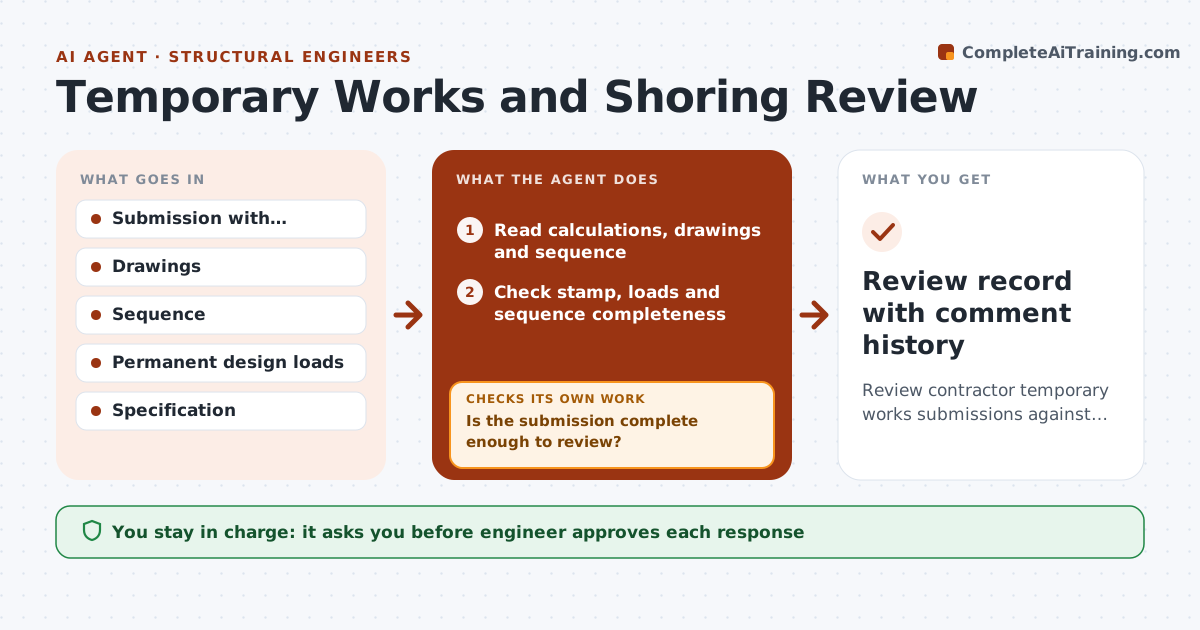
Shoring and temporary support designs arrive late, and engineers review them under pressure. The agent checks each submission for stamped calculations, design loads, the build and removal sequence and stability. It compares loads with the permanent design and checks that the load path reaches adequate support. It lists comments by severity, such as missing stamp, unspecified concrete strength at removal or unchecked buckling. It drafts a review letter and tracks resubmittals, comparing each one with the previous comments. The engineer approves the response before it is sent. Edge case: a shoring plan assumes a slab strength of 3,000 psi at 3 days, which the agent checks against test data and flags as unsupported.
How it works
Follow the arrows from top to bottom. The orange dashed arrow is the loop: when a check fails, the agent goes back and tries again.
Read the steps as a list
- Submission received
- Read calculations, drawings and sequence
- Check stamp, loads and sequence completeness
- Is the submission complete enough to review?If not: Return it with a list of missing items. Back to step 2.
- Compare design loads with the permanent design
- List comments by severity
- Engineer approves the review responseThe agent waits here for your OK.
- Receive the resubmittal and compare with prior comments
- Are all comments resolved?If not: Reissue open comments and track the next resubmittal. Back to step 3.
- Prepare the final review note
- Review record with comment history
How it decides
The review checks stamped calculations, loads, sequence and stability; any gap becomes a comment and the submission returns until closed.
- Return incomplete submissions without a technical review
- Mark a comment critical if loads or stability are not shown
- Require evidence for early strength assumptions
- Track each resubmittal against the previous comments
Make it yours
Every agent is a starting point. You choose these settings for your own situation.
- Severity rules
- Items required in a submission
- Response time target (default 3 days)
- Comment format
What keeps you in control
It always asks you first
- Engineer approves each response
- Engineer approves final acceptance
Hard limits
- Never accept temporary works; the engineer decides
- Never give design advice to the contractor
It stops when
- Done: every comment is resolved and the engineer accepts
- Stop: the design is not stamped by a licensed engineer
Set it up
We guide you through the set-up, step by step
Members get the full set-up guide for this agent. No technical skills needed: you copy, paste and upload.
- One set of instructions to paste into your AI, with the clicks for ChatGPT, Claude, Microsoft 365 Copilot, Gemini and Grok
- The agent then walks you through connecting your own data, one source at a time
- A downloadable copy with the flow chart, the rules and the full guide